


You spend an evening getting ready to apply for disability benefits. The next morning, a recorded message and a live caller seem to pick up where you left off.
The representative says you can skip anything you’re uncomfortable answering. Some of the questions still deserve a call back to the agency itself.
Overview
The timing made an unsolicited call feel expected
The person who reported the call had started preparing to apply for disability benefits the evening before. The next morning, someone called claiming to represent Social Security.
A recording played before a live person took over. The caller said they needed information to help the recipient move forward and offered to skip questions the recipient found uncomfortable.
The caller obtained several personal details, including date of birth and a family name often used in security questions. The recipient stopped when asked for their Social Security number.
Social Security has warned about disability-claim impersonation
The Social Security inspector general’s advisory describes a related impersonation that used alleged disability claims to obtain personal or financial information. That documented variant started with a text.
The public report here describes a phone call, and the recipient said a later check indicated the number was fake. How the caller got the phone number remains unknown.
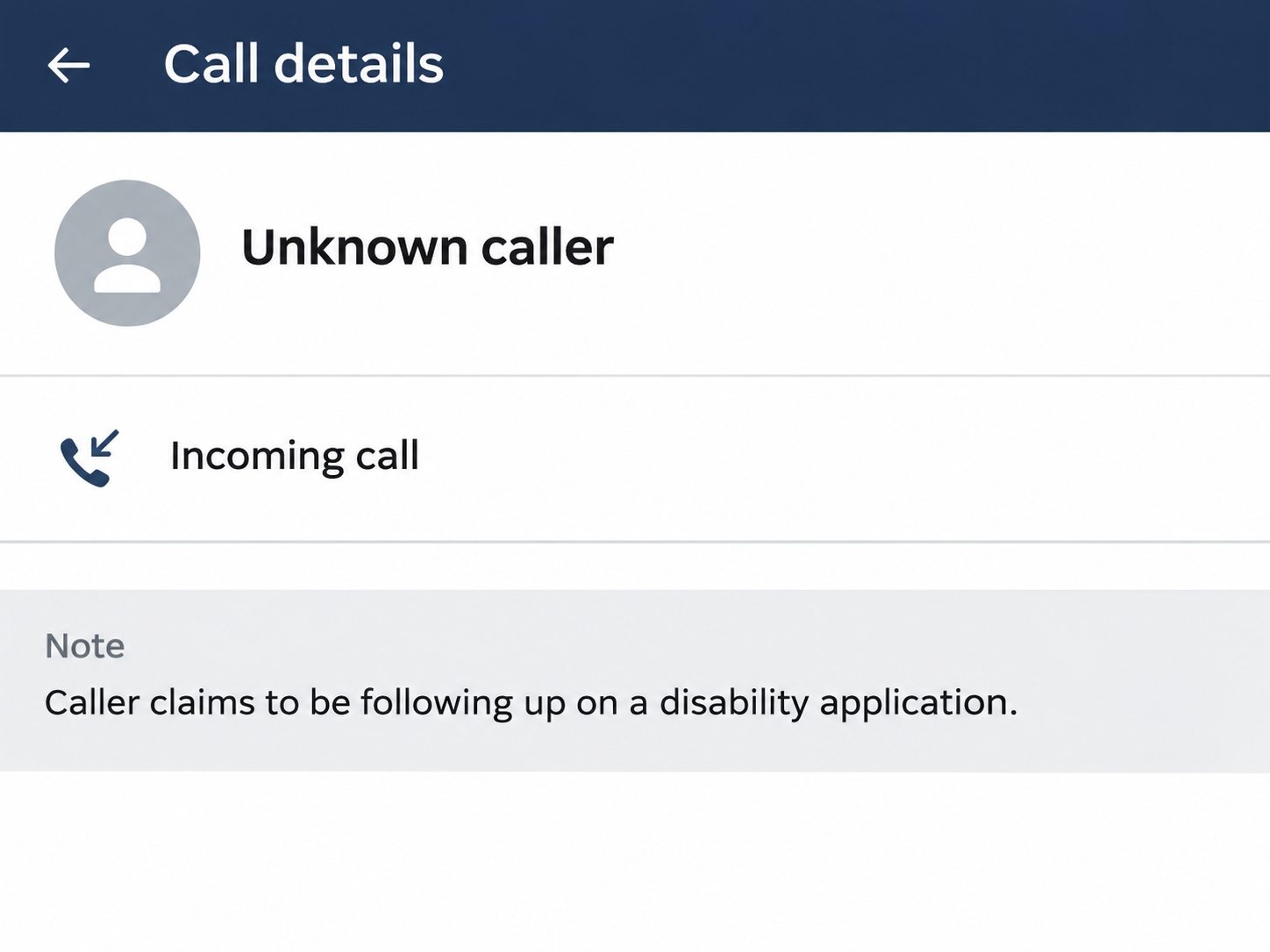
The image above illustrates the claim made on the call without depicting the caller’s number. The report gives no evidence of a filed application being intercepted or altered.
You can check the claim without answering questions
If you already submitted paperwork, use Social Security’s application and appeal status page. If you only started preparing it, ask the agency what stage you have reached.
- Ask whether the office has an application or contact attempt on file.
- Use a published Social Security contact, even if the caller offers a direct extension.
- Write down what you shared, separately from anything the caller merely requested.
- Keep applying or checking your claim through the real process while you address the suspicious call.
Have the date you started applying and any confirmation you received handy when you call. Both can help the agency identify which records to look for.
When Social Security May Actually Contact Someone
Social Security can contact people during a real disability claim. Its guidance describes mail and phone contact, which makes a rule like “the agency never calls” too broad.
A pending claim can also involve a state Disability Determination Services office. If a caller says they work on your claim, ask the agency how to verify that office first.
Use Social Security’s published contact routes to ask whether someone tried to reach you. Give the time and the office the caller named.
If the call came while you were only gathering paperwork, say so. The official representative can check whether the agency actually received anything.
A person who just read the application requirements can be in a different position from someone who submitted a claim. Check whether the agency can see an application at all.
The account status page can provide a useful starting point if you submitted an application. If the page does not answer your question, use the office’s official contact information.
Real agencies may need personal details to identify you after you initiate contact. Let the verified representative explain what they need and how that information can be supplied securely.
Check whether a disability examiner has actually been assigned
In a real disability review, state Disability Determination Services staff can seek information the agency needs to assess your claim. They use the case to determine what evidence is missing.
Social Security’s published procedures describe how disability staff request information and document their contact. Ask the agency how to reach whoever is handling your case.
If a caller wants a medical record, ask the agency to confirm which form or report it needs and how to provide it.
The treating office may already have a copy.
Some applicants work with a representative. If you have one, ask them whether they know about the request and which office they use for that stage of the claim.
This matters if the account portal still shows an early stage of processing. The published office can help you check the request without relying on a person who called unexpectedly.
How the Fake Social Security Disability Call Scam Works
Step 1: The caller sounds like they are following up
The reported call arrived in the morning after the recipient had been preparing to apply. The timing did much of the work, even without a confirmed application number.
Someone can guess at a common process without knowing you actually started it. An apparent match to your plans does not tell you where the caller got your number.
Step 2: A recording gives way to a live representative
The beginning sounds like a phone system, which is familiar if you have ever called an agency. The live voice then describes the call as help with an application.
Automated menus are common across customer service and government. A polished greeting gives no indication of who set up the call.
Step 3: Personal questions arrive in a reassuring tone
The caller told the recipient they could skip questions if they felt uncomfortable. That made the earlier questions sound optional, rather than like a demand.
Information like a birthday or a family name may feel easy to share. Combined with details already available elsewhere, it can help a stranger answer questions about you later.
Step 4: The caller asks for the Social Security number
The recipient stopped because they did not have their number handy. The caller said they could call again at another time, giving the request another chance.
If a caller says they’ll try again, use the time to verify the agency and review what you already shared. There is no reason to prepare the information for them.
Step 5: The follow-up can sound more familiar
A second caller could repeat your name or details you gave on the first call. That would tell you only that the person has information from the earlier conversation.
The report ends before any later call, so the effect of the disclosure is unknown. Use account activity to check for changes you can see.
What to Check Based on the Details You Shared
Date of birth and answers to security questions
Make a private list of the questions you answered. Include any family names, old addresses or similar details you might also use when recovering an account.
If a bank, email provider or other important account uses one of those answers, ask how to replace it.
Secure your recovery email before you rely on it for password changes.
Watch for an unexpected reset message or a caller who repeats the facts you disclosed. Open the affected account yourself to see whether it shows a real change.
Tell the agency exactly what you supplied, so it can distinguish basic biographical details from a Social Security number or copies of identity documents.
A Social Security number or identity document
If you disclosed your Social Security number, consider the FTC’s explanation of credit freezes and fraud alerts. It explains whom to contact and what each measure does.
The FTC says a credit freeze is free and can make it harder for someone to open credit in your name. It works differently from a fraud alert.
A freeze concerns the disclosure of your credit report. You still need to monitor existing accounts and contact providers directly if you see changes or payments you did not approve.
If you are already dealing with identity misuse, use IdentityTheft.gov for a recovery plan. Keep the alert, report and any account statements in one place.
Access to the benefits account itself
Check that the email and phone used to reach your Social Security account remain under your control. If you disclosed sign-in details, seek official help with the affected account.
Someone who requested a number by phone has not necessarily accessed the benefits system. Ask the agency whether any change appears before you assume an application or payment was redirected.
If you have a household member helping with the application, agree on which number you will use to contact the office.
Tell them about any promised callback from the suspicious caller.
Keep your original application confirmation and any genuine letters. Those records let you discuss your benefits without using an address or reference supplied only by the call.
Keep the Benefits Application Moving
People may ignore legitimate paperwork after a scam because they fear the next contact will be fake too. Check your status directly and note any real deadlines you find.
If the agency says your application needs more information, ask where to send it. Obtain the form through its site or the office you contacted, and retain a copy.
Tell anyone helping you with the claim which documents you have submitted and which contact asked for more. That helps prevent duplicate submissions and keeps the timeline straight.
When you call an office about the claim, keep a separate record of what it confirmed. Use that record to distinguish a later scam story from an actual update.
When a Second Caller Knows Your Details
The caller might mention your date of birth or family information during a follow-up. Compare what they know with what you already gave them before assuming they saw agency records.
Make a note of whether the follow-up happened by phone, text or email. It can be useful to report more than one contact when the messages claim the same case.
A caller might tell you to verify your identity through a second number. Use the contact on the agency’s own site so you resolve the application outside that handoff.
When a password reset text arrives, read which account it came from. If it concerns something other than Social Security, reach that service separately through the app you already use.
If someone also claims your benefits payment was redirected, check with the agency directly. A bank can identify actual payment activity if you receive benefits by direct deposit.
Keep your questions about deadlines in one list and your exposure details in another. It makes it easier to get straight answers from the right office.
What to Do if You Have Fallen Victim to This Scam
-
End the unsolicited call and save the displayed number, time, voicemail and claimed office for a report you can make independently.
-
Use Social Security’s published contact information to ask whether the agency or a verified partner had a reason to call about your application.
-
List what you actually shared, including security answers, account details or identification numbers, and contact the providers responsible for any affected accounts.
-
If your Social Security number was exposed, read the FTC’s guidance and contact the credit bureaus directly if you decide to freeze your credit.
-
Report the impersonation through the Social Security inspector general’s reporting page and keep a private record of what you reported.
-
Check for any real application deadline through the official status page and continue your application through the agency’s verified contact route.
If you did not provide your Social Security number, tell the agency that. There is still a reason to watch for unusual contact, particularly if you supplied common security answers.
If the caller already has your number and calls again, send the call to voicemail. It is easier to keep the promised follow-up out of your real application that way.
Frequently Asked Questions
Can someone from Social Security really call about a disability claim?
The agency can call in some situations. Ask Social Security directly which office called and what it needs before you give out sensitive information.
Does a recording prove the call came from an agency?
A recorded greeting can be used by anyone. Check the office and application through Social Security independently, even if the call sounds like a familiar government phone system.
Why would the scammer offer to skip sensitive questions?
A relaxed tone can get someone to answer earlier questions without stopping. The later request for a Social Security number can feel easier after the recipient has already cooperated.
What if I shared my date of birth but withheld my number?
Record exactly what you shared and secure accounts that use the same details as recovery answers. Review any unexpected password reset or identity verification request through the relevant provider.
Can I check an application status without returning the call?
Use Social Security’s official application status page if you submitted a claim. You can also contact the agency through its published routes to ask about the correct next step.
Where do I report someone pretending to be Social Security?
Use the Social Security inspector general’s reporting page. Include the date, nature of the request and displayed contact details so the agency knows what you received.
The Bottom Line
End an unexpected disability call before sharing sensitive information. Ask Social Security through its own channels whether the agency needs anything to process your claim.
If you already gave the caller personal details, document exactly what you shared and protect the relevant accounts. Keep the actual benefits application on its own verified track.

Join the discussion
0 commentsShare your experience or ask a question about this article.
Community experiences
Did this happen to you?
Your experience could help someone recognize the same scam. Submit a private report for our team to review.
I experienced this tooReports are reviewed before publication. Sharing publicly is always your choice.
Discussion
Start the conversation
Have a question or something useful to share? Add the first comment.