


Your Amazon order history shows purchases you don’t remember making. The items come from different sellers, and the packages are already moving.
Then you notice where all of them are headed.
Overview
Four orders appeared with the same unfamiliar destination
An Amazon customer reported finding three Garmin smartwatches and a Garmin fish finder in their account. The customer said they had not placed any of the four orders.
The purchases were listed under different third-party sellers. The account holder said three carriers were involved and that all four shipments showed the same destination.
They were able to request pickup holds on two shipments. Amazon was looking into the orders when they shared the account. The final delivery or refund outcome was unclear.
Tracking can help stop a package while the account is being secured
One unfamiliar order is enough to contact Amazon. With multiple orders, look up each shipment before assuming one cancellation will cover the rest.
Make a short private list:
- The order number and item that appear in your Amazon account.
- The seller name shown on the order, for support to identify the transaction.
- The carrier, tracking number and current status for each package.
- The last four digits of the payment method on the order or corresponding bank charge.
- Which shipments you tried to stop and what the seller or carrier confirmed.
The sellers’ names identify the orders
A marketplace order can involve a seller and a shipping company you have never used.
Their names help Amazon find the order. The record gives no evidence they participated in the account misuse.
There was also no verified explanation for how someone gained access. An unknown delivery address is something to report, and it does not identify who placed the order.
The strongest evidence for a reader is an order found inside their own signed-in account. A separate scenario, a card charge without an order, needs a different check.
How the Unauthorized Amazon Order Scam Works
Step 1: Orders appear inside a real shopping account
In this case the customer found actual order entries, as opposed to only receiving a suspicious order email. Each one could be identified for Amazon support.
If you saw a notice first, open Amazon yourself and look for the order there. A fake receipt can name an expensive item and supply an unrelated phone number.
Check whether someone authorized to share the account placed the order. In a household dispute about which person clicked Buy, first confirm the unfamiliar address and payment method.
Step 2: A purchase uses a destination you do not recognize
The case’s four orders pointed to one unfamiliar address. That gives support a common detail to check even though the sellers and carriers differed.
Record the destination privately for Amazon and the bank if relevant. Do not go there to retrieve a package or contact the people listed on the order.
Check saved addresses for changes. Save any relevant entry for your report before removing it, and check whether your own correct addresses are still in place.
Step 3: The orders can be at different points in shipping
One order may still have a cancellation option while another has a tracking number. The status of each order determines which provider can help at that moment.
For a shipped package, ask Amazon or the seller what the carrier can do.
A hold or interception is not always available, especially after delivery or when only the shipper can request it.
The customer reported requesting holds for two packages. That is a useful action to ask about, but check who is authorized to collect any held package.
Step 4: A shipping change still leaves an account and payment issue
Even if a package stops moving, check the bank record and ask Amazon to confirm the order disposition. A carrier update alone cannot tell you whether a charge was reversed.
Secure the account so additional orders cannot be placed through your access. Start with the email account used to receive password changes if you suspect it was exposed.
Write down the actual order status after you act. Mark each order according to what the company confirmed, such as canceled, shipped, returned or under review.
Where to Look When the Order and Charge Do Not Line Up
You can see both the order and the debit
Report the order through Amazon and the charge through your issuer. Give Amazon the order number and carrier details. Give the issuer the charge date, amount and statement descriptor.
A single order can produce several shipments or payment entries. Ask support to match the entries before reporting what appears to be a second charge for the same purchase.
If you asked for a cancellation, confirm whether it was accepted. Keep the confirmation and ask when an authorization or completed charge should change on the funding account.
You can see a debit but there is no order in your account
Another customer reported seeing an Amazon charge after their bank alerted them.
The transaction was absent from their own order and payment history. Amazon told them it found no suspicious activity on that account.
Check other accounts and expected subscriptions. Confirm whether a family member with permission used your card, then tell the issuer if you still cannot recognize the charge.
An unfamiliar card charge can exist outside the account you searched. Give the bank the transaction itself instead of assuming a password change will resolve the payment.
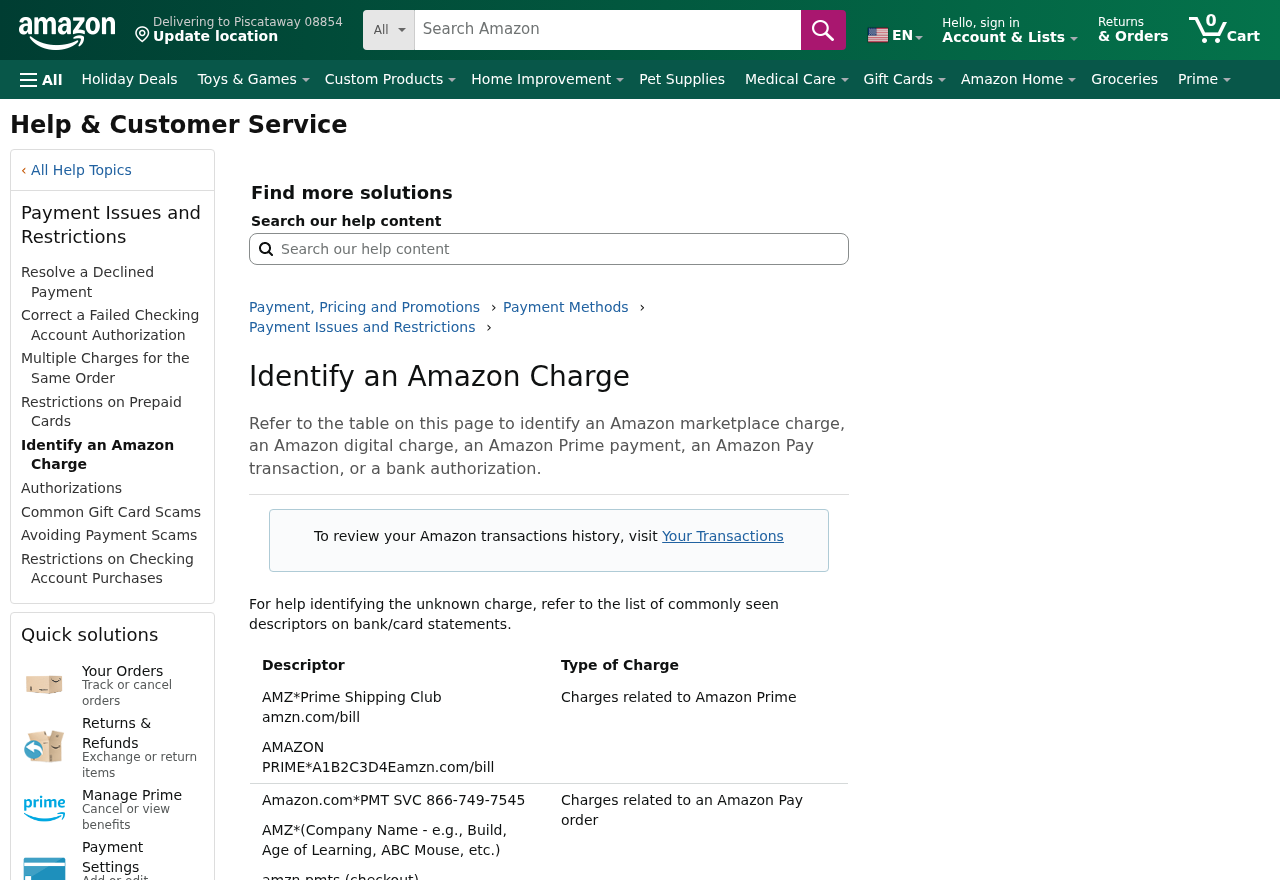
Amazon’s guide to identifying a charge explains common reasons charges appear. For a transaction explicitly identified as Amazon Pay, use Amazon Pay’s unauthorized charges page.
You only have a message about an order
Leave the contact details in the message unused. Open the store and bank separately. See whether either company has a real record that matches the description.
If there is no matching entry, report the message as suspicious through your mail provider or Amazon’s official channels.
Keep the email if you need to refer to its exact claims.
If you clicked a link and typed your Amazon password, secure the account promptly even if no order appears. Report any changes to addresses, devices or payment methods you discover.
What to Ask About Each Shipment
If an item has not shipped
Open the order and record any available cancellation option. If the order displays a seller contact route, send the request through Amazon so the service can see its history.
Explain that you did not place the order. Ask for confirmation that the sale was canceled before dispatch, and save the answer for your bank.
Some orders have more than one line item. Confirm which items Amazon canceled. An order email or transaction may include another package you still need to review.
If an item is already moving
Find the carrier using the tracking information in your account. Search for the carrier directly and check its official page. Use the tracking number privately.
Ask the seller or Amazon whether it can request a return to sender. A carrier may require the party that purchased the label to make that request.
If a hold is available, ask where the package will go and who can collect it. You can request that it be returned without going to the pickup site yourself.
Remember that the order address and tracking address are records associated with the shipment. Save them for the case and avoid posting a private address online.
If a package was already delivered
Save the delivery time and any proof of delivery the carrier makes available. Provide it to Amazon through the support case even if the location is unfamiliar.
An image of a doorstep does not identify the person who placed the order. Focus on the shipment status, order ID, payment method and support reference.
If different carriers delivered different orders, track their responses separately. Ask Amazon to connect those responses to the appropriate order rather than treating all deliveries as one.
The Parts of Your Account to Review Afterward
Sign-in and contact details
Open the account security settings yourself. Check that you control the email address and phone number it uses. Follow official recovery instructions if a setting has changed.
Change to a password you use only for that account. Review which verification options are available and activate multi-step protection where supported.
If you cannot receive a reset notice, check access to your email account first. Use the email provider’s own security settings and review suspicious activity there.
If more than one person shops through your account, let them know to ignore unexpected approvals while you secure it. Confirm who should retain legitimate access.
Saved destinations and payment records
Review the new order destination alongside your saved addresses. If you find unfamiliar entries, record them for support before removing them.
Look at saved cards and recent orders. If a new payment method appeared or an old one changed, mention that fact to Amazon and your card issuer as appropriate.
If you use recurring orders, check that the shipping address and payment method are still correct. Take care of the account before trying to recreate any canceled legitimate order.
If a charge returns after you thought the matter was closed, give the bank the older case details. Ask whether this is a separate posting, temporary authorization or another order.
Use the order history and bank history together for follow-up. Each helps answer a different question, and you may need to reference both to describe a single disputed purchase.
If the customer service number came from a message
Start over from your account. A number in a security email can take you to someone who knows the order story but cannot make changes to your genuine account.
If you called a number from the message, tell verified Amazon support what information you supplied. If you gave out card information, contact the card issuer as well.
Keep the original message in its own folder. It may describe the same order, but support can check the sender separately from any order it can see.
What to Do if You Have Fallen Victim to This Scam
-
Open Amazon through a trusted route. Save all unfamiliar order IDs and the status for each. Preserve the record if a package is already on its way.
-
Contact Amazon about unauthorized orders. Ask which can be canceled and which require a shipper request. Keep separate support references if several orders are involved.
-
Ask about shipments through official channels. Use tracking from your account. Find out who can request a hold or return, and avoid visiting the destination address.
-
Tell the issuer what you can verify. Report the actual charges and whether they appear in your shopping history. Ask how to protect the payment method.
-
Secure the sign-in and recovery details. Change the password, review protection settings, and check changes to addresses and payment methods. Secure the email account if needed.
-
Keep order and bank outcomes in one timeline. Note confirmed cancellations, carrier updates and any credits. Report further fraud through the appropriate channel in your country.
Use Amazon’s customer service guidance to get help while signed in. If your usual password no longer works, follow its official account recovery route.
Avoid sharing a one-time security code with anyone calling after you open a support case. A real update can be checked through the same channel you used to report it.
If you can still see an unfamiliar order after it is canceled, save that record.
A cancellation proves what happened to the order, while the bank can confirm what happened to the charge.
Frequently Asked Questions
Do orders from several third-party sellers indicate they were involved?
The seller names show where each item was ordered. Report the orders to Amazon and let it investigate the sellers’ roles. The account described here did not establish complicity.
Can I stop a package once it has shipped?
Ask Amazon or the shipper what the carrier allows. Options depend on the shipment and who is authorized to change it. Record any confirmed interception or return.
Does the shipping address tell me who accessed my account?
It gives Amazon and investigators a place associated with the order. Save it privately for the report. Someone else may live there and the record can be incomplete.
Why should I contact my bank if Amazon is already investigating?
The companies handle different records. The retailer handles the order and shipment. Your issuer can identify the charge, help protect the card and explain its dispute process.
What if the Amazon charge never appears in my order history?
Verify the charge with the issuer and check any other account you use. Report it if it is unauthorized, even if the shopping account you checked shows no order.
Should I remove my saved card after finding an unfamiliar order?
Ask your issuer how to protect the payment method and update Amazon after securing access. Removing a saved card alone does not cancel existing orders or resolve prior charges.
The Bottom Line
Report each unfamiliar order to Amazon while there may still be time to stop its shipment. Check every charge through your own bank account.
If an order appears inside your account, secure access and preserve its record. If only your card shows a charge, report that transaction directly to the issuer.

Join the discussion
0 commentsShare your experience or ask a question about this article.
Discussion
Start the conversation
Have a question or something useful to share? Add the first comment.