


The Varnock S1 looks small enough to forget you’re wearing it. Clip it to a shirt and you can keep both hands free.
That is an appealing idea until you have to decide which version to buy and what you expect the footage to look like.
Overview
The $139.99 option is not labeled 4K
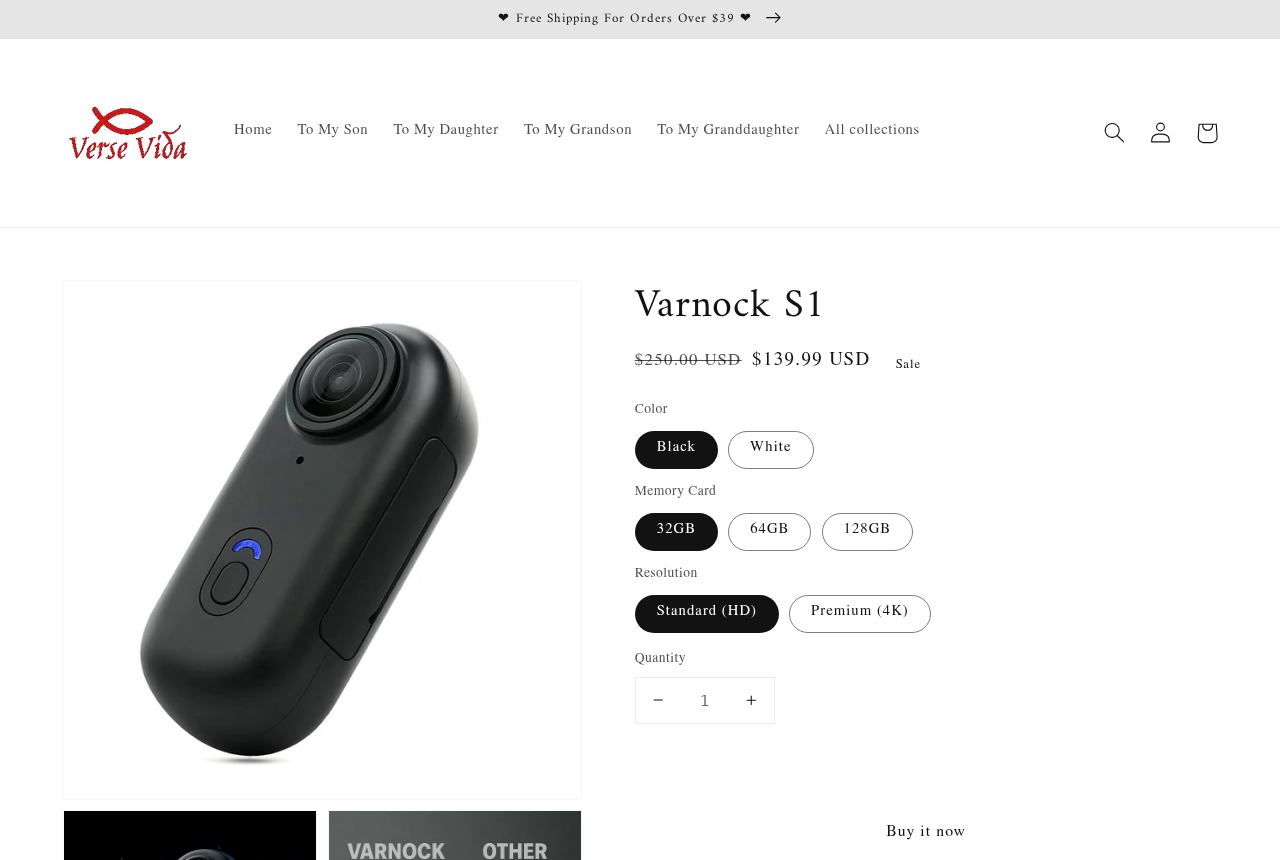
The VerseVida listing showed a black Varnock S1 with a 32GB card and Standard HD selected for $139.99. The page separately offered a Premium 4K option.
Below those choices, the copy promotes 4K recording alongside hands-free use. Elsewhere it calls the device a body-worn 1080p camera. Read the selector before reading the headline.
A buyer could easily remember the larger number and overlook the selected option. The important question is what the order confirmation will say, not which wording sounds more impressive.
- Standard HD appeared with the black camera and 32GB card at the initial listed price.
- Premium 4K appeared as a separate choice, without establishing the sensor or native video resolution.
- Memory capacity is a separate option from the camera’s recording mode and image quality.
The little clip does something useful
The S1 is a thumb-size camera with a lens and a recording button, not a screen for framing or reviewing shots. It can be worn with a mount.
In a hands-on comparison, a reviewer showed a magnetic hanger and an included clip. The camera made a recording while clipped to a sweatshirt.
That is a practical feature if you only need a record of a quick task or a first-person view. It does not say much about distant detail.
The listing on VerseVida depicts the same oval housing and front controls. That visual match does not establish whether the reviewer tried VerseVida’s exact Premium option.
The comparison makes a stronger case for size than performance
The reviewer walked a route with a GoPro Hero7 Silver, then showed footage from the small camera. He preferred the older GoPro’s result but liked the S1’s smaller files.
One camera was handheld and one was clipped to clothing. The comparison is useful for seeing how each setup behaves, not for measuring stabilization on identical mounts.
The uploaded clip cannot establish the native resolution of every retail variant. That is why downloadable sample files and a model-specific specification matter more than a 4K badge.
How the Varnock S1 Offer Works
Step 1: See a short clip and imagine wearing the camera
The circular lens and rounded housing take up less space than a conventional action camera. You can picture wearing it when a handheld camera would get in the way.
VerseVida also markets the device for outdoor activities, driving and everyday recordings. Those uses make different demands on the picture and mount, even with the same camera.
A stationary view of a workbench may be enough for a project diary. A clip intended to show what happened on a bumpy trail needs particular care.
Step 2: Separate the recording tier from the card
The page lists black and white, 32GB, 64GB and 128GB, plus a choice of recording tier. A larger card changes storage space, not the sharpness of the lens.
Get three descriptions in writing: the precise model, the selected memory size, and the frame size and rate it records without enlarging the image afterward.
A file can be saved with a large pixel count even when the sensor captured less detail. The product page does not settle whether the Premium tier does that.
Do not pay more just because four characters were added to the selector. Ask for an original clip made with the same configuration you are considering.
Step 3: Decide what playback you need
VerseVida says the phone app can preview and transfer recordings. For a screenless camera that sounds useful, but the listing does not make the download source obvious.
Ask for the app’s exact name, publisher and official store listing for your phone. Do not install a file sent by an unfamiliar chat account to set it up.
If you only want to read files off the card, verify that the card reader in the package fits your computer or phone before depending on it.
Step 4: Check how quickly you can change your order
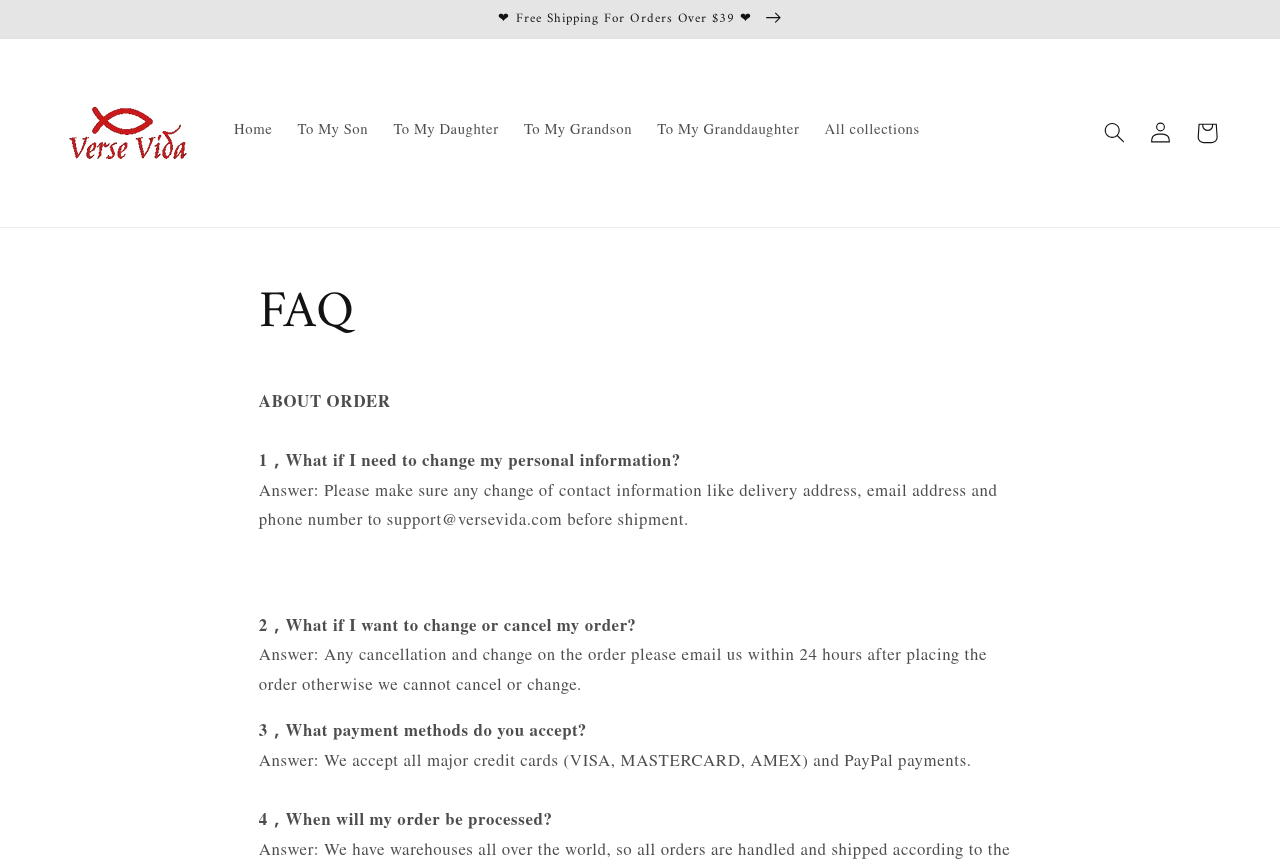
The VerseVida FAQ tells buyers to email within 24 hours to change or cancel an order. It gives 48 hours after delivery for reporting a defect or wrong item.
The separate returns page discusses cancellation before dispatch. Use the earlier deadline if you want to stop an order, and keep a copy of your email.
That defect deadline can run out while a package sits unopened. Check the sticker on the box and the settings on the camera as soon as it arrives.
Seller, Delivery, and Return Checks
VerseVida sells it, but the brand does not identify a factory
The sample offer names VerseVida as the store. The terms name Shopify as its hosting platform, which is not the manufacturer or the party promising particular camera specifications.
The S1 name also appears in a Walmart Marketplace listing that uses I3 and Varnock wording together. A marketplace title is not evidence that Walmart made or tested the camera.
Those listings repeat an 800mAh battery and roughly 150 minutes of recording, but shared specifications do not show that both sellers ship an identical unit.
A warehouse claim does not give you a return address
VerseVida’s FAQ says it uses multiple warehouses and ships according to the buyer’s location. That statement does not identify where this configuration would be dispatched from.
The store’s delivery page describes a separate processing period and quotes 15 to 25 business days in transit, depending on location and available carrier.
That is a different expectation from getting a replacement before a weekend ride. Ask how quickly the seller can act if the model or card arrives wrong.
Use order support, not the name on an ad
The vendor publishes an email address for order questions. No test message was sent, so the existence of that address is not a measure of response time.
Give support the order number and original selection. For a recording problem, send a short file showing the issue and explain which setting you chose.
Do not post personal footage just to prove a defect. A test clip of a printed sign or empty room can show the same focus or corruption problem.
Return postage can change the value of the guarantee
VerseVida’s returns policy says the buyer is responsible for return shipping and that shipping costs are nonrefundable. It also recommends tracking or shipping insurance.
Get the destination and any deductions confirmed before mailing it. A return that costs too much to send back makes the original discount a poor reason to buy.
Keep the card, clip, reader, cable and packaging together. The decision about missing parts should not come down to whether a small accessory got left on your desk.
What a Useful Sample Should Show
One unchanged file answers more than a montage
Ask for several continuous seconds at walking pace, then a steady shot of printed text or a sign with visible detail. Request the original file, not a social upload.
A social service may recompress both cameras. If you want to judge the file the camera writes, open the unchanged recording and look at the frame dimensions and motion.
In that test, look beyond whether a sign is readable when standing still. A clip that loses its detail on every step may not serve as useful evidence.
Mounting matters as much as the sensor
A clip on loose clothing can move with the fabric. A camera held in a hand follows a different movement, even at exactly the same walking speed.
For footage on a helmet or bag, ask which accessory actually ships and how it attaches. A magnetic pendant and a clip do not cover every use.
The seller describes splash resistance rather than underwater use. If you need it around rain or water, ask for a documented rating for the exact model.
Battery life is measured under conditions, not just in minutes
The shop advertises up to 150 minutes. Ask whether that figure was recorded with Wi-Fi on, at which resolution, and under what temperature and recording conditions.
A battery that lasts long enough for a short task may not record an entire shift. Separate the length of each clip from the device’s total running time.
If long recordings matter, confirm what happens when the card fills and whether a full recording is split into files. Those details determine what you can recover later.
Where the S1 Fits and Where It Does Not
Think about where the footage will end up
A hands-free clip can be convenient for documenting a repair. In that situation, seeing which screws came out often matters more than filling a screen with sharp outdoor detail.
If the clip is meant for a video project, think about how it will cut alongside footage from your phone. Compare the two in the same light first.
Smaller files are convenient, but file size alone cannot tell you why a shot looks different. Duration, frame rate, resolution and compression can all change the number.
Listen to the sample as well. The comparison includes the reviewer’s voice, but it does not establish how the seller’s surround-sound claim would translate to a noisy ride.
Get answers the product page can be held to
Ask whether HD and 4K mean different camera hardware or different options in a menu. Those are two different kinds of upgrade, even if the housings look identical.
If a seller sends a sample but cannot name the recording mode or camera revision, you still cannot tie that file to the option in your cart.
Ask separately about mounting and storage. A picture of a clip does not tell you whether a particular memory-card option includes the same accessories as another package.
If the advertised capability matters to your purchase, keep the seller’s answer with your receipt. A generic 4K headline is harder to resolve than a specific written promise.
Ask what you can inspect without losing return eligibility
The returns policy describes qualifying problems such as the wrong item or poor quality, but also says the product has to be unused and in its original packaging.
That combination matters for a camera: some faults are visible on the box, while others only show up after a recording. Ask how the seller handles diagnostic testing.
If the label alone shows the wrong tier or card, stop there and document it. A photograph can make your case without a longer test of the equipment.
For other issues, ask for written instructions before shipping or extended use. Keep the merchant’s answer because a general policy does not tell you what it authorized.
People often assume a crossed-out price establishes the camera’s normal market value. A comparison with a model you can test and return is more useful here.
A seller may charge more for a device with documented settings, replacement mounts and local support. Weigh those benefits against the amounts you would actually pay.
What to Do If You Ordered the Varnock S1
-
Save a copy of the selected configuration and what the product page says about resolution. Compare it with the confirmation before the vendor’s cancellation window closes.
-
Request cancellation or correction promptly if the confirmation lists a different variant. Store a dated copy of the message and ask the merchant to confirm its decision.
-
Record an unboxing as soon as it arrives. Check the model label, memory card and mounts, and document a simple test if the camera does not work.
-
Keep the original video file if the camera cannot produce the promised recording. Show the order, selected settings and sample to the seller rather than a recompressed upload.
-
Ask what the seller will cover before sending anything back. If a materially different item cannot be resolved with the merchant, ask the payment provider about its dispute process.
Frequently Asked Questions
Does the Varnock S1 actually record in 4K?
VerseVida lists one HD tier and one 4K tier. The listing does not establish native capture for the Premium tier, so request a sample from that version.
Does a larger memory card make the footage better?
A larger card gives you more storage. It cannot add detail to a recording, correct a poorly focused lens or take the shake out of a clip.
Is Varnock S1 an alternative to a GoPro?
It can make sense when a small wearable clip is the priority. Do not assume it has the image quality, weather rating or stabilization of another camera.
Does it need a phone to record?
The demonstration showed a physical record button. Check which functions require the app and whether there is a separate way to play back and copy your recordings.
Can the camera be used underwater?
The seller describes some resistance to splashes and says the camera is not fully waterproof. Do not immerse it on the strength of the action-camera label.
How soon should I report a damaged or wrong camera?
VerseVida’s FAQ says to notify the store within 48 hours of delivery. Use the earlier applicable deadline and keep the box, order confirmation and evidence of the problem.
The Bottom Line
Do not buy the Varnock S1 for 4K action footage unless the seller can show what the exact version records. The default on the offer was HD.
If small, hands-free recording is all you need, compare alternatives that disclose original samples and return costs before you pay. If you ordered already, check the confirmation now.

Join the discussion
0 commentsShare your experience or ask a question about this article.
Community experiences
Did this happen to you?
Your experience could help someone recognize the same scam. Submit a private report for our team to review.
I experienced this tooReports are reviewed before publication. Sharing publicly is always your choice.
Discussion
Start the conversation
Have a question or something useful to share? Add the first comment.