Advice Request A strange detection

Please provide comments and solutions that are helpful to the author of this topic.

JB007

Level 26
Thread author
Verified
Top Poster
Well-known
Forum Veteran
May 19, 2016
1,567
1
6,553
2,469
France
Hello,
I have uninstalled (with AVG uninstall tool and Revo Pro) AVG ultimate on 1 of my PC abd installed Bitdefender.
I'm very surprised because BDTS detected 2 AVG fileso_O
Do you think they are false positives?
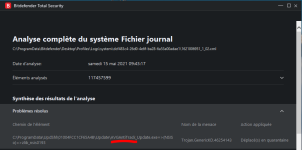
bdts trojan2.PNG

bdts trojan3.PNG
 
Last edited by a moderator:
Hi
First of all I am glad to see you to Remove NSA tool from your System ,btw I am very sad because you change a spy tool with a bug tool :D
for this problem, I suggest you to upload that 'blah blah' file(s) to Virustotal Or you may submitted them to Well Respected Company for more analyze, who may know may be KING OF BUG Fp's or may be a spy file chicks remain from NSA tools :D
Well Respected company in level of detection are : ESET,Avira,Kaspersky....
 
Hello,
I have uninstalled (with AVG uninstall tool and Revo Pro) AVG ultimate on 1 of my PC abd installed Bitdefender.
I'm very surprised because BDTS detected 2 AVG fileso_O
Do you think they are false positives?
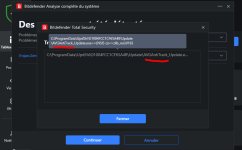
View attachment 258041View attachment 258040

Looks like FP, just leftover from before installed AV, it still happens for many AV vendors that files aren't fully removed especially inside C:\ProgramData

You may want to upload both files to VirusTotal ;)
 
Hello,
I have uninstalled (with AVG uninstall tool and Revo Pro) AVG ultimate on 1 of my PC abd installed Bitdefender.
I'm very surprised because BDTS detected 2 AVG fileso_O
Do you think they are false positives?
View attachment 258041View attachment 258040
I agree with the replies above. I'm pretty sure it's a false positive, but upload it to VirusTotal if you are not sure about it.
 
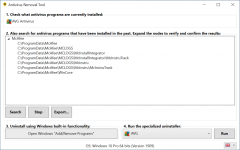
I would use Antivirus Removal Tool to search for leftovers and remove them manually.
MT thread:
Homepage:
Screenshot:
antivirus_removal_tool_main-1024x642.png
 
If he uploaded it to VirusTotal, will he be able to know if it was a malicious file or not? I'm still learning so please forgive me if I asked such questions :oops:
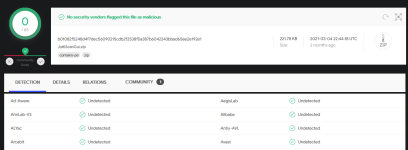
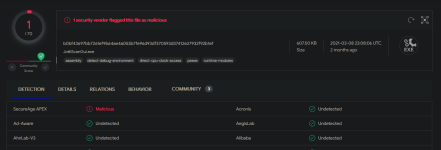
VirusTotal is a website on which you can upload any file that you think could be malicious and it will get scanned by pretty much every Antivirus engine out there (Kaspersky, ESET, Bitdefender and much more.) Even if all scan results are clean it's not a 100% guarantee because every AV could have theoretically missed the file, but it's an huge indicator that the file is clean when no AV detects it on VirusTotal.
 
think you should be careful if Avast gives an NG judgment in Virus Total.;)

Personally, I presume that the file itself does not contain any problems or malicious intent. I think the subject of the warning applies not only to the presence or absence of malicious intent, but also to the power and ability to act within the system.

It's fun to try out various av related software, but they often leave too much debris and it's a hassle.
 
VirusTotal is a website on which you can upload any file that you think could be malicious and it will get scanned by pretty much every Antivirus engine out there (Kaspersky, ESET, Bitdefender and much more.) Even if all scan results are clean it's not a 100% guarantee because every AV could have theoretically missed the file, but it's an huge indicator that the file is clean when no AV detects it on VirusTotal.
Awesome! Thanks a lot @SecureKongo! Now I've learned something new :)
 
Awesome! Thanks a lot @SecureKongo! Now I've learned something new :)
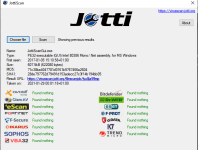
If you upload files or a URL to virustotal.com it gets analysed by +60 different anti-malware solutions from most of the better known vendors. An alternative scanning site is -


in case VirusTotal is ever down, but it uses less solutions, 15 when I checked just now.