APIVoid Notepad

NoVirusThanks

From NoVirusThanks
Thread author
Verified
Developer
Well-known
Forum Veteran
Aug 23, 2012
370
3,671
679
Italy
We've released a new free software for Windows:

APIVoid Notepad is a fast, tabbed text editor and syntax highlighter for Windows. It includes built-in CSV tools, URL/IP/hash extraction, line operations, file hashing, and a variety of utilities for developers and analysts to increase productivity and perform specialized tasks directly within the editor. It can efficiently open and edit large text files exceeding 1 GB in size and supports syntax highlighting for more than 40 languages, including Python, PHP, JavaScript, HTML, CSS, and Rust, as well as configuration files such as .env (dotenv), Dockerfile, and HCL (Terraform). Additionally, it supports both light and dark themes, with an optional zebra-style line background for improved readability.

You can read more details and the full features on the product page:

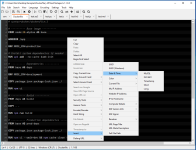
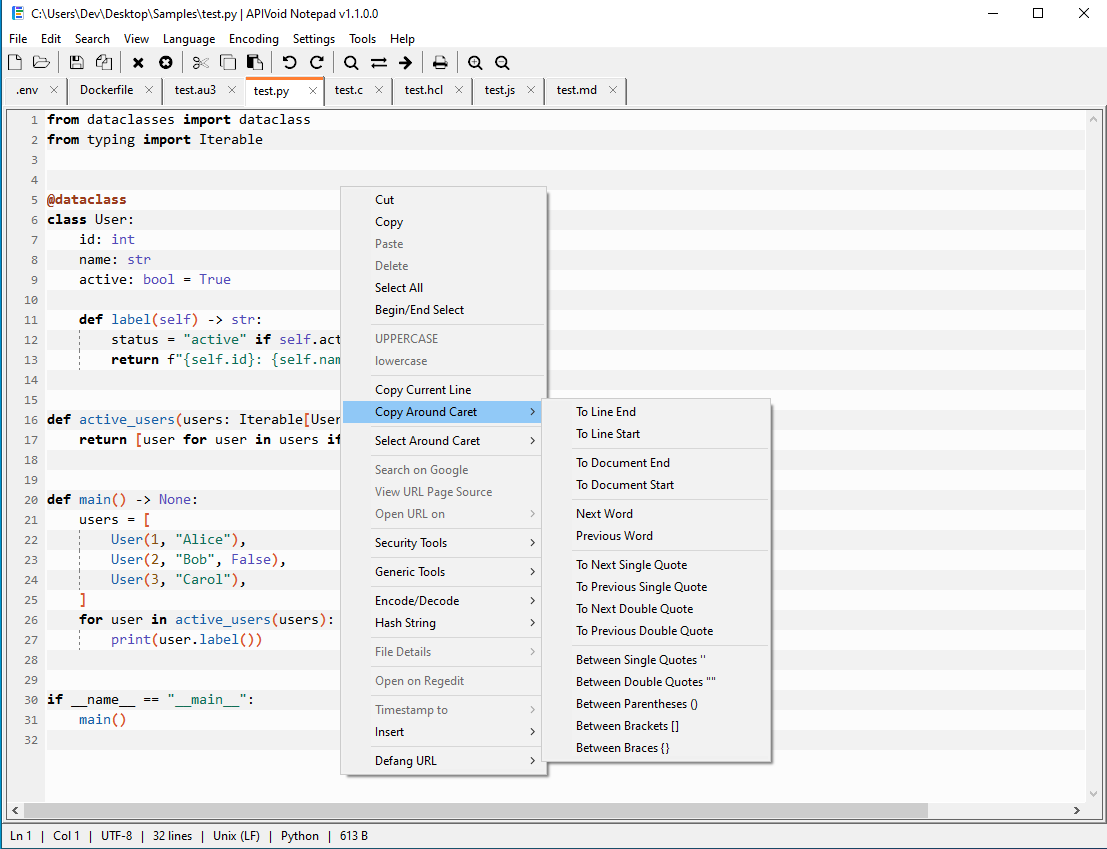
Here is a screenshot of the main program window with some options in the context menu:
screenshot1.png


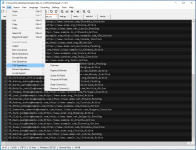
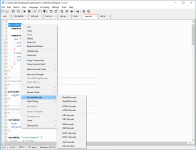
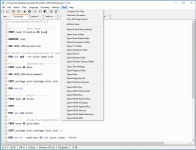
Some other screenshots:

screenshot2.png screenshot3.png screenshot4.png screenshot5.png
 
Nice (y) always room for a secure notepad/text editor.
yes, I looked at it too and it looks nice, but I sorted missed the part about it being "secure" / note saying it isn't secure, but is it more "secure" than notepad++ / how why, just curious since secure did not jump out at me.
 
Version 1.2 has been released:

Changelog:

[09-Jul-2026] v1.2.0.0

+ Fixed saving changes to hidden files
 
Version 1.3 has been released:

Changelog:

[14-Jul-2026] v1.3.0.0

+ Fixed application launch from the shell extension when minimized
 
Version 1.4 has been released:

Changelog:

[17-Jul-2026] v1.4.0.0

+ Fixed Replace with Regular Expression
+ Improved protection against long-running regexes
 
Version 1.5 has been released:

Changelog:

[21-Jul-2026] v1.5.0.0

+ Added a prompt to reload a file if it changed on disk
 
Version 1.7 has been released:

Changelog:

[28-Jul-2026] v1.7.0.0

+ Added Rename option to the current file tab context menu
+ Added highlighting for all occurrences of the selected word
+ Added more commands to the Line Operations menu
 
Version 1.8 has been released:

Changelog:

[10-Aug-2026] v1.8.0.0

+ Added Go To -> Line... on file context menu
+ Added Go To -> Line Start on file context menu
+ Added Go To -> Line End on file context menu
+ Added Insert -> Password on file context menu
+ Added Remove Lines Containing on Line Operations menu
+ Added Remove Lines Longer Than on Line Operations menu
+ Added Remove Duplicate Lines (Case Senitive) on Line Operations menu
+ Added Remove Lines NOT Containing on Line Operations menu
+ Added Remove Lines Matching Regex on Line Operations menu
+ Added Remove Lines NOT Matching Regex on Line Operations menu
+ Added Remove Lines Starting With on Line Operations menu
+ Added Remove Lines Shorter Than on Line Operations menu
+ Added Password Generator on Tools menu
 
Last edited:
Version 1.9 has been released:

Changelog:

[11-Aug-2026] v1.9.0.0

+ Added Recovery tab on Preferences
+ Added Snapshot unsaved documents to prevent data loss
+ Added Monitor File (tail) on View menu
+ Added Find in Files on Search menu
+ Added support for Replace and Regex on Find in Files

Screenshot of the Find in Files window:

find-in-files.png


Screenshot of Recovery tab:

recovery-tab.png
 
Version 2.0 has been released:

Changelog:

[16-Aug-2026] v2.0.0.0

+ Added Check for Updates... on Help menu
+ Added option Check for updates on startup
+ The update check is done once per day
+ Improved rename of file via tab context menu
+ Improved installer and uninstaller script
 
Version 2.1 has been released:

Changelog:

[17-Aug-2026] v2.1.0.0

+ Added Associations tab to Preferences
+ Set the program as the default app for specific extensions
+ Improved installer and uninstaller script

@YuanJiawj

You can now do that from the new Associations tab on Settings -> Preferences:

associations-tab.png


Follow the "Required steps", should work fine.

Let me know.
 
Version 2.2 has been released:

Changelog:

[18-Aug-2026] v2.2.0.0

+ Renamed the Associations tab to File Types
+ Improved the UI elements in the File Types tab
+ Removed the OK and Cancel buttons from the Preferences tab
+ Changes in Preferences are now saved in real time
+ Added an Open button to the Recovery tab
+ Minor bug fixes

Screenshot of the new "File Types" tab:


new-file-types-tab.png


We've removed the "Register Extensions" button, now it is done automatically when you enable the "Register..." option (less steps to do).

To revert back to the original Windows default apps, just uncheck the "Register..." option.

The application will automatically revert to the original Windows default apps when it is uninstalled.

@YuanJiawj

That's great! If you find any issue or have suggestions for new features just let me know.
 
Version 2.3 has been released:

Changelog:

[19-Aug-2026] v2.3.0.0

+ Added Code Folding to the View menu
+ Added Bracket Matching to the View menu
+ Added Duplicate in New Tab to the tab context menu
+ Added Read-Only to the tab context menu
+ Added Add to Favorites to the tab context menu
+ Added Auto-load favorite files on start to Preferences
+ Added Favorite Files to the File menu
+ Added Open All Favorite Files to the Favorite Files menu
+ Limited favorite files to a maximum of 15
 

You may also like...