APIVoid Script Stop

@NoVirusThanks it gets better and better 👏 👏 👏

I run it in default allow mode. The third-party frame block is greyed out. Could that option be also available in blacklist mode?

I added W3C_annual_most_used_survey_blocklist/EU_US_MV3_most_common_ad+tracking_networks.txt at master · Kees1958/W3C_annual_most_used_survey_blocklist
(removed || and third-party and imported it) (y) his list only contains 210 most used advertising & tracking networks,

Could you have a look at his (Kees1958) most used list and add (safe, non website breaking) advertising and tracking networks to the build-in blacklist?

So two 1 feature request and one internal DB request :-)

Thanks
 
@Sampei.Nihira

I ran some tests and released a new v1.6 version, it should work with most CAPTCHAs with the option to block third-party iframes enabled:

captcha-test.png

The built-in trusted domains list allows the needed hosts for the CAPTCHAs.

@LinuxFan58

If you have "Allow by default" mode enabled, and you add a host in the blacklist, it will block the script and iframes from that domain. Same applies to our internal built-in blacklist, it will block scripts and iframes from these domains, all the rest is allowed by default. We have disabled that option because it is like if it is internally enabled: third-party scripts and iframes are allowed (as per the "Allow by default" mode), except for the ones present in the user blacklist or built-in blacklist.

Will take a look at that txt file later and will see if we can add new domains in the built-in blacklist (which has grown recently to around 350 hosts of known ads, trackers, statistics, UI-loggers, etc domains).
 
Last edited:
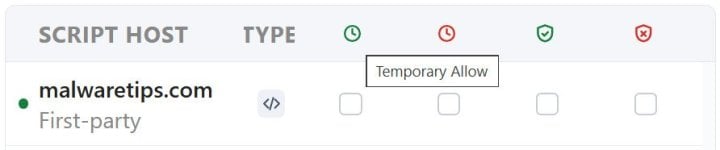
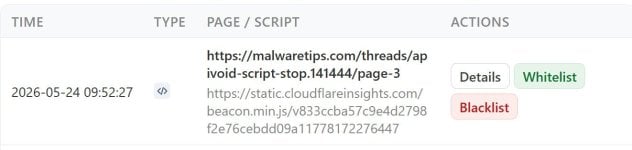
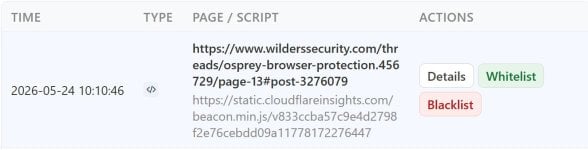
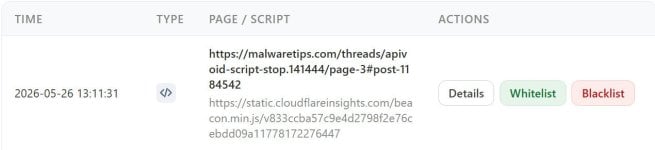
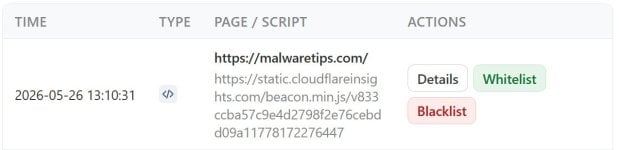
Script Stop History remains distorted by customized fonts.
949.jpg | 950.jpg
Mentioning only because APIVoid Browser Protection | Phishing Reminder (and my other extensions) are not similarly distorted by customized fonts. Just me.
 
Last edited:
@bjm_

The History table looks fine to me, it is responsive and has adapted to the new size (having 4 columns with different content, it has "compacted" it).

The other extensions have different tables with less fields, so may rendered differently.
 
@NoVirusThanks

Payments for online purchases (Amazon, etc.) may also require third-party iframe exceptions, sometimes even for the credit card entry form.
Obviously, in this case, identifying all possible exceptions is a daunting task.;)(y)
yes also logging into chatGPT was an issue with 3d-party iframes enabled in v 1.4 BUT v 1.6 the chatGPT login worked aok.
A question for those whom are using this, is it a pain in the butt like NoScript?
it is easier than NoScript imo, I suggest you give it a spin, v 1.6, and start with settings | general 3d-party iframes off but then enable it after awhile and check that out too --
 
We've released a new version:

v1.8 - 25 May 2026

Improved internal domain blacklist
Improved internal trusted domains list
Added support for blocking scripts by TLD
Added TLDs tab on Blacklist page

@Sampei.Nihira

Let me know if the new feature to blacklist by TLDs is working as expected.

Whitelist rules take precedence, so if you block xyz TLD and you want to allow cdn.example.xyz, just add cdn.example.xyz on the whitelist.

Here is a screenshot of the new blacklist page:

script-stop-tlds.png


@bjm_

What minimum font size are you using?

From the screenshots the extension still appears to behave responsively, though very large minimum font sizes can make the available space feel smaller because the text takes up more space.
 
Last edited:
We've released a new version:


@Sampei.Nihira

Let me know if the new feature to blacklist by TLDs is working as expected.

Whitelist rules take precedence, so if you block xyz TLD and you want to allow cdn.example.xyz, just add cdn.example.xyz on the whitelist.

Here is a screenshot of the new blacklist page:

View attachment 297825


@bjm_

What minimum font size are you using?

From the screenshots the extension still appears to behave responsively, though very large minimum font sizes can make the available space feel smaller because the text takes up more space.
@NoVirusThanks Thanks, two additional requests

1. Would it be possible to have a default blacklist of TLD's also (e.g. the one you are using for API Void Browser Protection)?

2. Could this feature be connected to the Allow by Default and Block by default mode?
a) When Script Stop is in block by default mode, this TLD list works as a whitelist (allowing .com, .it, .uk, .io. net, .org domains as an example)
b) Whan Script Stop is in allow by default mode this TLD list works as a blacklist (e,g block top, xyz, tk, etc)
 
Last edited:
@NoVirusThanks

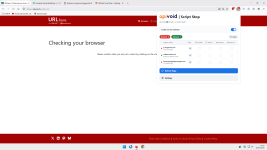
No, it doesn't work.

Extension in allow mode.
Try blacklisting only:

  • .com

and opening this website:

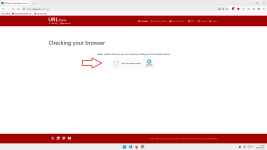
URLhaus | Checking your browser

It still doesn't work even if you allow 1 3p-script + 1 3p-iframe from the website above.
Plus, of course, a 1p-script.

Try running a test.

It would also be better if there were an option to disable 3rd-party scripts while leaving 3rd-party frames enabled.

Only I and a few other users on this forum know that the website in the image contains both 1 3rd-party script and 1 3rd-party frame.


1.png

Nice work, anyway.

P.S.

On the other hand, with my uBlock Origin Lite configured to block only 3p-frames (dynamic filtering in Enhanced Easy mode):

Blocking mode

, as you can see, it works,especially since I’ve added an exception for that captcha as well:


2.png


;)
 
Last edited:
@bjm_

What minimum font size are you using?

From the screenshots the extension still appears to behave responsively, though very large minimum font sizes can make the available space feel smaller because the text takes up more space.
1) 18
2) Regardless of my font preference. My other extensions are not (noticeably) distorted.
Script Stop scaling is not a deal breaker. Just respectful feedback. We're enjoying Script Stop. Regards w Respect
 
  • Like
Reactions: NoVirusThanks
We've released a new v1.9:

Improved logic for blocking modes
Improved logic and ordering for blacklist
Improved logic and ordering for whitelist
Improved "Block third-party iframes (advanced)" to respect the check
Now the "Same host" (the host in the address bar) is never blocked to avoid issues
On the popup, you can't block first-party hosts if "Block first-party scripts (advanced)" is disabled
Improved logic for "Block first-party scripts (advanced)"
Minor bug fixes

Some important changes:

Now for safety and to prevent issues, the extension always allows the "Same host" (page's host in the address bar) to load its page scripts, e.g.

test1.png


The options "Block third-party iframes (advanced)" and "Block first-party scripts (advanced)" are strictly respected. It means, you can't block first-party scripts if you have the specific option disabled, same applies to third-party iframes.

If you add "com" to the blacklisted TLDs, it applies only to third-party scripts. Except if you have enabled "Block first-party scripts (advanced)" and in which case it applies also to first-party scripts, except for the "same host" of the page's own host that is always enabled. The whitelist takes precedence here, so you can BL a "com" TLD and then use whitelist to allow only specific ".com" domains like js.example.com and cdn.example.com.

@Sampei.Nihira

Please confirm if v1.9 works fine.

@bjm_

No problem and thanks for that reports.

Will see what eventually can be done, but can't guarantee much improvements here since most scaling is handled by the browser when "minimum font size" is changed.

@LinuxFan58

Let me think about 1 in the next days, can be added as checkbox on the TLDs page maybe (instead than on settings page).

About 2 a) I think it would complicate things.

For 2 b), it already works as that, when in "block by default" mode, everything unknown is blocked, including Blacklist -> TLDs.

Adding block of full TLDs has added a small complexity, lets see how are the feedback also from other users in case.

Adding TLD allow also for whitelist would add additional complexity I think.
 
@NoVirusThanks

Maybe when I outline the use cases which I have in mind with three usage modes, I can inspire you to add a TLD whitelist and simplify the settings by using three modes (after all the many users of uBol dynamic mode now using a Chromium browser, are potential users of Script Block)

  1. Easy Allow mode (or uBol's Easy+privacy mode)
    Sets Script Block in default allow (blacklist) mode with only
    a) the internal domain blacklist mode of API Void Script Block enabled
    b) the internal TLD blocklist of API Void Browser Protection with option to add additional Top Level Domains to be blocked.
    1779828378585.png


    The user can selectively block third-party scripts and frames to enhance security and privacy. This brings back the uBlockOrigin Easy + more priviacy (link)
    uBlockOrigin dynamic mode was very popular. Chromium based browser users lost this option. With API Script Void they are getting it back and with the build-in TLD blocklist and 3P-Domain blacklist it even is a little better than uBo easy+privacy mode.

  2. Easy Block mode (or uBol's easy-medium mode)
    Sets Script Block in default block (whitelist) mode with
    a) the internal domain whitelist of API Void Script Block enabled
    b) a new user defined TLD whitelist is enabled (sames as blackist add another tab, so two tabs whitelist domains and TLD's)
    (e.g. I would enter com, io, cloud, net, org, NL, BE, DE, AT, CH, UK, EI, US, CA, AU, NZ because I understand Dutch German and English)

    1779828711528.png


    Again the user can selective allow or block third-party scripts and frames. In the past this cross-over of uBlockOrigin Easy and Medium mode was very populair and a sticky in this forum. When you google it, there are references of @Jan Willy (see the spoiler below), meaning it had enough attention and fans for Google to index it and Brave's AI (LEO) find it. Quite a few WS and MT forum members would love to have this uBlock dynamic filtering option back (when I recall well even @Jack was a fan of this mode). AI outlines the use case and benefits of this easy-medium mode clearly.

    1779827537786.png

  3. Medium block mode (aka medium mode in uBol)
    Sets Script Block in default block (whitelist) mode with
    a) the internal domain whitelist of API Void Script Block enabled
    b) option to disable the internal whitelist
    c) option to enable first-party blocking also

    Note, in stead of providing a list of options, I would rather structure it and use three modes (which greys out options not feasible in that pres-set mode). The mode is displayed in the popup and the colour of the icon gives also visual feedback of the mode: orange=medium, yellow=easy block, green=easy allow, grey=off
    NoScript also has three modes looking for script block functionality are sort of familiar with selecting an operation mode. Compared to Noscript Script Stop is simpler and also easier to use IMO.

    1779829058595.png


P.S. maybe Windows_Security became a LinuxFan ;)
 
Last edited:
@NoVirusThanks

Maybe when I outline the use cases which I have in mind with three usage modes, I can inspire you to add a TLD whitelist and simplify the settings by using three modes (after all the many users of uBol dynamic mode now using a Chromium browser, are potential users of Script Block)

  1. Easy Allow mode (or uBol's Easy+privacy mode)
    Sets Script Block in default allow (blacklist) mode with only
    a) the internal domain blacklist mode of API Void Script Block enabled
    b) the internal TLD blocklist of API Void Browser Protection with option to add additional Top Level Domains to be blocked.
    View attachment 297844

    The user can selectively block third-party scripts and frames to enhance security and privacy. This brings back the uBlockOrigin Easy + more priviacy (link)
    uBlockOrigin dynamic mode was very popular. Chromium based browser users lost this option. With API Script Void they are getting it back and with the build-in TLD blocklist and 3P-Domain blacklist it even is a little better than uBo easy+privacy mode.

  2. Easy Block mode (or uBol's easy-medium mode)
    Sets Script Block in default block (whitelist) mode with
    a) the internal domain whitelist of API Void Script Block enabled
    b) a new user defined TLD whitelist is enabled (sames as blackist add another tab, so two tabs whitelist domains and TLD's)
    (e.g. I would enter com, io, cloud, net, org, NL, BE, DE, AT, CH, UK, EI, US, CA, AU, NZ because I understand Dutch German and English)

    View attachment 297845

    Again the user can selective allow or block third-party scripts and frames. In the past this cross-over of uBlockOrigin Easy and Medium mode was very populair and a sticky in this forum. When you google it, there are references of @Jan Willy (see the spoiler below), meaning it had enough attention and fans for Google to index it and Brave's AI (LEO) find it. Quite a few WS and MT forum members would love to have this uBlock dynamic filtering option back (when I recall well even @Jack was a fan of this mode). AI outlines the use case and benefits of this easy-medium mode clearly.


  3. Medium block mode (aka medium mode in uBol)
    Sets Script Block in default block (whitelist) mode with
    a) the internal domain whitelist of API Void Script Block enabled
    b) option to disable the internal whitelist
    c) option to enable first-party blocking also

    Note, in stead of providing a list of options, I would rather structure it and use three modes (which greys out options not feasible in that pres-set mode). The mode is displayed in the popup and the colour of the icon gives also visual feedback of the mode: orange=medium, yellow=easy block, green=easy allow, grey=off
    NoScript also has three modes looking for script block functionality are sort of familiar with selecting an operation mode. Compared to Noscript Script Stop is simpler and also easier to use IMO.

    View attachment 297846


P.S. maybe Windows_Security became a LinuxFan ;)

In my opinion, we should have the option to enable only 3p-frames.
Users would start by enabling only 3p-frames, and after a bit of practice, they would move on to enabling 3p-scripts as well.

___________________________________________________________________________________________________________________________________

@NoVirusThanks
Think about it.;)
As someone who only uses the 3p-frame block in uBoL, I can assure you that SS is easier to use compared to uBoL.

Users whom others in this forum consider advanced can enable Medium Mode in both uBoL and AG.
And just for the sake of convenience (no need to Log in to uBoL), they might choose to use SS.

With AG, it’s not necessary, and besides, why use two extensions when one does the same job?

It's interesting that SS is also used in Firefox because users who choose not to use uBo can't easily use uBoL since the extension doesn't include the counter feature that SS does.
 

You may also like...