
Wow, that's a big change!Just to inform you:
Trusted Application Mode (TAM) has been removed in the upcoming Kaspersky 2021, according to @harlan4096


Open MalwareTips from your Home Screen or desktop. Follow discussions, find answers and pick up where you left off.
If you cannot find an install option, update your browser or use its bookmark option to keep MalwareTips close.
After installation, open the app and sign in. Enable push notifications in Preferences if you want alerts. On iPhone and iPad, push requires a Home Screen web app and iOS or iPadOS 16.4 or later.
Sign in to manage notificationsInstallation is optional. Your notification settings stay under your control.
Wow, that's a big change!Just to inform you:
Trusted Application Mode (TAM) has been removed in the upcoming Kaspersky 2021, according to @harlan4096

Just to inform you:
Trusted Application Mode (TAM) has been removed in the upcoming Kaspersky 2021, according to @harlan4096


This is a very valid concern even I have and I'm sure many others here will. There should be no blindfold when it comes to trusted apps.The problem with TAM as I see it is that once a app is added to the trusted list it is TRUSTED. Terrible idea in the first place. You can not have apps 100% trusted on Windows without rules to stop bad behavior such as LOLbins. Hashes can be forged, there is a recent CVE for forging. Kaspersky knows that whitelisting files based on hash is a very bad idea, very bad. Kaspersky above all other virus vendors knows that current threat actors are more complex and more advanced than ever before, threats are moving into the memory space to live and I bet we will see memory scanning become big business.

Well if you keep expanding your scope of paranoia, I am afraid nothing but madness or ignorance to these things can help!I would more worried about supply chain attacks, harden all you like but you can not stop trusted programs doing funky stuff unless you have meassures in place to observe and watch what it is doing, you trust the source so you install without thinking. But what if a exploit is shipped within that installer so you get hosed. AV/AM won't be able to stop that, it's debatable if AppGuard/ReHips/OSArmour can even protect you because to run that installer you have allow it's install behavior and protection from those programs is rendered useless. Getting struck by lightning is not nice btw
Among other fortifications, one thing you could do if you really want such control is to enable Interactive Mode in Kaspersky. And you'll be happily overwhelmed by the number of informative alerts you get for all actions performed on your systemI think Kaspersky is the best of the bunch, but it's firewall/network protection and trusted apps leave holes. I know they do this for usability because most users would go bonkers with so many alerts so you need to automate them. But I am at that stage where I want those alerts.

I agree that there is almost no effective protection against supply-chain attacks, and that they are not a credible threat to home users.Well if you keep expanding your scope of paranoia, I am afraid nothing but madness or ignorance to these things can help!
Moreover, the chances of such encounters are very less for home users and minimizing your systems usability for that doesn't seem to be a good idea.
When we talked about KIS monitoring (or not) trusted programs, it does, but within its limitations and threshold.
Supply chain attacks are probably the most deceptive and there's little you can do to reduce the chances
If you're a corporate, one of the best things to do among the recommended set of protocols is to evaulate security and privacy policy of 3rd party software providers you use and only trust if deemed secure and reliable by audit. Good supplier relation counts here.
- having firewall with reverse DNS lookup. Block any unknown IP or host connections for most programs (ESET, Sphinx FW control has it). I usually allow program connections only for the app-related hostname. You could also whitelist a subnet of IP addresses
- in the rare circumstance that even the server of program X is infected, then there's no benefit of blocking other domains in that very case, as you're allowing connection to the compromised domain of the program X
- the compromised X might not itself connect to a malicious domain but modify system or browser processes for example. In that case, if you've manually hardened against such an attack vector or if your AV could detect this hollowing/injection, perhaps you could block the attack at a point. There are other scenarios we could keep talking about
- one can wait for a while before installing newer versions of programs (there will be a counter debate for sure that you'll be delaying security updates, hence not recommended). But I've seen this talk on forums. Some compromises get revealed in few weeks or months
- using a DNS like Quad9 that gathers shared intelligence from 19 global providers like IBM X-force. If these systems have identified any malicious domains used in such attacks (like Cisco had identified in CCleaner), you might benefit from it
- some people use portable version of apps and don't update often. This may reduce the likelihood of an SCA ...
The software SCA are often an indirect way to target entities and I wonder at what level of interest the data of average users like us can be for any such attacker group. Take CCleaner for eg. their later stages were used to narrow down on various corporations.
There are chances that good Restriction Policies would block the unidentified/non-whitelisted new files spawned by the compromised program. If not, ....
other hardening policies like vlocking vulnerable process sequences unless whitelisted, audit policies and post-breach analysis tools their IT teams use (the good ones) can help them identify early Indicators of Compromise and attempt remediation.
However still if the scattered pieces of puzzle don't make it to one, anyways the entity gets screwed.
Talking about this paranoia, there's also hardware supply chain attack beside the software and firmware ones.
WRT the likes of OSArmor, I check what things get blocked (happens very less often) when installing my go-to apps and next time they install, if something new is blocked, I might as well have a look at it. For most of the times, if your reputed program fails to carry out a basic function (or if I know that the sequence is safe), then only I would unblock what got blocked. Otherwise the block is not to be bothered about.
Among other fortifications, one thing you could do if you really want such control is to enable Interactive Mode in Kaspersky. And you'll be happily overwhelmed by the number of informative alerts you get for all actions performed on your system
Many educational articles and publications are available that get software developers started with basics of securing their entire supply chain. And these include efforts at technical and business levels. The security vendors and committees must push hard to reach out to more developers especially developing kinds of software that would be vastly used in the market.I agree that there is almost no effective protection against supply-chain attacks, and that they are not a credible threat to home users.

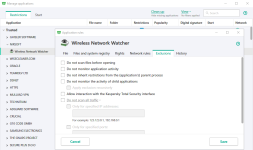
Would it be with the same ease? TAM was 2 or three mouse clicks away and you're done (assuming you do not have unknown files which need to be reviewed which is also not a big deal). It would be nice if you create a guide here since you're Kaspersky ambassador hereAs already said many times, TAM behaviour can be "emulated" tweaking Application Control...
I'm already on it (createing a guide) ... anyway I already post a few months ago some interesting tweaks:It would be nice if you create a guide here since you're Kaspersky ambassador here
 malwaretips.com
Yup. We were crazy.Wow... reminds me Appguard + NVTERP + WFC (ultimate lockdown combo)

Don't IT guys just use applocker and grup policy ?Ha, ha. Fortunately, they do not compete with each other. The H_C is suited/intended only for the home environment and AG is intended for businesses (although it can be used in the home environment too).
If one likes the H_C approach, then he/she probably will also like the AppGuard in his/her business firm.

AppGuard is easier to apply in businesses as compared to AppLocker.Don't IT guys just use applocker and grup policy ?
Members who viewed this thread in the last 5 minutes


