



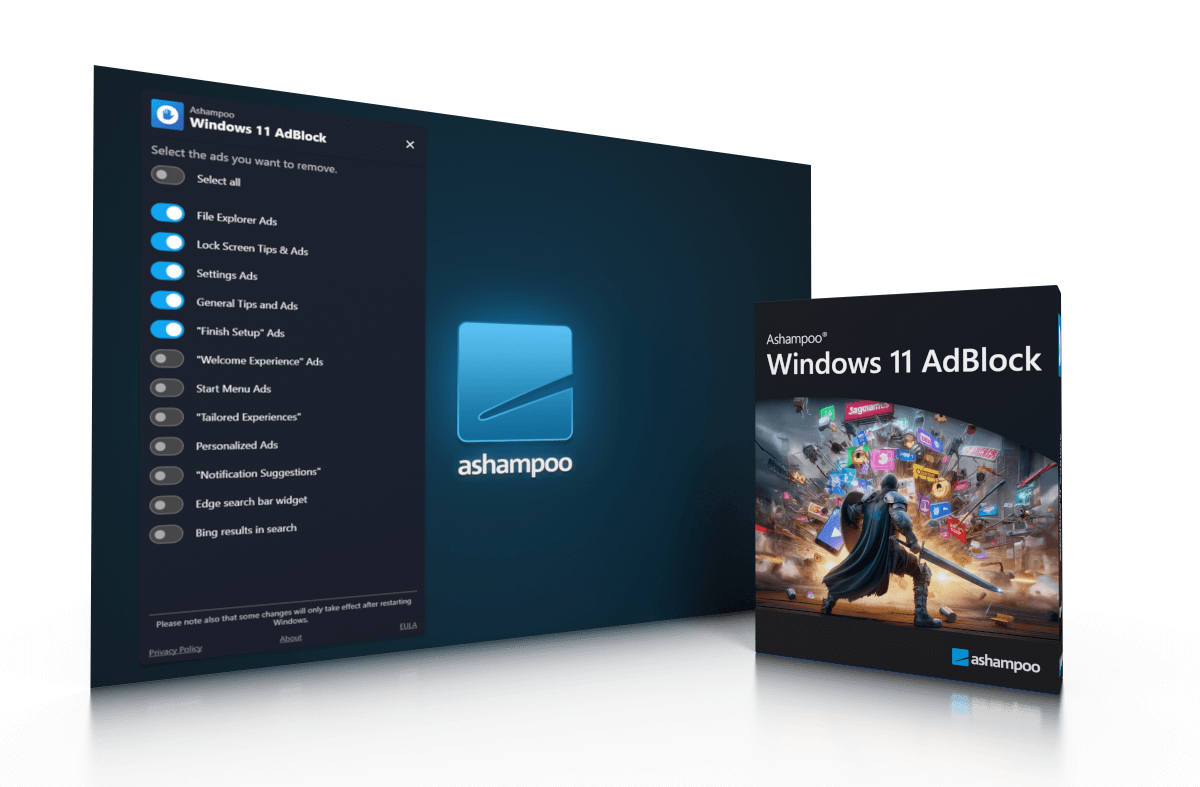
Ashampoo® Windows 11 AdBlock
Ashampoo Windows 11 AdBlock: The stress-free solution to block ads
 www.ashampoo.com
Features of Ashampoo Windows 11 AdBlock:
Bing Results in Search
Bing search results can often include sponsored content and ads that clutter the search experience. Windows 11 AdBlock effectively removes these ads, providing cleaner and more relevant search results.Edge Search Bar Widget
The Edge search bar widget is another area where ads can appear. By disabling these ads, users can enjoy a more streamlined and distraction-free browsing experience in Microsoft Edge.
File Explorer Ads
Ads in File Explorer can be particularly intrusive, interrupting the workflow and creating unnecessary distractions. Windows 11 AdBlock removes these ads, allowing users to focus on their tasks without unwanted interruptions.
“Finish Setup” Ads
Windows 11 often includes “Finish Setup” ads that prompt users to complete their setup with unnecessary and irrelevant suggestions. Windows 11 AdBlock eliminates these prompts, simplifying the setup process.
General Tips and Ads
General tips and ads scattered throughout Windows 11 can be both distracting and irrelevant. By removing these, Windows 11 AdBlock creates a cleaner, more focused user interface.
Lock Screen Tips & Ads
Lock screen tips and ads can detract from the visual appeal and functionality of the lock screen. Disabling these ads results in a more aesthetically pleasing and functional lock screen experience.
Notification Suggestions
Notification suggestions can be helpful, but they often include ads that are irrelevant to the user. Windows 11 AdBlock filters out these ads, ensuring that notifications remain useful and relevant.Personalized Ads
Personalized ads based on user activity can feel invasive and unwelcome. By blocking these ads, Windows 11 AdBlock enhances user privacy and delivers a more comfortable browsing experience.
Settings Ads
Ads within the Windows settings menu can make navigating and configuring the OS more cumbersome. Removing these ads with Windows 11 AdBlock simplifies the settings experience.
Start Menu Ads
Start menu ads can clutter the start menu and make it harder to find important apps and files. Windows 11 AdBlock ensures a cleaner, more organized start menu.
Tailored Experiences
Tailored experiences often include ads and suggestions that are not always relevant to the user. Disabling these features results in a more streamlined and user-centric Windows 11 experience.
“Welcome Experience” Ad
The “Welcome Experience” ad can detract from the initial setup and onboarding process. Removing this ad with Windows 11 AdBlock creates a smoother and more enjoyable setup experience for new users.


