Asistence with removing kmspico virus and others

Harel kolter

New Member
Hi!
as many others on this threads, i have encountered a KMS virus thanks to my little brother who though it is an easy an safe way to finish my problems with MS office.
I am encountering the following problems:
i currently cannot start mcafee and receiving "blocked by administrator" due to certificate problem, which i cannot install,
I need to fix the field of windows defender on regedit manually every now and then in order to run it
I have randomly named processes running on my computer and randomly named folders reappear on it
hope you can help me so i don't have to wipeout my entire windows.
thank you in advance!
 

Attachments

Hello,


51a46ae42d560-malwarebytes_anti_malware.png
Scan with Malwarebytes' Anti-Malware

Please download Malwarebytes Anti-Malware and save it to your desktop.
  • Install the progam.
  • Click the Scan tab, choose Threat Scan is checked and click Start Scan.
  • If threats are detected, click the Quarantine Selected button. You will now be prompted to reboot. Click Yes.
  • Upon completion of the scan (or after the reboot), click the Reports tab.
  • Double-click the Scan Log.
  • At the bottom click Export and choose Text file.
Save the file to your desktop and include its content in your next reply.
 
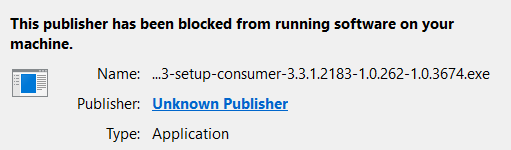
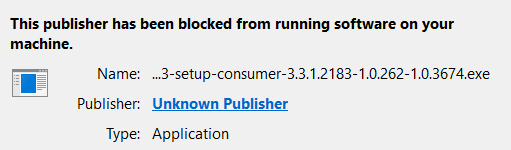
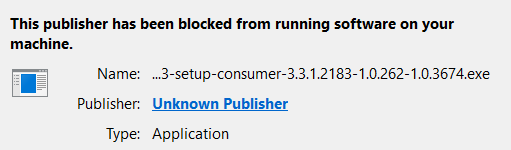
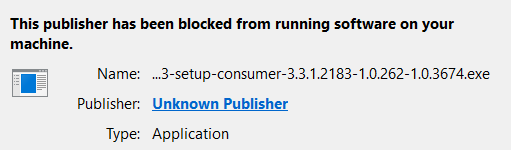
i want to install the program but i cannot, i keep receiving the "the publisher has been blocked from running software on your computer".
upload_2018-1-12_21-29-7.png

this is the same error i receive when i try to run my mcafee
 

Attachments

  • upload_2018-1-12_21-28-32.png
    upload_2018-1-12_21-28-32.png
    10.5 KB · Views: 5
  • upload_2018-1-12_21-28-34.png
    upload_2018-1-12_21-28-34.png
    10.5 KB · Views: 4
  • upload_2018-1-12_21-28-50.png
    upload_2018-1-12_21-28-50.png
    10.5 KB · Views: 4
Do this step and then try MalwareBytes again.

Download
51a5f31352b88-icon_MBAR.png
Malwarebytes Anti-Rootkit to your desktop.
  • Double-click the icon to start the tool.
  • It will ask you where to extract it, then it will start.
    • If it didn't start, locate mbar folder on your Desktop and double click on mbar.cmd

      14kz52w.png

  • Warning! Malwarebytes Anti-Rootkit needs to be run from an account with administrator rights.
  • Click in the introduction screen "next" to continue.
  • Click in the following screen "Update" to obtain the latest malware definitions.
  • Once the update is complete select "Next" and click "Scan".
  • When the scan is finished and no malware has been found select "Exit".
  • If malware was detected, make sure to check all the items and click "Cleanup". Reboot your computer.
  • Open the MBAR folder and paste the content of the following files in your next reply:
    • "mbar-log-{date} (xx-xx-xx).txt"
    • "system-log.txt"
 
the anti rootkit worked! and i have successfully installed the anti malware.
here are the log files from both the anti rootkit and the anti malware.
while working the anti malware stopped a website under the claim it is a virus as well. i added the report of that as well.
 

Attachments

FRST.gif
Scan with Farbar Recovery Scan Tool

Please re-run Farbar Recovery Scan Tool to give me a fresh look at your system.
  • Right-click on
    FRST.gif
    icon and select
    RunAsAdmin.jpg
    Run as Administrator to start the tool.
    (XP users click run after receipt of Windows Security Warning - Open File).
  • Make sure that Addition.txt option is checked.

    2873ryc.png

  • Press Scan button and wait.
  • The tool will produce two logfiles on your desktop: FRST.txt and Addition.txt.
Please attach report into your next reply.
 
FRST.gif
Fix with Farbar Recovery Scan Tool

icon_exclaim.gif
This fix was created for this user for use on that particular machine.
icon_exclaim.gif

icon_exclaim.gif
Running it on another one may cause damage and render the system unstable.
icon_exclaim.gif
​

Download attached fixlist.txt file and save it to the Desktop:

Both files, FRST and fixlist.txt have to be in the same location or the fix will not work!

  • Right-click on
    FRST.gif
    icon and select
    RunAsAdmin.jpg
    Run as Administrator to start the tool.
    (XP users click run after receipt of Windows Security Warning - Open File).
  • Press the Fix button just once and wait.
  • If for some reason the tool needs a restart, please make sure you let the system restart normally. After that let the tool complete its run.
  • When finishes FRST will generate a log on the Desktop, called Fixlog.txt.

Please attach it to your reply.


adwcleaner_new.png
Fix with AdwCleaner

Please download AdwCleaner by Xplode and save the file to your Desktop.
  • Right-click on
    adwcleaner_new.png
    icon and select
    RunAsAdmin.jpg
    Run as Administrator to start the tool.
  • Accept the Terms of use.
  • Wait until the database is updated.
  • Click Scan.
  • When finished, please click Clean.
  • Your PC should reboot now.
  • After reboot, logfile will be opened. Copy its content into your next reply.

Note: Reports will be saved in your system partition, usually at C:\Adwcleaner
 

Attachments

Recently browsing

Members who viewed this thread in the last 5 minutes

Back
Top