

The MalwareTips app
Your community, one tap away.
Open MalwareTips from your Home Screen or desktop. Follow discussions, find answers and pick up where you left off.
- Home Screen access
- Optional push alerts
- Your community
You're ready to explore.Explore what's new
Installation instructions
iPhone & iPad
- Open MalwareTips in Safari and tap Share. You may need to open the Page Menu first.
- Choose Add to Home Screen. If it is not listed, use Edit Actions to add it.
- Keep Open as Web App enabled if shown, then tap Add.
Android
- Open MalwareTips in Chrome or another browser that supports app installation.
- Open the browser menu and look for Install app, Install and create shortcut, or Add to Home screen.
- Choose Install and confirm. Wording varies by browser.
Desktop
- Chrome: use the install icon in the address bar, or the menu under Cast, save and share.
- Edge: open the menu, then More tools, Apps and Install this site as an app.
- Safari on Mac: choose Share or File, then Add to Dock. Firefox on Windows: look for the web apps button in the address bar.
If you cannot find an install option, update your browser or use its bookmark option to keep MalwareTips close.
Keep up with your conversations
After installation, open the app and sign in. Enable push notifications in Preferences if you want alerts. On iPhone and iPad, push requires a Home Screen web app and iOS or iPadOS 16.4 or later.
Sign in to manage notificationsInstallation is optional. Your notification settings stay under your control.
You are using an out of date browser. It may not display this or other websites correctly.
You should upgrade or use an alternative browser.
You should upgrade or use an alternative browser.
AVG detecting IRP Hooks that won't remove?
- A Thread starter AkemiMoonstar
- Start date
- 29 Replies
- 17,265 Views
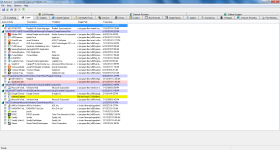

But I use Skype. 
So you're saying I'm not infected with anything? I still don't get this absurdly high RAM usage when it's never used that much before even while playing games.
So you're saying I'm not infected with anything? I still don't get this absurdly high RAM usage when it's never used that much before even while playing games.
Not all the time, but the ram count still doesn't drop when I close Skype or any other of the processes that take up a lot of memory.
We have to Turn Off all the Services also. After that we have to reboot the computer. It seems Skype is the one making this trouble.
I don't doubt it. Skype is pretty well known for taking up way too much memory. I'll try uninstalling it and seeing the difference afterwards, then I'll post the results later today.

2.85GB RAM usage. Not much of a difference but it seems a bit more normal. A friend of mine told me his computer was using under a gigabyte of RAM to operate his computer, though. And his computer is nothing compared to mine. That's why I'm so confused. e-e
However, he uses his communications (like Skype) on a second computer so I guess that contributes to his light memory usage.
However, he uses his communications (like Skype) on a second computer so I guess that contributes to his light memory usage.
Recently browsing
Members who viewed this thread in the last 5 minutes


