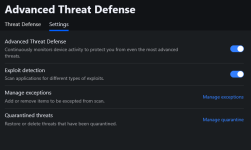
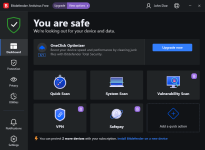
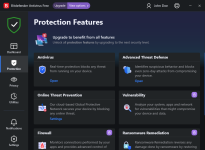
It is available, just checked.Of course, true. But doesn't mean it's still available even in this new free version. Homepage shows only "Antivirus => OnAccess Scan" that may includes also Advanced Threat Defense.



Open MalwareTips from your Home Screen or desktop. Follow discussions, find answers and pick up where you left off.
If you cannot find an install option, update your browser or use its bookmark option to keep MalwareTips close.
After installation, open the app and sign in. Enable push notifications in Preferences if you want alerts. On iPhone and iPad, push requires a Home Screen web app and iOS or iPadOS 16.4 or later.
Sign in to manage notificationsInstallation is optional. Your notification settings stay under your control.
 Thread starter
cryogent
Thread starter
cryogent
It is available, just checked.Of course, true. But doesn't mean it's still available even in this new free version. Homepage shows only "Antivirus => OnAccess Scan" that may includes also Advanced Threat Defense.


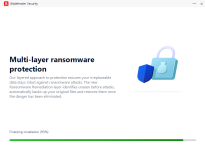
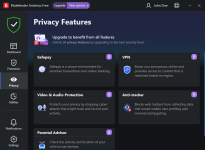
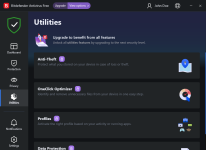
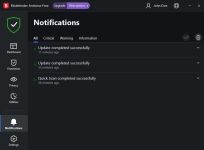


@Shadowra - I can't wait to see how Bitdefender Free and Kaspersky Free (I know you said you would do one) will perform in your tests, of course to be conclusive it would be ideal with the same tests and samples.


@harlan4096 A new candidate for testing in the HUB?

 malwaretips.com
Like with some others, maybe first install your AV and then Comodo firewall.

It will. It does the same stupid thing with Malwarebytes even when it's just the free version. Bitdefender just checks at install, once it's installed you can add your secondary firewall or scanners.Like with some others, maybe first install your AV and then Comodo firewall.
Hope that still works.

Indeed, this is correct. No problems with VS installed though. Nothing seems to mess with VS.It will. It does the same stupid thing with Malwarebytes even when it's just the free version. Bitdefender just checks at install, once it's installed you can add your secondary firewall or scanners.
But BitDefender is still heavy and buggy in comparison to the competition, not counting MalwareBytes and Microsoft Defender.YES! Finally. People will be able to test the true capabilities of BitDefender, for free. No excuses now to say "Bitdefender is so heavyyyy noooo, don't use it!!".
Since it's basically a brand new product, and uses the same technology as the paid version (but with less modules), hopefully all the previous Free Edition bugs are gone.
Let's go for it!
Members who viewed this thread in the last 5 minutes