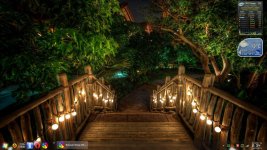
What theme is that?


Open MalwareTips from your Home Screen or desktop. Follow discussions, find answers and pick up where you left off.
If you cannot find an install option, update your browser or use its bookmark option to keep MalwareTips close.
After installation, open the app and sign in. Enable push notifications in Preferences if you want alerts. On iPhone and iPad, push requires a Home Screen web app and iOS or iPadOS 16.4 or later.
Sign in to manage notificationsInstallation is optional. Your notification settings stay under your control.
What theme is that?

What theme is that?

love it and good to see avgmy chrome skin


Ok,now i realized that i've posted my screenshot in the wrong thread...i am REALLY REALLY getting old!!As you can see,no icons on my desktop...i'm getting old i i hate to have icons on my desktop!
View attachment 54635
Hello,where u have found the Browser? I cant find it on the qihoo international site. Would be nice if u can send me a link. Thanks in advance.Ok,now i realized that i've posted my screenshot in the wrong thread...i am REALLY REALLY getting old!!
P.S.Here is my 360 browser.
View attachment 54656

HelloHello,where u have found the Browser? I cant find it on the qihoo international site. Would be nice if u can send me a link. Thanks in advance.
Thank u,thats what im looking for.Hello
Here is the link from their website http://www.360safe.com/browser.html and from Softpedia http://www.softpedia.com/get/Internet/Browsers/360-Browser.shtml
Note that this is a
Version 7.5.2.110, Sep 24, 2014
For me it's not a problem,but you should consider that.
You're welcome.
Again,you're very welcome,glad you have found what you've looking for and i was of some help.Thank u,thats what im looking for.


Nothing too special. Using black dev theme (enabled in about:config). If only I could add a picture to it.
Members who viewed this thread in the last 5 minutes