
Troubleshoot Cannot edit Windows 11 configs as an Administrator

zkSnark

Level 5
Thread author
Verified
Well-known
Forum Veteran
Jan 13, 2019
241
795
368
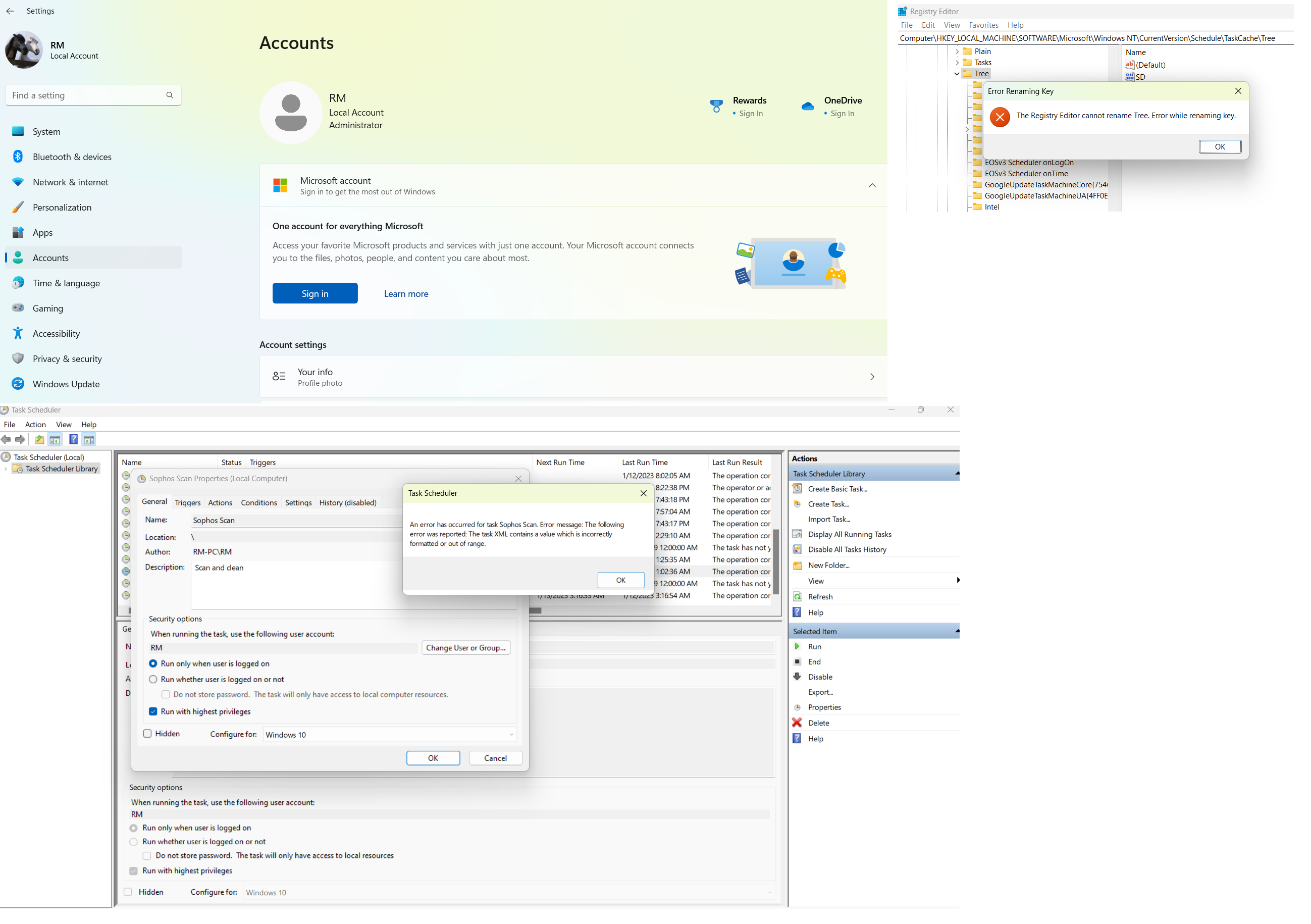
I am logged in to my Windows 11 PC as an Administrator via Local Account. I was trying to edit a Task Scheduler entry but could not edit and got an error.

Searching Google for the same error, it was advised to delete the scheduled task folder from TaskCache in Registry Editor. Did that, but again the same error next time when editing any task.
Another solution was to rename Tree folder in Registry Editor, but got an error in renaming too.

So my question is why am I not being able to edit or rename configs though I am logged in as an Administrator and I started Task Scheduler and Registry Editor with "Run as administrator"?
Appreciate any advice. Thanks!

taskscheduler.png
 
It is possibly due to a problem with registry permissions. In which case, running Windows Repair from tweaking.com will fix the issue.
 
Upvote 0
HiBitUninstaller has a TaskScheduler Editor. Try with highest priviledges. If you get the error again just start a program as a System User with this tool RunAsSystem - Browse Files at SourceForge.net
It is possibly due to a problem with registry permissions. In which case, running Windows Repair from tweaking.com will fix the issue.
Use HiBit Uninstaller to delete task scheduler? Sounds like Kaspersky or Group Policy settings are stopping the delete function.
I did a clean install of Windows 11. This solved the editing error of Task Scheduler. However, even after the clean install, I am still getting "Error Renaming Key" when renaming the folder in Registry Editor. So what could be the problem even after fresh install?
 
Upvote 0
However, even after the clean install, I am still getting "Error Renaming Key" when renaming the folder in Registry Editor. So what could be the problem even after fresh install?
you are the local administrator and a member of the administrators group, but even as administrator you do not have full control permissions of that key
to rename it > regedit > tree key > right-click > permissions > select administrators > permissions > select full > apply
after you should be able to rename key
 
Upvote 0
you are the local administrator and a member of the administrators group, but even as administrator you do not have full control permissions of that key
to rename it > regedit > tree key > right-click > permissions > select administrators > permissions > select full > apply
after you should be able to rename key
Still same error.

re.png
 
Upvote 0
you will have to take ownership of the key by selecting the advanced tab and then changing the owner to your built-in administrator account
then you will have to give the built-in administrator full control
you will have to go online to learn all the steps
you are trying to mess with a key, that if you mess up, it can bork all your scheduled tasks
 
Upvote 0
you will have to take ownership of the key by selecting the advanced tab and then changing the owner to your built-in administrator account
then you will have to give the built-in administrator full control
you will have to go online to learn all the steps
you are trying to mess with a key, that if you mess up, it can bork all your scheduled tasks
I am just trying to learn and playing with it. Went to Advanced tab, added almost all listed ones as Principal and gave each one Full Control. After that, selected each one as owner, tried renaming but none worked.

re1.png
 
  • Like
Reactions: roger_m
Upvote 0
As you can see in the screenshot above, I selected "This key and subkeys" for each Principal.
You have to do the same for the parent key (TaskCache). In this way, I managed to change the name of the Tree key.
This is only for training and should be done in the VM (not in the real system). Such change could cause serious problems.
 
Upvote 1
You have to do the same for the parent key (TaskCache). In this way, I managed to change the name of the Tree key.
This is only for training and should be done in the VM (not in the real system). Such change could cause serious problems.
Worked for me too. Learned a new thing. Thanks a lot :)
 
Upvote 0