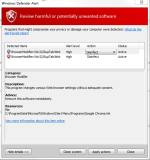
-Windows Defender had "Disinfect" selected, and I just hit "Apply Actions" to run the disinfect.
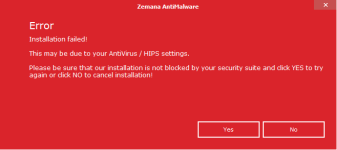
-That didn't work, so then I hit the "Clean System" button.
-performed the following scans:
AdwCleaner
Malwarebytes Anti-Malware
HitmanPro
None worked.
I haven't tried Resetting my browser to default settings, It'll be a hassle to get those settings back. Plus the 3 Scans I did haven't helped and i'm running out of options, and Windows Defender Alert keeps popping up saying "Potentially harmful software detected.", I click on it and it tells me the same thing.
-That didn't work, so then I hit the "Clean System" button.
-performed the following scans:
AdwCleaner
Malwarebytes Anti-Malware
HitmanPro
None worked.
I haven't tried Resetting my browser to default settings, It'll be a hassle to get those settings back. Plus the 3 Scans I did haven't helped and i'm running out of options, and Windows Defender Alert keeps popping up saying "Potentially harmful software detected.", I click on it and it tells me the same thing.