


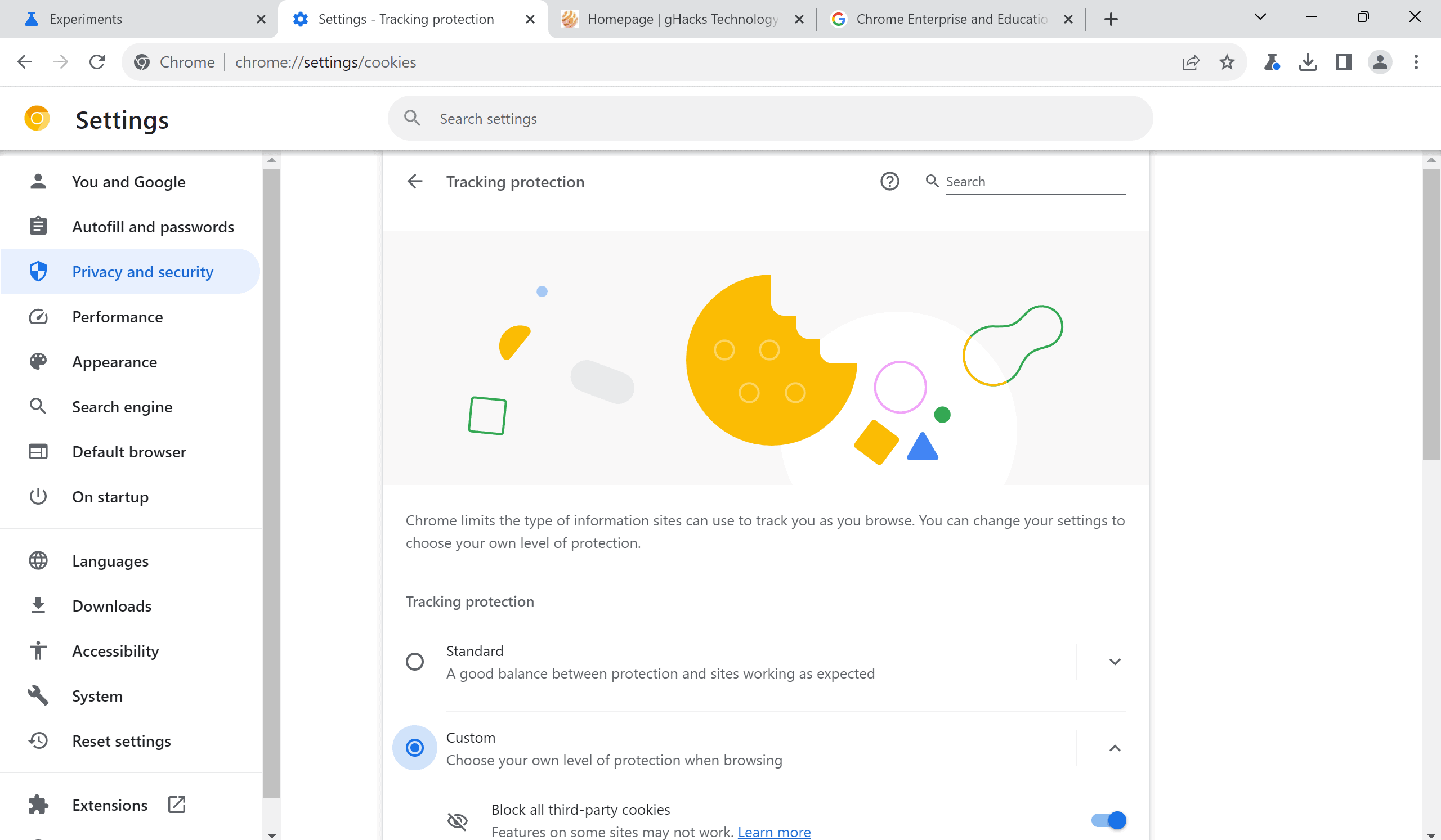
A new experimental flag is available in Chrome Canary that moves the Third-Party Cookies section in the Settings to a Tracking Protection section. Many users, those who have used other browsers such as Firefox, know that these browsers support tracking protection features already.
Google Chrome's implementation, on the other hand, has little to do with these advanced protective features. For now, it is mostly a name change. A click on Tracking Protection in Chrome displays almost the same options as the Third-Party Cookies section of the settings in Chrome Stable.
There are some differences though. In Chrome Stable, users could set the default third-party cookies behavior to "allow third-party cookies", "block third-party cookies in Incognito mode", or "Block third-party cookies".
Tracking Protection changes this to the two options "Standard" and "Custom". Standard "limits third-party cookies" automatically and blocks third-party cookies in Incognito mode. Google does not reveal the list of exceptions, but explains that users may add temporary exceptions.
Custom contains the option to block all third-party cookies and to send the "do not track" header. These need to be enabled.
The remaining options, preload pages, see all site data and permissions, and customized behaviors, on the Settings page are identical.

Chrome is getting Tracking Protection, but don't get your hopes up - gHacks Tech News
Google is integration a Tracking Protection feature into its Chrome web browser. Find out why it is lacking when compared to other browsers.
www.ghacks.net


