
Install from Chrome store is disabled.
When installed manually after enabling developer mode, Chrome disables it.
How managed to do?


Open MalwareTips from your Home Screen or desktop. Follow discussions, find answers and pick up where you left off.
If you cannot find an install option, update your browser or use its bookmark option to keep MalwareTips close.
After installation, open the app and sign in. Enable push notifications in Preferences if you want alerts. On iPhone and iPad, push requires a Home Screen web app and iOS or iPadOS 16.4 or later.
Sign in to manage notificationsInstallation is optional. Your notification settings stay under your control.
 Thread starter
Bot
Thread starter
Bot
Install from Chrome store is disabled.

Install from Chrome store is disabled.
When installed manually after enabling developer mode, Chrome disables it.
How managed to do?
--disable-features=ExtensionManifestV2Unsupported,ExtensionManifestV2Disabled
But, as I have read, this command is only a temporary solution; it extends the support of MV2 on Chrome just for few months.Easy.
Add these 2 Chromium Command Line Switches to Chrome/Chromium:
Code:--disable-features=ExtensionManifestV2Unsupported,ExtensionManifestV2Disabled
Then go here:
uBlock Origin - Chrome Web Store
and download uBo.
But, as I have read, this command is only a temporary solution; it extends the support of MV2 on Chrome just for few months.
I can use uBO on Edge without tricks; I will wait until Edge drops the support to MV2, most probably then the workaround will not work in Chrome also.It works for now, then we'll see..................
I can use uBO on Edge without tricks; I will wait until Edge drops the support to MV2, most probably then the workaround will not work in Chrome also.

Maybe yes, maybe no.


Chrome is not very popular among tech-savvy, but it is the favorite choice for the average user.Has anyone noticed that the Chrome browser received the fewest votes?

Has anyone noticed that the Chrome browser received the fewest votes?
True. OTOH, Chrome is probably the leanest browser among the major ones but it has a bug (or feature?Chrome is not very popular among tech-savvy, but it is the favorite choice for the average user.
) where device data isn't cleared on exit even when enabled. This the only reason I don't currently use it.
Cookies only are cleared on exit; Chrome lacks the option to clear other elements such as cache, history, downloads as in Edge.device data isn't cleared on exit even when enabled
Cookies only are cleared on exit; Chrome lacks the option to clear other elements such as cache, history, downloads as in Edge.
chrome://settings/content/siteData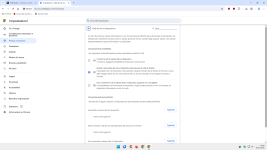
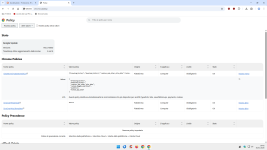
The same scenario with Edge; sometimes I find sticky remains of cookies after restart.It doesn't work well
The same scenario with Edge; sometimes I find sticky remains of cookies after restart.
Users shouldn't have to resort to such methods.With the policy, Chrome works fine.
Users shouldn't have to resort to such methods.

Edge fails to clear cookies for months, I reported it and reported it and I gave up, it was clearly done on purpose. Just like before, temporarily fixed, now happening again.The same scenario with Edge; sometimes I find sticky remains of cookies after restart.
When I see the default Edge after a clean install, I am like:Users shouldn't have to resort to such methods.


Using the manual clear browsing data works, but I have to log out of all accounts as it will erase all cookies.Edge fails to clear cookies for months, I reported it and reported it and I gave up, it was clearly done on purpose. Just like before, temporarily fixed, now happening again.
Cookies exceptions were supposed to fix that, but Edge is currently all or nothing.Using the manual clear browsing data works, but I have to log out of all accounts as it will erase all cookies.

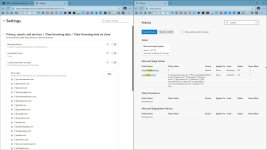
When this policy is enabled, the specified set of cookies is exempt from deletion when the browser closes. This policy is only effective when:
- The 'Cookies and other site data' toggle is configured in Settings/Privacy and services/Clear browsing data on close or
- The policy ClearBrowsingDataOnExit is enabled or
- The policy DefaultCookiesSetting is set to 'Keep cookies for the duration of the session'.

Members who viewed this thread in the last 5 minutes
