

The MalwareTips app
Your community, one tap away.
Open MalwareTips from your Home Screen or desktop. Follow discussions, find answers and pick up where you left off.
- Home Screen access
- Optional push alerts
- Your community
You're ready to explore.Explore what's new
Installation instructions
iPhone & iPad
- Open MalwareTips in Safari and tap Share. You may need to open the Page Menu first.
- Choose Add to Home Screen. If it is not listed, use Edit Actions to add it.
- Keep Open as Web App enabled if shown, then tap Add.
Android
- Open MalwareTips in Chrome or another browser that supports app installation.
- Open the browser menu and look for Install app, Install and create shortcut, or Add to Home screen.
- Choose Install and confirm. Wording varies by browser.
Desktop
- Chrome: use the install icon in the address bar, or the menu under Cast, save and share.
- Edge: open the menu, then More tools, Apps and Install this site as an app.
- Safari on Mac: choose Share or File, then Add to Dock. Firefox on Windows: look for the web apps button in the address bar.
If you cannot find an install option, update your browser or use its bookmark option to keep MalwareTips close.
Keep up with your conversations
After installation, open the app and sign in. Enable push notifications in Preferences if you want alerts. On iPhone and iPad, push requires a Home Screen web app and iOS or iPadOS 16.4 or later.
Sign in to manage notificationsInstallation is optional. Your notification settings stay under your control.
You are using an out of date browser. It may not display this or other websites correctly.
You should upgrade or use an alternative browser.
You should upgrade or use an alternative browser.
Advanced Plus Security cryogent's PC Security Config
-
 Thread starter
cryogent
Thread starter
cryogent
- Start date
- 19 Replies
- 4,716 Views
Archived configuration (not current) · expand details
Thread details
- Last updated
- Feb 16, 2024
- Main use of this computer
- For home and private use
- Operating system
- Windows 10
- OS version and support details
- Pro
- On-device encryption
- Not applicable
- Device sign-in security
- Windows Hello PIN or biometric sign-in (face / fingerprint / Touch ID)
- Account password
- Security updates
- Allow security updates and latest features
- Update channels
- Allow stable updates only
- User Account Control (UAC)
- Always notify
- Smart App Control
- Not applicable / not available on this device
- Network firewall
- N/A
- Real-time protection
- Kaspersky Free | Hard_Configurator | AdGuard Desktop
- Device firewall
- Microsoft Defender Firewall
- Custom security settings
- Hard_Configurator with custom settings | FirewallHardening with Recommended H_C & LOL Bins
Custom exploit protection for browsers (Edge and Brave), Microsoft Office and some other software/windows programs | DEP enabled for all programs and services
- Periodic malware scanners
- EEK | AdwCleaner | KVRT | NPE | Sophos S&C
- Malware sample testing
- I do not participate in malware testing
- Environment for malware testing
- None
- Browsers and extensions
- Brave Beta - tweaked flags - BD Traffic light / CSS Exfill / NetCraft / CookieAuto Delete / ClearURL / Bitwarden
Edge - tweaked flags - Strict tracking protection / BD Traffic light / NetCraft / Bitwarden
- Secure DNS
- NextDNS (using YogaDNS Client)
- Desktop VPN
- Forticlient VPN - work | Windscribe - on demand
- Password and passkey manager
- Bitwarden
- Maintenance tools
- Windows built-in | Autoruns | Revo Uninstaller | Hibit Uninstaller
- File and photo backups
- Saved to external devices
- Subscriptions
- None
- System recovery
- Macrium Reflect / Hasleo Backup Suite
- Usage and exposure
- Visiting familiar websites
- Visiting unknown or untrusted websites
- Working from home
- Opening email attachments
- Online shopping and card payments
- Logging into my bank account
- Downloading software and files from reputable sites
- Downloading files from unknown or untrusted sources
- Sharing and receiving files and torrents
- Requesting and accepting remote access
- Gaming
- Streaming audio/video content from trusted sites or paid subscriptions
- Computer specs
- CPU- I7 4790
Memory - 16 GB DDR3
GPU - Asus Nvidia Turbo GTX 1060 6 GB
Motherboard- ASUS Z97M-Plus
Storage - 1 X SSD OS-Samsung 870 Evo 256GB; 1x WD 1TB
Case - HP ENVY 750 Case
Power Supply - Seasonic Focus+ 550W Gold
- Notable changes
- 12/05/2022
- Updated all computers Windows to 21H2
- updated Hard_Configurator to 6.0.0.1 beta
- added Hibit Uninstaller
- added Norton Power Eraser to third party scanning
- added Comodo Firewall - @cruelsister settings
03.01.2023
- removed Comodo Firewall from all PC's
- added Adobe Acrobat DC Reader to all PC's
- added Microsoft Office 2021 to all PC's
- maintenance hardware / software ( backup / cleaning)
19.07.2023
- Updated all computers Windows to 22H2
- updated Hard_Configurator to 6.1.1.1
- enabled Windows Defender periodic scanner
- applied CVE-2023-36884 specific recommendations for Storm-0978 attacks
- added Necraft extension to browser's
- added Tenable Nessus Essentials to check for vulnerabilities
- added Hasleo Backup Suite Free as a second backup alternative
16.01.2024
- performed backup for all pc
- Feedback preference
Detailed suggestions and alternatives welcome

Trial & error.Custom exploit protection ... - i don't know for WPS Ofiice what settings to apply

Nice, simple setup!

Removed Bandizip -> Added Explzh
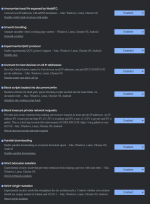
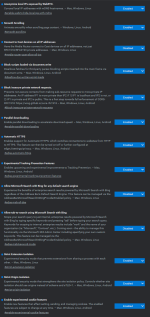
And attached is my settings for H_C, Exploit protection, KSCF, browsers.
Just delete the ".txt" to use settings.
I want to thank all the MalwareTips users who share their knowledge with us, thanks to them I was able to make these settings.
On exploit file, rename ". txt" to ".zip"
And attached is my settings for H_C, Exploit protection, KSCF, browsers.
Just delete the ".txt" to use settings.
I want to thank all the MalwareTips users who share their knowledge with us, thanks to them I was able to make these settings.
On exploit file, rename ". txt" to ".zip"
Attachments
Last edited:

Gandalf_The_Grey
Level 86
Verified
Honorary Member
Top Poster
Content Creator
Well-known
Forum Veteran
Why switch from Bandizip to Explzh?
Just to see how is working.
I don't update apps very often and I hate bandizip keep asking me to update. I know what u will say: why don't u just update and get rid of annoying.....what can I say, if is not a critical update in changelog I don't see the point to update that app.
I don't update apps very often and I hate bandizip keep asking me to update. I know what u will say: why don't u just update and get rid of annoying.....what can I say, if is not a critical update in changelog I don't see the point to update that app.

Just to see how is working.
I don't update apps very often and I hate bandizip keep asking me to update. I know what u will say: why don't u just update and get rid of annoying.....what can I say, if is not a critical update in changelog I don't see the point to update that app.
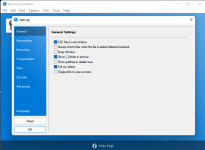
May can help you as well, I'm using Bandizip Free Portable (available on homepage), there is no option for auto-updates... Download Portable

Bandizip · Free zip, 7z, unzip, unrar Archiver · Fast and easy
Free, fast archive tool for Windows. Zip, unzip & extract ZIP, RAR, 7Z, ALZ, EGG and more. Download Bandizip for free.
en.bandisoft.com
@silversurfer I tested the portable version but does not have the option to register in the right click menu with "Extract here" or any other command.May can help you as well, I'm using Bandizip Free Portable (available on homepage), there is no option for auto-updates... Download Portable
View attachment 263599
Bandizip · Free zip, 7z, unzip, unrar Archiver · Fast and easy
Free, fast archive tool for Windows. Zip, unzip & extract ZIP, RAR, 7Z, ALZ, EGG and more. Download Bandizip for free.en.bandisoft.com
I suspect there are third-party variants of adding entries to the menu but last time I tried that, it messed up the whole menu...so...no.... I'll stick with Explzh for now
F
ForgottenSeer 94633
Eksplzh very good archiver. I have been using it for a long time. Currently, I have a 7-zip due to the Polish language.
Yes, you are right. No context-menu available for Bandizip Portable, beside that I'm using WinRar as installed software for same purpose.@silversurfer I tested the portable version but does not have the option to register in the right click menu with "Extract here" or any other command.
I suspect there are third-party variants of adding entries to the menu but last time I tried that, it messed up the whole menu...so...no.... I'll stick with Explzh for now
- updated all computers Windows to 21H2
- updated Hard_Configurator to 6.0.0.1 beta
- added Hibit Uninstaller
- added Norton Power Eraser to third party scanning
- added Comodo Firewall - @cruelsister settings
- updated Hard_Configurator to 6.0.0.1 beta
- added Hibit Uninstaller
- added Norton Power Eraser to third party scanning
- added Comodo Firewall - @cruelsister settings

- Updated all computers Windows to 22H2
- updated Hard_Configurator to 6.1.1.1
- enabled Windows Defender periodic scanner
- Configure Defender Custom Settings based on Interactive + CFA enabled - i hope is working even is not enabled real-time protection of WD
- applied CVE-2023-36884 specific recommendations for Storm-0978 attacks
- added Necraft extension to browser's
- updated Hard_Configurator to 6.1.1.1
- enabled Windows Defender periodic scanner
- applied CVE-2023-36884 specific recommendations for Storm-0978 attacks
- added Necraft extension to browser's
Last edited:
Gandalf_The_Grey
Level 86
Verified
Honorary Member
Top Poster
Content Creator
Well-known
Forum Veteran
CFA will not work with a 3rd party AV.- Updated all computers Windows to 22H2
- updated Hard_Configurator to 6.1.1.1
- enabled Windows Defender periodic scanner
- Configure Defender Custom Settings based on Interactive + CFA enabled - i hope is working even is not enabled real-time protection of WD
- applied CVE-2023-36884 specific recommendations for Storm-0978 attacks
- added Necraft extension to browser's
Gandalf_The_Grey
Level 86
Verified
Honorary Member
Top Poster
Content Creator
Well-known
Forum Veteran
2 products come to mind:Ok , i understand.....is there a software similar with CFA ? because KFree has system watcher but i think the roll-back function is limited in free version
CheckMAL AppCheck:

CheckMAL - Protect your PC with 100% Signatureless Anti-Ransomware AppCheck
Protect your PC with 100% Signatureless Anti-Ransomware AppCheck
 www.checkmal.com
NeuShield - Making Ransomware Obsolete!
Using Mirror Shielding and Data Engrams, NeuShield Data Sentinel is the only ransomware protection that recovers your lost data from ransomware attacks.
 www.neushield.com
- added Tenable Nessus Essentials to check for vulnerabilities
- added Hasleo Backup Suite Free as a second backup alternative
Under testing Ucheck, RuckZuck and Patch my PC to find an alternative to Sumo.
So far only RuckZuck find more updates than other two, Patch my PC is unable to understand that I already updated some apps with RZ and still display them to update....
- added Hasleo Backup Suite Free as a second backup alternative
Under testing Ucheck, RuckZuck and Patch my PC to find an alternative to Sumo.
So far only RuckZuck find more updates than other two, Patch my PC is unable to understand that I already updated some apps with RZ and still display them to update....
Last edited:

GitHub - KK-Designs/UpdateHub: UpdateHub is an app that simplifies updating software on your computer. A user-friendly interface allows you to quickly check for and install available updates for your operating system and applications. Keep your device running smoothly and securely with UpdateHub. Is also worth to considerUnder testing Ucheck, RuckZuck and Patch my PC to find an alternative to Sumo.
So far only RuckZuck find more updates than other two, Patch my PC is unable to understand that I already updated some apps with RZ and still display them to update....
Recently browsing
Members who viewed this thread in the last 5 minutes
You may also like...
-
 Advanced Security RoxasDev's PC Security Config
 -
 Advanced Security Bill7's PC Security Config
 -
 Advanced Security Spartan's PC Security Config
 -
 Advanced Plus Security devjitdutta2025's PC Security Config
 -
 Advanced Plus Security Dreams&Visions Security Config (Q3/2026)