

Data Monitor (GitHub)
Download
Changelog
v2.0.0 release (01 Sept 2022)
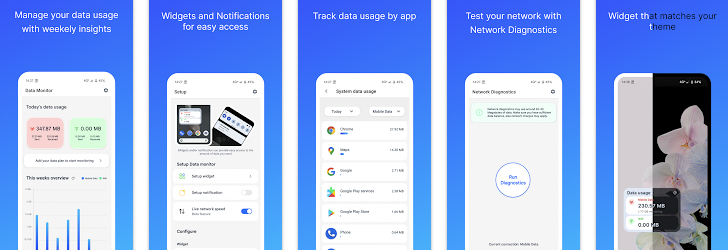
- Track daily data usage
- App-wise data usage stats
- Stats for different time period (last month, this year, all time etc).
- Mobile data as well as Wifi usage stats
- Weekly data usage overview
- Data Monitor widget and notification
- Data usage alert
- Custom mobile data reset time
- Network diagnostics
- Live network speed monitor
- App usage time
- No ads or In-app purchases
- Light-weight and Open Source
Download
- Data Monitor - Apps on Google Play
- Data Monitor | F-Droid - Free and Open Source Android App Repository
Changelog
v2.0.0 release (01 Sept 2022)
This major release includes many changes and improvements.
- Added live network speed monitor
- Redesigned Data Usage widget
- Added the ability to check for updates
- Revamped the user interface
- Added the ability to select monthly data reset date
- New date and time picker
- Added haptic feedback
- Added long press to view each day's data usage in weekly overview
- Fixed delay while opening app data usage stats view
- Updated network diagnostics connection method
- Updated mothly data usage calculation. If on a monthly data plan, monthly data usage will be calculated according to the reset date.
- Fixed not able to set Simplified Chinese as app language
- Added manual request for READ_PHONE_STATE permission on Android 9 and below
- Switched from Google OSS license plugin to internal OSS license View
- Added Telegram support group and Play store listing in about section
- Fixed error while refreshing App data usage
- Added new theme picker. Now app will follow system theme by default
- Added Simplified Chinese, Traditional Chinese, French, Arabic, Malayalam and Italian translations
- Minor code improvements and fixes


