

The MalwareTips app
Your community, one tap away.
Open MalwareTips from your Home Screen or desktop. Follow discussions, find answers and pick up where you left off.
- Home Screen access
- Optional push alerts
- Your community
You're ready to explore.Explore what's new
Installation instructions
iPhone & iPad
- Open MalwareTips in Safari and tap Share. You may need to open the Page Menu first.
- Choose Add to Home Screen. If it is not listed, use Edit Actions to add it.
- Keep Open as Web App enabled if shown, then tap Add.
Android
- Open MalwareTips in Chrome or another browser that supports app installation.
- Open the browser menu and look for Install app, Install and create shortcut, or Add to Home screen.
- Choose Install and confirm. Wording varies by browser.
Desktop
- Chrome: use the install icon in the address bar, or the menu under Cast, save and share.
- Edge: open the menu, then More tools, Apps and Install this site as an app.
- Safari on Mac: choose Share or File, then Add to Dock. Firefox on Windows: look for the web apps button in the address bar.
If you cannot find an install option, update your browser or use its bookmark option to keep MalwareTips close.
Keep up with your conversations
After installation, open the app and sign in. Enable push notifications in Preferences if you want alerts. On iPhone and iPad, push requires a Home Screen web app and iOS or iPadOS 16.4 or later.
Sign in to manage notificationsInstallation is optional. Your notification settings stay under your control.
You are using an out of date browser. It may not display this or other websites correctly.
You should upgrade or use an alternative browser.
You should upgrade or use an alternative browser.
Desktops Show Off!
-
 Thread starter
Jack
Thread starter
Jack
- Start date
- 3,590 Replies
- 1,035,962 Views


It would be nice to see a video of its creation when you come up with something creative like this.I've created this wallpaper to motivate myself


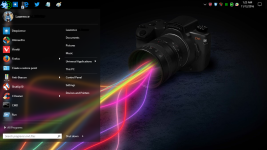

That looks kinda cool.On my Windows10 x64 Pro HDD

It would be nice to see a video of its creation when you come up with something creative like this.
Let's see because my schedule is already occupied with my preparation for second semester.
Our classes start on November 21, 2016.
I've already began last week to prepare and create early progress for the final projects, so for the meantime; I will stick to create some designs in Photoshop.


M
MalwareBlockerYT
Here is mine! Although I do change it every so often to mix it up a bit  I like this image though because I love Asus products & because it looks awesome on my triple monitors.

I like this image though because I love Asus products & because it looks awesome on my triple monitors.
A
antreas

F
ForgottenSeer 55474
Hello it is some nice desktops,but i dont know how to do it

Hello it is some nice desktops,but i dont know how to do it
Just use Imgur or some similar site - if using Imgur, just use the BB Code link


Last edited:
M
MalwareBlockerYT
No problemBig Thanks to @MalwareBlockerYT for the Wallpaper.View attachment 124782
Thanks for using it!
M
MalwareBlockerYT
My new wallpaper!



...found some time ago a very good wallpaper: very warm, powerful and "relaxing "colors. And the wallpaper ist quite dark: almost perfect for long dark winter evenings/nights.... ...contrast/brightness of the monitor set to min... very realxing....
i think i downloaded it some weeks ago from
Desktop Nexus Wallpapers - Background Images, Wallpaper, Desktop Wallpapers, Computer Backgrounds
....but now i can't find it there anymore.....

i think i downloaded it some weeks ago from
Desktop Nexus Wallpapers - Background Images, Wallpaper, Desktop Wallpapers, Computer Backgrounds
....but now i can't find it there anymore.....
nice wallpaper @LASER_oneXM
I noticed on your desktop, all you are missing is a GoG launcher and blizzard launcher
Gamers Unite!!!
I noticed on your desktop, all you are missing is a GoG launcher and blizzard launcher
Gamers Unite!!!

Excellent Job ! i would like the shadows under the letters of "Umbra Corporation" ( as the original). damn, i miss photoshop...
You ever tried Gimp? works quite well for me as a Photoshop replacement, and I used to be in graphic arts for a business lol
Anyways, heres mine.

The background is a picture of a xbox one game "Murdered: Soul Suspect" that I got for free through games with gold.
Recently browsing
Members who viewed this thread in the last 5 minutes


