
Add the xml file to what ? So it did not mention scheduler. Then the scheduler alarm was independent of Adguard ?Adguard was trying to add its xml file


Open MalwareTips from your Home Screen or desktop. Follow discussions, find answers and pick up where you left off.
If you cannot find an install option, update your browser or use its bookmark option to keep MalwareTips close.
After installation, open the app and sign in. Enable push notifications in Preferences if you want alerts. On iPhone and iPad, push requires a Home Screen web app and iOS or iPadOS 16.4 or later.
Sign in to manage notificationsInstallation is optional. Your notification settings stay under your control.
 Thread starter
Divine_Barakah
Thread starter
Divine_Barakah
Imported from an earlier discussion · awaiting owner confirmation
Earlier staff assessment. The reviewer, date and configuration version were not recorded. It has not been verified against the current Hub setup.
How members rate the shared configuration. This is community feedback, not a security test.
Shared by the member. This is a configuration record, not a device scan.
Add the xml file to what ? So it did not mention scheduler. Then the scheduler alarm was independent of Adguard ?Adguard was trying to add its xml file

Add the xml file to what ? So it did not mention scheduler. Then the scheduler alarm was independent of Adguard ?
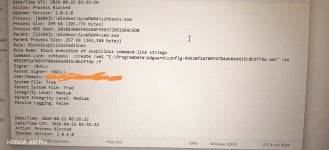
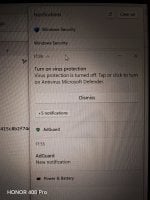
And I checked Adguard logs and searched for the ID 99528fa*****
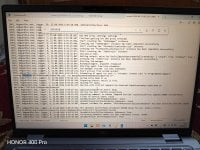
Try to update to the latest platform version 4.18.26080.3. Run as admin and restart.
Optionally Update for Windows Security platform - KB5007651 (Version 10.0.29628.1000)Code:https://download.windowsupdate.com/c/msdownload/update/software/defu/2026/08/updateplatform.amd64fre_99b71e4d3a498fec8b527f4dc0cf4a74169de128.exe
Code:https://catalog.update.microsoft.com/ScopedViewInline.aspx?updateid=a32ca1d0-ddd4-486b-b708-d941db4f1141#Overview
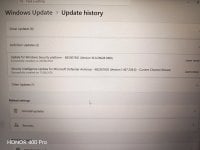
I could have been worried if I was not updating Adguard at the time I saw the OSA block. I checked the logs immediately and whitlested Adguard.AI to the rescue !
My suspicious mind is useless - it only know signs of compromise !
" When you are a hammer, everything looks like a nail "
Running these commands in Powershell fixed the issue for meOther users reporting the same issue on Reddit
# 1. Set update channels to stable staged ring
Set-MpPreference -EngineUpdatesChannel Staged
Set-MpPreference -PlatformUpdatesChannel Staged
Set-MpPreference -DefinitionUpdatesChannel Staged
# 2. Reset the Defender platform to OS baseline
& "C:\Program Files\Windows Defender\MpCmdRun.exe" -ResetPlatform
# 3. Pull fresh, stable definitions and platform files
& "C:\Program Files\Windows Defender\MpCmdRun.exe" -SignatureUpdate
Running these commands in Powershell fixed the issue for me
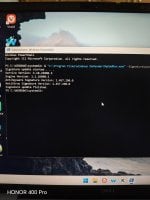
So upon research, it seems Windows, by default, sets Defender's update channel to NotConfigured (0), which allows Microsoft to manage rollouts through Windows Update.

It is on broad as default!but changed platform and definition updates channel to BROAD
I check3d the channel in PS and it returned 0. I had to manually change it to 5 (broad).It is on broad as default!
Looks like a temporary bug; I use 11 Iot LTSC all the time and reinstall frequently.I check3d the channel in PS and it returned 0. I had to manually change it to 5 (broad).
To view what update channel you're on now, run this command in elevated PSLooks like a temporary bug; I use 11 Iot LTSC all the time and reinstall frequently.
Everytime after install, MD is on broad channel; actually I was looking for the way to convert to the beta one.
Get-MpPreference | Select-Object PlatformUpdatesChannel, EngineUpdatesChannel, DefinitionUpdatesChannel
Set-MpPreference -PlatformUpdatesChannel Broad
Set-MpPreference -EngineUpdatesChannel Broad
Set-MpPreference -DefinitionUpdatesChannel Broad
I have got thisTo view what update channel you're on now, run this command in elevated PS
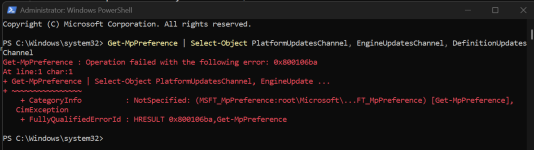

It seems you hardened MD? MD is not accessible to the WMI provider.
I have used it before, but I prefer Betterbird.Do you use the mail feature in Vivaldi browser?
Did you install it as a VM inside Linux ?Installed Windows 11 Enterprise IoT LTSC

Members who viewed this thread in the last 5 minutes


