Serious Discussion DNS Providers for Home Users – Still Cloudflare/Quad9, or Did NextDNS/Control D Finally Win?

What DNS provider(s) do you force on your home network / PC?

  • Cloudflare 1.1.1.1 (or 1.1.1.2/3) – speed king

  • Quad9 – best free malware/phishing blocking

  • Google 8.8.8.8 – I don’t care, just works

  • NextDNS – worth the config time and (sometimes) the $20/year

  • Control D – NextDNS but better UI and free tier actually good

  • AdGuard DNS – most aggressive ad/tracker blocking for free

  • Mullvad DNS / DNSCrypt – paranoid zero-log gang

  • My ISP’s DNS – yes I’m that guy

  • Self-hosted (Pi-hole, AdGuard Home, Technitium, etc.)

  • Mix – different DNS per device/profile


Results are only viewable after voting.
@Andy Ful (I added them also)
-----

This is the answer on the difference between security and content categories and adding those two optional extra filters

  1. Timely, operationally focused intelligence:
    • The UK NCSC feed is a recursive DNS service specifically designed to block DNS-based malware, including domains used for command-and-control (C2) servers, phishing, and malware distribution. It’s maintained by the UK’s National Cyber Security Centre and reflects real-time threats targeting public and education sectors.
    • This feed often includes newly identified malicious domains faster than general categorization systems, which rely on broader behavioral analysis.
  2. Cloudforce One - Public Feed (Feed ID 34):
    • This is Cloudflare’s own curated threat feed, derived from its global network observing 100+ million DNS queries per second.
    • It includes indicators from active campaigns, zero-day exploits, and emerging threats detected via machine learning and human analysis by Cloudflare’s threat intelligence team.
    • Unlike static content categories (e.g., "Malware", "Phishing"), this feed contains specific IOCs (Indicators of Compromise) such as IPs, domains, and patterns tied to active attacks.
  3. Precision and context:
    • Default categories (like "Security Risks" or "New Domains") are broad and heuristic-based.
    • These feeds allow targeted blocking of domains with high confidence of malicious intent, reducing false positives while catching threats that may not yet be categorized.
In short, while default categories provide general protection, these feeds add specialized, real-time, and highly accurate threat intelligence—effectively layering government-grade and vendor-specific IOCs on top of baseline filtering.

-----

The default security categories are fed with over 30 open source feeds and some commercial (e.g. Avira) and are combined with Cloudflare's AI to balance solid protection and preventing FP's. Adding the feeds might result in some FP's because some malware (sub) domains share the IP with legitimate websites.
 
Last edited:
The partial results on PhishTank.

Older samples (4-16h old)
Avast and Clouflare ~ 98% blocks

Fresh samples ( up to 30 minutes old, 6 hours testing )
Avast 80%
Cloudflare 75%

Edit.
Cloudflare setup (Cloudflare ZT tweaked) was presented here:
 
Last edited:
The partial results on PhishTank.

Older samples (4-16h old)
Avast and Clouflare ~ 98% blocks

Fresh samples ( up to 30 minutes old, 6 hours testing )
Avast 80%
Cloudflare 75%
With geo based block rules the blockrate of Cloudflare can be easily increased. e,g (just an example)
Block Content Category "login screens" from geo locations not in Europe (excluding Belarus and Russia), North America, Australia New Zealand, Singapore, Japan, South Korea and Taiwan. For me living in the Netherlands this results in zero False Positives.

Did you also enable security categories (I only see content categories and feeds in your screenprint)
1768054580296.png
 
Last edited:
  • Like
Reactions: Andy Ful
@LinuxFan58,

In tests I used:

After your post, I added:
I used in malware only categories which were certain security risks. I split some policies for easier false positive checking, e.g my suspicious domains policy contains
1768059235146.png

and because of positive feed experience feedback of Marko, I dropped the OISD small blocklist and promoted Content Categories Ads and Deceptive ads to a generic policy (I only want mild and very conservative ad blocking at DNS level).

I liked NextDNS a lot, but ran out of 300.000 queries per month for the free plan when developing lessons (I am retired but still teaching 3 days a week in my old profession). After dropping NextDNS I switched to ControlD with AppGuard DNS filter, but after running into website breakage I switched back to Quad9 until I found out about the cloudflare free plan.

My geo related security category only contains spam and geo related content category only login screens (all others could be promoted to generic policies).
 
I liked NextDNS a lot, but ran out of 300.000 queries per month for the free plan when developing lessons (I am retired but still teaching 3 days a week in my old profession). After dropping NextDNS I switched to ControlD with AppGuard DNS filter, but after running into website breakage I switched back to Quad9 until I found out about the cloudflare free plan.

I did not test NextDNS against half-hour threats so far.
Cloudflare Zero Trust with WARP+ has some advantages, especially for advanced users.
 
At roughly $1.66 a month, the $20 annual fee for NextDNS is cheaper than a cup of coffee and provides the only perimeter protection I actually need. It covers all my devices effectively.

While the benchmarks are interesting to look at, they're mostly academic. I haven't dealt with a confirmed infection in over a decade. No amount of software/services testing stops a user from falling for shady tactics or social engineering, that's where being informed comes in, and unlike the software, that costs nothing.
 
The partial results on PhishTank.

Older samples (4-16h old)
Avast and Clouflare ~ 98% blocks

Fresh samples ( up to 30 minutes old, 6 hours testing )
Avast 80%
Cloudflare 75%

I conducted another test, but now on all fresh samples (up to 1h old, almost all samples were unclassified yet on Phishtank):

Avast, Clouflare Zero Trust ~ 2/3 blocked.
The efficiency is lower (as compared to the previous test) because some of the samples are probably harmless.

It seems that it would be hard to see any real difference in protection.
 
@Andy Ful thanks for testing (y)

@Divergent yes NextDNS is great, but free Cloudflare offers simular. They are both good
Cloudflare offers way more than NextDNS but it's also harder to implement for average user. On the other hand, NextDNS offers less, but is enough user-friendly so anyone can set it up.

If you need complete DNS protection and encrypted VPN for all your devices, then Cloudflare is definitely a way to go. If you just need DNS and nothing else, and do not make a lot of queries, NextDNS is great option.
 
Cloudflare offers way more than NextDNS but it's also harder to implement for average user. On the other hand, NextDNS offers less, but is enough user-friendly so anyone can set it up.

If you need complete DNS protection and encrypted VPN for all your devices, then Cloudflare is definitely a way to go. If you just need DNS and nothing else, and do not make a lot of queries, NextDNS is great option.
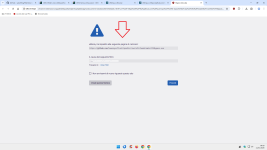
Yes and I like the geo location filtering on resolved and source IP location (provides way more granular control) and (totally irrelevant but fun) the custom block page :-)
1768076270466.png
 
There are some differences between Cloudflare’s WARP VPN and typical VPNs. Here is a nice article:

Warp VPN

Cloudflare's VPN isn't a traditional VPN — it encrypts your data without hiding your origin, so it's not meant to be used to access geographically-restricted content or to get around other restrictions. At its core, it's just meant to make your public browsing safer and faster.

In my case, the IP is hidden, and the IP of the nearest Cloudflare server is visible instead.

1768080216459.png


So, the geo-location is unchanged, even if the IP is hidden.
 
Last edited:
There are some differences between Cloudflare’s WARP VPN and typical VPNs. Here is a nice article:

In my case, the IP is hidden, and the IP of the nearest Cloudflare server is visible instead.

View attachment 294558
WARP is designed like this on purpose. Its purpose is to encrypt your traffic so prying eyes don't see what you access, secure your internet connection and especially useful when your ISP is slowing you down due to bad routing. It's perfect for public Wi-Fi networks as well.

Also worth to note, WARP differs from WARP+ which you, as a Zero Trust user, get for free (paid feature for non-Zero Trust users). WARP+ uses Argo Smart Routing which means Cloudflare routes your traffic in real-time through less congested and fastest routes.
 
Cloudflare offers way more than NextDNS but it's also harder to implement for average user. On the other hand, NextDNS offers less, but is enough user-friendly so anyone can set it up.

If you need complete DNS protection and encrypted VPN for all your devices, then Cloudflare is definitely a way to go. If you just need DNS and nothing else, and do not make a lot of queries, NextDNS is great option.
Congratulations on the setup, but let’s check the ego at the login screen. Copy-pasting a 'hardened' Cloudflare configuration from a forum guide or an AI prompt doesn't make you an advanced user, it makes you a scribe with good transcription skills.

Complexity isn't a security metric, it's just more surface area for entropy. NextDNS handles the perimeter effectively for anyone who actually understands traffic flow rather than just collecting blocklists like badges. Real 'advanced' usage is knowing the difference between a secure baseline and performance theater.
 
I found it interesting.
When using Cloudflare Zero Trust + Avast extension, the effectiveness of blocking (for Avast or Cloudflare) increased from 2/3 to 9/10.:)
Of course, the test was conducted on less than one-hour-old samples (including unclassified ones).
 
Cloudflare offers way more than NextDNS but it's also harder to implement for average user. On the other hand, NextDNS offers less, but is enough user-friendly so anyone can set it up.

If you need complete DNS protection and encrypted VPN for all your devices, then Cloudflare is definitely a way to go. If you just need DNS and nothing else, and do not make a lot of queries, NextDNS is great option.

Define complete protection.
DNS-level protection is always supplementary, never complete.

In fact, even your “complete” Cloudflare protection does not block this malware:

URLhaus | Checking your browser

My personal rules in the adblocks I use block malicious downloads instead.

1.png

Even your estimated 300,000 rules in uBo will not be able to effectively block all third-party trackers/scripts/iframe without efficient dynamic filtering.
And Cloudflare DNS will not block any first-party scripts/trackers on all web pages (and there are many) that cannot be blocked for compatibility reasons.
 
Last edited: