Some users recommend turning fast startup off and some recommend leave it on, what is your opinion?


Open MalwareTips from your Home Screen or desktop. Follow discussions, find answers and pick up where you left off.
If you cannot find an install option, update your browser or use its bookmark option to keep MalwareTips close.
After installation, open the app and sign in. Enable push notifications in Preferences if you want alerts. On iPhone and iPad, push requires a Home Screen web app and iOS or iPadOS 16.4 or later.
Sign in to manage notificationsInstallation is optional. Your notification settings stay under your control.


Fast startup was introduced in Windows 8 and all PCs should support it.The main computer I use doesn't support fast startup. If it did, I would only disable it if it was causing issues.
It's because you have SSD. It makes difference on PCs with HDD. Fast startup is combination of hibernation+shut down.Haven't seen any differences whether it's on or off. And any placebo features I find, I just turn it off.
Yes I just checked again and the reason I don't have the option to enable it, is because I have disabled hibernation.Fast startup was introduced in Windows 8 and all PCs should support it.

it doesnt ( not to a mentionable degree ) , it basicly only stores some loaded kernel drivers and files on the system drive and reloads them processed on boot , basicly Hibernate Ultra lightDoes anybody know if Fast startup affects the lifespan of an ssd?
Theoretically yes, it affects the life span as it essentially saves a snapshot of your system's RAM to your SSD when you shut down. On the next startup, Windows loads this snapshot instead of going through the full boot process.Does anybody know if Fast startup affects the lifespan of an ssd?
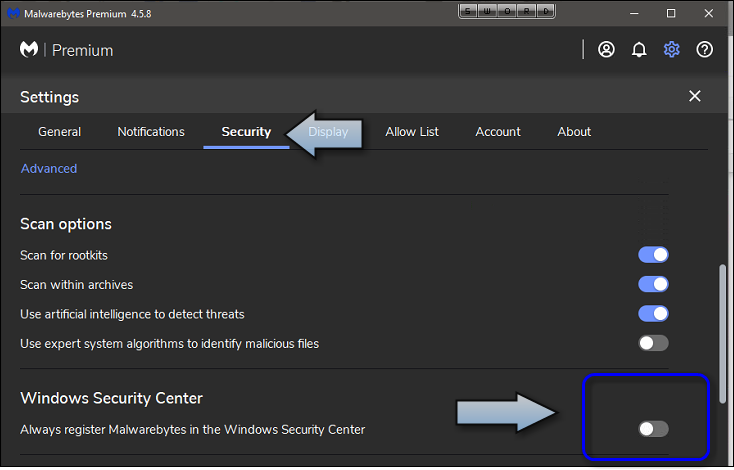
Yes, it might cause that. Quote from MB forum, one user had similar issue, MB not starting up at boot.I have just started my laptop and Malwarebytes is not there in the task bar. MB processes are there in task manager. This might be related to Fast Boot?
Fast Startup has been know to cause issues with Malwarebytes.
 forums.malwarebytes.com

That's a MBAM bug, supposedly fixed.I have just started my laptop and Malwarebytes is not there in the task bar. MB processes are there in task manager. This might be related to Fast Boot?
My turtle laptop has an HDD and I still disable it.It makes difference on PCs with HDD. Fast startup is combination of hibernation+shut down.
Members who viewed this thread in the last 5 minutes