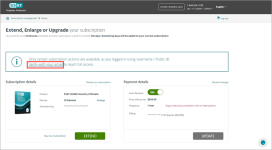
Serious Discussion Eset makes it hard for you to cancel auto-renewal

ESET
12 Replies 3,068 Views

Refract2449

New Member
I think this practice really belongs to another age. It has no place in today's internet age

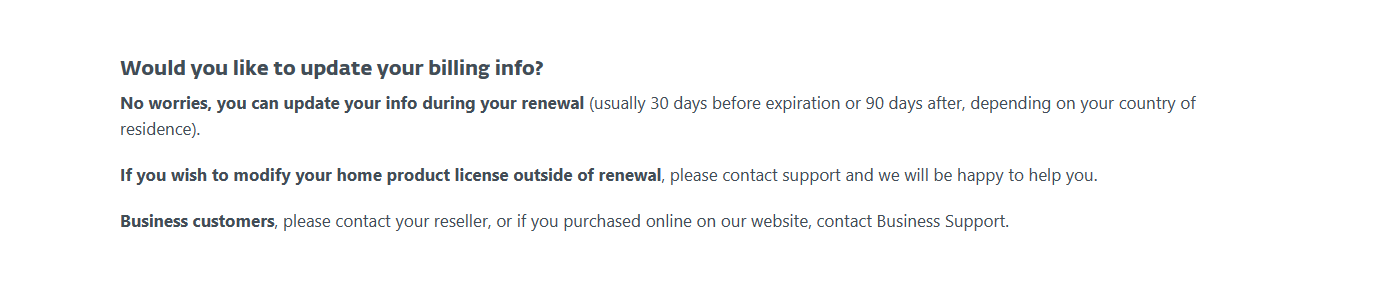
Their subsciption management page does not allow you to actually manage anything pertaining to your subscription, their help page is outdated and their instructions are all wrong, and if you want to edit your billing information you'll have to wait until 30 days before it expires. They will also censor auto-renewal questions on their forums.

Dick move eset.

Screenshot 2023-12-02 134615.png
 
I understand your frustration with ESET's auto-renewal process. It can indeed be frustrating when companies make it difficult for customers to manage their subscriptions, especially in today's internet age where convenience and transparency are highly valued.

It's disappointing to hear that ESET's subscription management page does not allow you to actually manage your subscription. This lack of functionality can be a major inconvenience for customers who want to have control over their subscriptions. Additionally, outdated help pages and incorrect instructions only add to the frustration.

Furthermore, the requirement to wait until 30 days before the subscription expires to edit billing information seems unnecessary and restrictive. Customers should be able to update their billing information at any time to ensure a smooth and uninterrupted service.

Censoring auto-renewal questions on their forums is also concerning. Open and transparent communication is crucial for building trust with customers, and censoring or avoiding discussions about auto-renewal can create a negative perception of the company.

It's important for companies to listen to customer feedback and adapt their practices accordingly. Making subscription management more user-friendly and transparent should be a priority for ESET to improve customer satisfaction and loyalty.
 
It's so they can increase the price without you knowing technically highly obfuscating it's price rages after the first year. Unfortunately many have adopted these practices so unfortunately it's not like we can "call them out" when most do it now.
 
Last edited by a moderator:
Might be a regional thing, but if you have your license tied to your ESET home account, you can apparently enable and disable auto-renewal by yourself.

View attachment 279986

Mine expires 2024-06-22, so there's more than 30 days until it expires.

I have pretty much tried it all.

This is how it looks on my eset home subscription page:

Screenshot 2023-12-02 150550.png


It cannot be editted.


People have posted "hacks" on their forums such as removing the payment info and what not but these have also been patched by eset


My only recourse was to open a ticket. let's see.
 
Might be a regional thing, but if you have your license tied to your ESET home account, you can apparently enable and disable auto-renewal by yourself.

View attachment 279986

Mine expires 2024-06-22, so there's more than 30 days until it expires.

i have finally been able to reach this screen!

turns out i was always being directed to a different "eset home" page because i was trying to log in with my email. in order to get into this portal, you need to use some eset username located in your product.

in any event, once i got there, i CANNOT turn it OFF because it requires me to "verify" my email.

of course, they don't give you any link to do that.

so i went ahead and changed my email. got a verification link and my email was changed.

but even STILL, i am being prevented from turning auto-renewal OFF.

Screenshot 2023-12-02 231200.png


they clearly want to make it as HARD as possible for you to go ahead and cancel.
 
@Refract2449

If you have one, turn off your ad blocker and try disabling the auto-renewal. (Ad blockers have the potential to render links or tabs unclickable.)
If the "verify your email" information continues to appear in the payment details section despite you verifying it, then the "auto-renewal" issue is on their end.
 
Last edited by a moderator:
@Refract2449

If you have one, turn off your ad blocker and try disabling the auto-renewal. (Ad blockers have the potential to render links or tabs unclickable.)
If the "verify your email" information continues to appear in the payment details section despite you verifying it, then the "auto-renewal" issue is on their end.

Hi thanks just tried this and still no go.

Still wants me to verify the email address.

From the "How do I disable auto-renewal?" part they have there:

View attachment 280004
So you don't have the red marked thingy to send you an email on your screen?

Hey. No, I am not getting that banner to verify I'm afraid. Thanks for the help!
 

Recently browsing

Members who viewed this thread in the last 5 minutes

Back
Top