

The MalwareTips app
Your community, one tap away.
Open MalwareTips from your Home Screen or desktop. Follow discussions, find answers and pick up where you left off.
- Home Screen access
- Optional push alerts
- Your community
You're ready to explore.Explore what's new
Installation instructions
iPhone & iPad
- Open MalwareTips in Safari and tap Share. You may need to open the Page Menu first.
- Choose Add to Home Screen. If it is not listed, use Edit Actions to add it.
- Keep Open as Web App enabled if shown, then tap Add.
Android
- Open MalwareTips in Chrome or another browser that supports app installation.
- Open the browser menu and look for Install app, Install and create shortcut, or Add to Home screen.
- Choose Install and confirm. Wording varies by browser.
Desktop
- Chrome: use the install icon in the address bar, or the menu under Cast, save and share.
- Edge: open the menu, then More tools, Apps and Install this site as an app.
- Safari on Mac: choose Share or File, then Add to Dock. Firefox on Windows: look for the web apps button in the address bar.
If you cannot find an install option, update your browser or use its bookmark option to keep MalwareTips close.
Keep up with your conversations
After installation, open the app and sign in. Enable push notifications in Preferences if you want alerts. On iPhone and iPad, push requires a Home Screen web app and iOS or iPadOS 16.4 or later.
Sign in to manage notificationsInstallation is optional. Your notification settings stay under your control.
You are using an out of date browser. It may not display this or other websites correctly.
You should upgrade or use an alternative browser.
You should upgrade or use an alternative browser.
Troubleshooting ESET NOD32 10.1.219.0 Released. From where to download update?
-
 Thread starter
jadinolf
Thread starter
jadinolf
- Start date
- 11 Replies
- 3,426 Views


Tried that and nothing.Try and check for updates and program updates
Any download I find is just an older version.
Thanks for the response.

Upvote
0
You may have noticed that I posted in the link that you mentioned.That discussion was made on ESET forums and its link is here
This version is a pre-release, and quite a new one so I guess you should wait more for a release note.
If you have registered your software for pre-releases, then you can have it.
Yeah, I guess I will have to wait. Problem is WAIT is not in my vocabulary.

Upvote
0

@jadinolf this update you are referring is a pre-release update.
If you want to get these updates all you have to do is this.
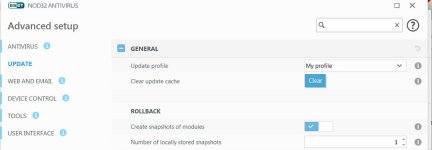
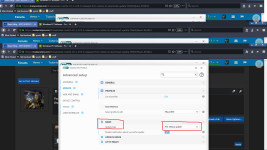
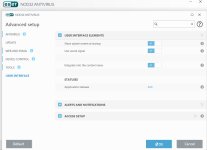
Setup->Advanced setup -> Update -> Profiles -> Basic -> Update type choose Pre-release update.
After that you will get new versions of the software that haven't being released to anyone yet and maybe they never reach the public.
If you want to get these updates all you have to do is this.
Setup->Advanced setup -> Update -> Profiles -> Basic -> Update type choose Pre-release update.
After that you will get new versions of the software that haven't being released to anyone yet and maybe they never reach the public.
Upvote
0
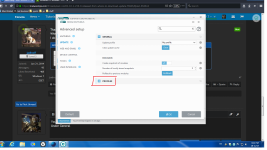
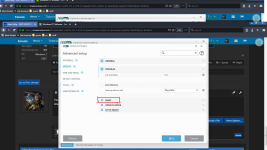
Still can't find it. Either my program looks different from yours or I am too stupid to find it.
I appreciate your help but I guess I will have to wait for the proper release.
Thanks and wish I could have been more successful.
I'll be gone now for most of the day.
I appreciate your help but I guess I will have to wait for the proper release.
Thanks and wish I could have been more successful.
I'll be gone now for most of the day.
Attachments
Upvote
0
Got t!At the Advanced set up click on UPDATE and then just follow the screenshot like i showed you.
If you still can't find i will help you. It's a bit confusing at first but not so difficult in the end
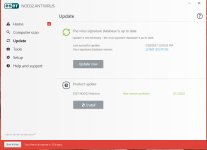
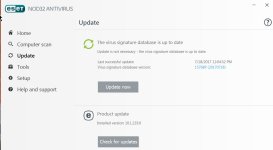
Finally found it. Now I hope it can do the same on my other computers. I know it's not that important but I am a fanatic.
Many thanks for your help. Obviously I could not have done it without help.
Attachments
Upvote
0
Thanks again!I am glad you finally got it
If you want anything else feel free to ask and i will you help you if i can.
Upvote
0
Recently browsing
Members who viewed this thread in the last 5 minutes
You may also like...
-
B
Advice Request Microsoft update problem
-

-

-

-
