
Fort Firewall v3.6.8
- UI: Programs: Optimize app info loading.
- UI: Programs: Swap "State" & "File Path" columns.


Open MalwareTips from your Home Screen or desktop. Follow discussions, find answers and pick up where you left off.
If you cannot find an install option, update your browser or use its bookmark option to keep MalwareTips close.
After installation, open the app and sign in. Enable push notifications in Preferences if you want alerts. On iPhone and iPad, push requires a Home Screen web app and iOS or iPadOS 16.4 or later.
Sign in to manage notificationsInstallation is optional. Your notification settings stay under your control.

Thanks for the constant updates!
Portmaster looks very user friendly. Domain names filtering per app and SPN features are cool.Hi how is this compared to portmasterfirewall,never tried portmaster firewall.


Thanks for checking it out.Why doesn't it ask if it doesn't know?
Thanks for checking it out.
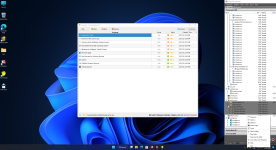
Fort Firewall (FFw) is in a "learning" mode after installation.
It indicates about alerts in the tray system icon.
So you have to turn off the "Auto-Allow New Programs" flag.
And review the auto-allowed apps in the Programs window.
(This initial behavior is for case, when you install it on remote computer. So the connection will not be auto-blocked.)
And please test the latest version: v3.7.9 for now.


Members who viewed this thread in the last 5 minutes


