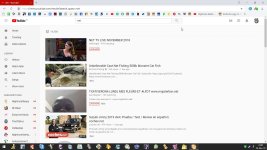
Yep, everything working fine except the youtube is on restricted mode.
And this error has occurred for a month atleast
And this error has occurred for a month atleast


Are you using the paid version?I have the same problem where YouTube is on restricted mode. I read that version 6.0.3.0155 is bugged and that people downgraded to 6.0.2 to fix that problem.

Yep, everything working fine except the youtube is on restricted mode.
And this error has occurred for a month atleast
I have the same problem where YouTube is on restricted mode. I read that version 6.0.3.0155 is bugged and that people downgraded to 6.0.2 to fix that problem.

I have no problem with Youtube using the free version.


I have a weird issue with FC were I simply can't enable Dynamic Threat Detection feature. If I try to enable it in the settings after exiting settings page the feature automatically get disabled. On my previous try on FC I remember successfully enabling this feature. Now I can't.
In F-C unlocked settings areas, there is an "x" at the top right of the GUI. Look closely at the x when you change a setting, and you will see a small disk appear and disappear very quickly. When that appears you can close the settings, and your change will be saved. However, if you close before it appears, the setting won't be changed. There isn't a manual save button, but it should only take a few seconds for them to auto save. I sometimes found it necessary to click and hold the click until a setting changes and is saved. Otherwise, the check wouldn't appear in the box.

Thanks. The problem was solved after few days since I commented here.
. Glad you are up and running with F-C. Every day that goes by I grow happier with what the program brings to the system. It's that feeling of being connected to all those workstations I guess...and the web filtering is really top notch. So easy to bundle F-C with Comodo or SpyShelter or Binisoft FW or OSArmor etc

 forticlient.com


ForgottenSeer 58943 is in the know about Fortinet products.Is this new 6.2 version a paid version? If so is there a trial?
It looks likeIs this new 6.2 version a paid version? If so is there a trial?
 www.forticlient.com
Thank you @imuadeIt looks like
FortiClient Unified Agent for ZTNA, Secure Remote Access and Endpoint Protection | Fortinet
FortiClient Fabric Agent integrates endpoints into the Security Fabric and provides endpoint telemetry, including user identity, protection status, risk scores, unpatched vulnerabilities, security events, and more.