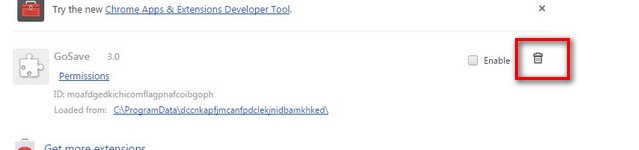
GoSave issues causing popups

Uninstall Google Chrome


https://support.google.com/chrome/answer/95319?hl=en-GB


thisisujrt.gif
Please download Junkware Removal Tool to your desktop.
  • Shut down your protection software now to avoid potential conflicts.
  • Run the tool by double-clicking it. If you are using Windows Vista, 7, or 8; instead of double-clicking, right-mouse click JRT.exe and select "Run as Administrator".
  • The tool will open and start scanning your system.
  • Please be patient as this can take a while to complete depending on your system's specifications.
  • On completion, a log (JRT.txt) is saved to your desktop and will automatically open.
  • Post the contents of JRT.txt into your next message.
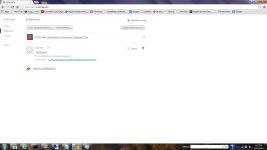
 
I have reinstalled Chrome and this is the screenshot. Is Chrome what is causing my issue? I am no longer getting the popup and redirects.
 

Attachments

  • gosavescreenshot.jpg
    gosavescreenshot.jpg
    127.8 KB · Views: 49
;)


Download DelFix by Xplode and save it to your desktop.
  • Run the tool by right click on the
    51a5ce45263de-delfix.png
    icon and Run as administrator option.
  • Make sure that these ones are checked:
    • Remove disinfection tools
    • Purge system restore
    • Reset system settings
  • Push Run and wait until the tool completes his work.
  • All tools we used should be gone. Tool will create an report for you (C:\DelFix.txt)
The tool will also record healthy state of registry and make a backup using ERUNT program in %windir%\ERUNT\DelFix
Tool deletes old system restore points and create a fresh system restore point after cleaning.