Advice Request Guys How does this happen?

Share practical recommendations that address the author's needs.

peter1111

Level 11
Verified
Top Poster
Well-known
Please look at the two pictures:

1618857525453.png
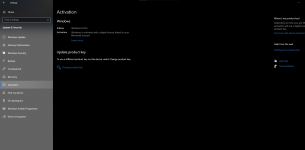
This is the windows version of my pc(windows setting, and the website) One say that it is a pro one say that it is home.
Anyone know why?
 
Are you looking at the correct Windows 10 device linked to the logged in Microsoft account?
The key is Professional, but your PC is too potato to support it, so it downgrades to Home.
NO, somehow windows didn't restart(and upgrade itself) so I have to do it sand now it works.

1618869006774.png
 
Last edited by a moderator:
Try the instructions below.


1. Windows Settings > Accounts > Email & accounts. Find your work email and manage, then Delete account from this device.
1619021957901.png


When you Add a Work/School email to any Microsoft app, do not allow them to manage your PC.

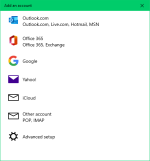
2. Open Mail app > Add an account.

1619021549823.png

3. Unmark "Allow my organisation to manage my device".

4. Use "Sign in to this app only".

1619021749370.png
 
Try the instructions below.


1. Windows Settings > Accounts > Email & accounts. Find your work email and manage, then Delete account from this device.
View attachment 257197

When you Add a Work/School email to any Microsoft app, do not allow them to manage your PC.

2. Open Mail app > Add an account.

View attachment 257195

3. Unmark "Allow my organisation to manage my device".

4. Use "Sign in to this app only".

View attachment 257196
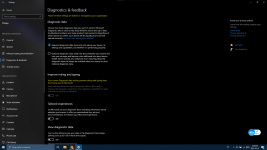
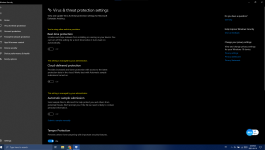
I tried it worked, but only solved half of the problem there is still something that is managed by my org, so I decide to delete all of the polices made by my org and it is clearly fixed. Thanks anyways! This is the video I saw , Will it damage my other policy?
1619100439639.png
 

Recently browsing

Members who viewed this thread in the last 5 minutes

Back
Top