

The MalwareTips app
Your community, one tap away.
Open MalwareTips from your Home Screen or desktop. Follow discussions, find answers and pick up where you left off.
- Home Screen access
- Optional push alerts
- Your community
You're ready to explore.Explore what's new
Installation instructions
iPhone & iPad
- Open MalwareTips in Safari and tap Share. You may need to open the Page Menu first.
- Choose Add to Home Screen. If it is not listed, use Edit Actions to add it.
- Keep Open as Web App enabled if shown, then tap Add.
Android
- Open MalwareTips in Chrome or another browser that supports app installation.
- Open the browser menu and look for Install app, Install and create shortcut, or Add to Home screen.
- Choose Install and confirm. Wording varies by browser.
Desktop
- Chrome: use the install icon in the address bar, or the menu under Cast, save and share.
- Edge: open the menu, then More tools, Apps and Install this site as an app.
- Safari on Mac: choose Share or File, then Add to Dock. Firefox on Windows: look for the web apps button in the address bar.
If you cannot find an install option, update your browser or use its bookmark option to keep MalwareTips close.
Keep up with your conversations
After installation, open the app and sign in. Enable push notifications in Preferences if you want alerts. On iPhone and iPad, push requires a Home Screen web app and iOS or iPadOS 16.4 or later.
Sign in to manage notificationsInstallation is optional. Your notification settings stay under your control.
You are using an out of date browser. It may not display this or other websites correctly.
You should upgrade or use an alternative browser.
You should upgrade or use an alternative browser.
Hard_Configurator - Windows Hardening Configurator
-
 Thread starter
Andy Ful
Thread starter
Andy Ful
- Start date
- 4,521 Replies
- 1,195,362 Views
Clicking on install or setup from the USB Windows 10 launcher from within windows worked, as it took over and the pc was able to boot from it to proceed with the installation.
I thought I upgraded from Windows 8.1 to Windows 10.... but it must of been a fresh install as it wiped out my recovery partition.
I thought I upgraded from Windows 8.1 to Windows 10.... but it must of been a fresh install as it wiped out my recovery partition.
From the Rufus page I read that USB bootable media that was made on Windows XP does not work with UEFI/GPT.
Only UEFI/MBR is supported.
I made the iso on xp with no issue from Rufus, I selected:
- MBR partition scheme for BIOS or UEFI-CSM
- NTFS
Should I try to rewrite the USB but select "MBR partition Scheme for UEFI" instead? ..thats the only other option.
(thanks for your help on this)
You can try it, but I am afraid that you have GPT partition on the new laptop, so it may not help. The UEFI/GPT option in Rufus is available only on Windows Vista+.
Ok, I will have a rethink over the next few days, I've sent an email to Asus support, but expect just a generic response. I may be able to redo the USB on my sister's Win 7 laptop, but still cant see how my laptop will boot from the usb outside of windows now.
Thanks for your support, and have a Merry Christmas.
I read somewhere that it is possible to get to command prompt using :
Save & Exit - Boot Override - Windows Boot Manager
Does it work for you?
I'll have a look.. cheers

Andy Ful
From Hard_Configurator Tools
Verified
Honorary Member
Top Poster
Developer
Well-known
Forum Veteran
I also read that pressing ESC key during system startup should invoke startup menu. You can try it with the new bootable media.
Merry Christmas and good luck to you.
With the new bootable media the USB should appear in the BIOS.
Merry Christmas and good luck to you.
With the new bootable media the USB should appear in the BIOS.
Last edited:
...just for the sake of trying anthing... I reformatted the USB to MBR partition Scheme for UEFI" instead, and used Fat32 ..... and the windows loading screen has come up!!!... no mouse or keyboard input work though (may need to flash update BIOS)... thats rings a bell... or may need a external USB Mouse and keyboard to proceed.
Ok I'm on the road to recovery then, I hope.. :-D
Many many thanks again for your help on Christmas eve, sorry about that.
Have a wonderful christmas.
Ok I'm on the road to recovery then, I hope.. :-D
Many many thanks again for your help on Christmas eve, sorry about that.
Have a wonderful christmas.
Last edited:
Andy Ful
From Hard_Configurator Tools
Verified
Honorary Member
Top Poster
Developer
Well-known
Forum Veteran
Finally I found the post for Asus X205TA that solved the problem with bootable media.
1. Enable UEFI in BIOS.
2. Download the image of Windows 10 32Bit version from Microsoft (with Microsoft download manager).
3. Make bootable media with Rufus : UEFI/GPT and FAT32 .
So, this is circa about the solution we already found out.
1. Enable UEFI in BIOS.
2. Download the image of Windows 10 32Bit version from Microsoft (with Microsoft download manager).
3. Make bootable media with Rufus : UEFI/GPT and FAT32 .
So, this is circa about the solution we already found out.
Andy Ful
From Hard_Configurator Tools
Verified
Honorary Member
Top Poster
Developer
Well-known
Forum Veteran
WARNING!
After a very unpleasant @LightWave's case, I do not recommend to install Hard_Configurator on laptops with Windows installed on eMMC flash memory. This kind of memory has a lot in common with SD Cards. I suspect that eMMC can be treated by Windows policies as a Removable Storage Device. One of Hard_Configurator restrictions, uses Windows policy to block execution from Removable Storage Devices, so this can totally hang the system.
Next week, I will test this.
After a very unpleasant @LightWave's case, I do not recommend to install Hard_Configurator on laptops with Windows installed on eMMC flash memory. This kind of memory has a lot in common with SD Cards. I suspect that eMMC can be treated by Windows policies as a Removable Storage Device. One of Hard_Configurator restrictions, uses Windows policy to block execution from Removable Storage Devices, so this can totally hang the system.
Next week, I will test this.
Last edited:
Andy Ful
From Hard_Configurator Tools
Verified
Honorary Member
Top Poster
Developer
Well-known
Forum Veteran
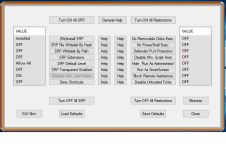
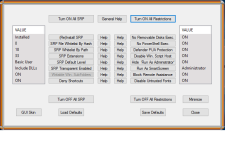
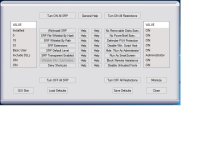
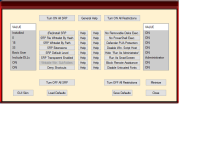
Hard_Configurator ver. 2.0.0.0 released.
GitHub - AndyFul/Hard_Configurator: GUI to Manage Software Restriction Policies and harden Windows Home OS
Added in version 2.0.0.0:
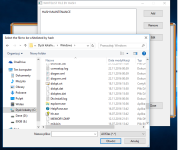
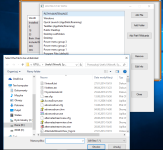
1. SRP file/folder whitelisting by path (also with wildcards).
2. Protecting (SRP deny execution) writable subfolders of 'C:\Windows' folder.
3. "Run By Smartscreen" option in Explorer context menu (run files without elevation, useful when SRP deactivated)
4. Manual
Some minor bugs were corrected.
GitHub - AndyFul/Hard_Configurator: GUI to Manage Software Restriction Policies and harden Windows Home OS
Added in version 2.0.0.0:
1. SRP file/folder whitelisting by path (also with wildcards).
2. Protecting (SRP deny execution) writable subfolders of 'C:\Windows' folder.
3. "Run By Smartscreen" option in Explorer context menu (run files without elevation, useful when SRP deactivated)
4. Manual
Some minor bugs were corrected.
Attachments

Andy Ful
From Hard_Configurator Tools
Verified
Honorary Member
Top Poster
Developer
Well-known
Forum Veteran
Hard_Configurator 2.0.0.1 released.
Minor bug with 'Load Defaults' option was corrected. Some unnecessary alerts, when 'not found' parameters were saved with 'Save Defaults' option.
GitHub - AndyFul/Hard_Configurator: GUI to Manage Software Restriction Policies and harden Windows Home OS
Minor bug with 'Load Defaults' option was corrected. Some unnecessary alerts, when 'not found' parameters were saved with 'Save Defaults' option.
GitHub - AndyFul/Hard_Configurator: GUI to Manage Software Restriction Policies and harden Windows Home OS
Last edited:
Recently browsing
Members who viewed this thread in the last 5 minutes


