Hard_Configurator - Windows Hardening Configurator

I am not sure if Adobe Reader DC (it is not the UWP app in AppContainer) can be safer than Foxit Reader. The first has the Attack Surface much bigger even if you use the AppContainer setting for Adobe Reader DC. Did you try Foxit MobilePDF?
I'll give Foxit a go then since we use it at work and get it from the Microsoft Store. Foxit MobilePDF works on WIndows 10 laptop right? Is it better or more secure than the free one from it's website?
 
I'll give Foxit a go then since we use it at work and get it from the Microsoft Store. Foxit MobilePDF works on WIndows 10 laptop right? Is it better or more secure than the free one from it's website?
Foxit MobilePDF is a free PDF viewer. It is a Universal Windows Platform app fully in AppContainer. It is much safer than the desktop version but also has fewer features.
Use Settings option to adjust the app.
 
If the malicious PDF can exploit the reader and run something, then there are several ways to get Internet access. You do not need the web browser for that.
If one does not want to open URLs embedded in the document and the Reader does not alert opening the URLs, then Exploit Protection can be used to block child processes.

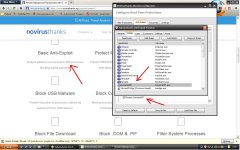
Other reason why I use OSA:

600.JPG
 
Or just use Windows internal "EMET" aka anti exploit protection.
also did you really use XP? Or is this a theme? I hope it's a theme.
Ah and your "moon" browser doesn't have a good sandbox and also miss important maintaining ;)

It's XP.:giggle:
With XP the sandbox browser is not important, especially if the FS is FAT32 like mine.
Study the reason in my 3D of the security configuration.;)

P.S.
What do you mean?
I would not go too OT in this 3D can we continue the discussion in my 3D of the Security Configuration?
 
Last edited:
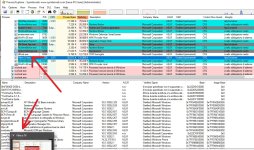
It's not always easy to put an app from the Microsoft Store on the anti-exploit list.
Often the name of the app is different from the executable.
Make sure you have this aspect under control.

Immagine.jpg
 
I'm probably going to try out the beta next week or wait for stable. Is it best to do an uninstall of the previous version first or will it upgrade and replace the old profile?

Eric
Install the new version and press <Recommended Settings>. This will replace the previous restrictions and will preserve your whitelisting entries, ConfigureDefender settings, and FirewallHardening settings. :)

If you do not use many custom whitelisting rules and you use the old H_C version, then it is simpler to uninstall H_C and install the new version. Next, use <ConfigureDefender> and <Firewall Hardening> options to set non-default protection.
 
Some posts on GitHub and MT motivated me to find a way to apply changes in SRP settings in H_C without logging off the account or refreshing Explorer. After some testing, it turned out that adding/removing the protected file extension from <Designated File Types> did the job.
I am testing this for several days and it works without any issue from Windows Vista to Windows 10.
The only exception is when one changes <Enforcement> settings, which still require logging off or refreshing Explorer. But, the H_C Recommended Settings and all H_C profiles (except "ALL OFF") use in fact "Skip DLLs" setting - so, there is no problem.
So, in the next beta version after pressing <APPLY CHANGES> button, the splash window will be usually displayed (for 1.5 s), to inform the user that SRP rules were refreshed.

refresh1.png


refresh2.png


I also added the Explzh archiver support to H_C.(y)
 
Last edited:
@Andy Ful

You could check the SMB rule.
It seems to me that it is not possible to return to OFF after applying an ON1 (or ON123?) rule.
TH.
It is usually not possible on Windows 10, because SMB1 is uninstalled (so it is automatically disabled). The OFF setting means that SMB1, SMB2, and SMB3 are enabled (default setting on older Windows 10 and prior Windows versions). The ON1 setting means that SMB2 and SMB3 are enabled (SMB1 is disabled). The ON123 setting means that al SMB is disabled (see <Disable SMB> help).(y)
 
Last edited:
(y)
TH.
Got it, so there is only 1 option on W.10:

disabling the SMB2+3 protocols.

In light of this new vulnerability SMBv3 would you recommend this setting on a non-business PC?
SMB2 and 3 are somehow integrated with Windows, so they have to be disabled together. If not needed, then they should be disabled. The SMB protocol can be used by some devices like for example NAS. But, it is not easy to use SMB vulnerabilities in the home environment due to the router NAT.
 
Thanks again for your availability.
I noticed that disabling the 2 protocols requires restarting the pc.
Yes. If you will change <Disable SMB> settings, then after pressing <APPLY CHANGES> button H_C should display the alert.
 
H_C uses the method described for SMB in the article:

After applying it, the user can check if SMB v2/v3 is disabled by using PowerShell:
Get-SmbServerConfiguration | Select EnableSMB2Protocol

Disabling SMB2 disables automatically also SMB3.