

The MalwareTips app
Your community, one tap away.
Open MalwareTips from your Home Screen or desktop. Follow discussions, find answers and pick up where you left off.
- Home Screen access
- Optional push alerts
- Your community
You're ready to explore.Explore what's new
Installation instructions
iPhone & iPad
- Open MalwareTips in Safari and tap Share. You may need to open the Page Menu first.
- Choose Add to Home Screen. If it is not listed, use Edit Actions to add it.
- Keep Open as Web App enabled if shown, then tap Add.
Android
- Open MalwareTips in Chrome or another browser that supports app installation.
- Open the browser menu and look for Install app, Install and create shortcut, or Add to Home screen.
- Choose Install and confirm. Wording varies by browser.
Desktop
- Chrome: use the install icon in the address bar, or the menu under Cast, save and share.
- Edge: open the menu, then More tools, Apps and Install this site as an app.
- Safari on Mac: choose Share or File, then Add to Dock. Firefox on Windows: look for the web apps button in the address bar.
If you cannot find an install option, update your browser or use its bookmark option to keep MalwareTips close.
Keep up with your conversations
After installation, open the app and sign in. Enable push notifications in Preferences if you want alerts. On iPhone and iPad, push requires a Home Screen web app and iOS or iPadOS 16.4 or later.
Sign in to manage notificationsInstallation is optional. Your notification settings stay under your control.
You are using an out of date browser. It may not display this or other websites correctly.
You should upgrade or use an alternative browser.
You should upgrade or use an alternative browser.
Troubleshooting Hitman Pro Alert scanning failed
-
 Thread starter
suma
Thread starter
suma
- Start date
- 9 Replies
- 6,126 Views
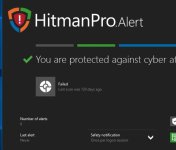

I've had the same problem few months ago and it was solved by downloading HitmanPro. Just enter the same HitmanPro.Alert license key and scan should work fine, even when you run it from HMPA. 
Upvote
0

Gandalf_The_Grey
Level 86
Verified
Honorary Member
Top Poster
Content Creator
Well-known
Forum Veteran
Like @Transhumana says. Also install HitmanPro. It is a known bug.I've had the same problem few months ago and it was solved by downloading HitmanPro. Just enter the same HitmanPro.Alert license key and scan should work fine, even when you run it from HMPA.
Upvote
0

Its Hitman Pro alert then why it need Hitman pro.Like @Transhumana says. Also install HitmanPro. It is a known bug.
Upvote
0
Gandalf_The_Grey
Level 86
Verified
Honorary Member
Top Poster
Content Creator
Well-known
Forum Veteran
HitmanPro is the scanner that is used and downloaded when Alert scans.Its Hitman Pro alert then why it need Hitman pro.
That download fails.
So when you install it yourself it doesn't have to be downloaded every time.
HitmanPro and HitmanPro.Alert are different products from the same company.
HitmanPro.Alert Ransomware Prevention, Secondary Scanner and Zero-Day Exploit Protection | hitmanpro.com
Upvote
0
HitmanPro is the scanner that is used and downloaded when Alert scans.
That download fails.
So when you install it yourself it doesn't have to be downloaded every time.
HitmanPro and HitmanPro.Alert are different products from the same company.
HitmanPro.Alert Ransomware Prevention, Secondary Scanner and Zero-Day Exploit Protection | hitmanpro.com
Hitman Pro and Hitman Pro Alert runs and start along with. Its still confuse
. Hitman Pro Alert runs along with HitmanPro without hitman Pro it stop scanning or failed to scan.I've had the same problem few months ago and it was solved by downloading HitmanPro. Just enter the same HitmanPro.Alert license key and scan should work fine, even when you run it from HMPA.
Upvote
0
As @Gandalf_The_Grey said - it's a known bug which should be completely fixed by downloading HitmanPro. It worked for me.
Upvote
0

Yes ,I also had the same problem,Know how you feel after shelling out 30.00$ +,but these folks are right easy fix,really good program ,check settings for all ..,recommended protection needs to be manually checked on, just right click on settings"Top right hand corner" click on advance interface,then in the risk reduction section left click the icons 8 total and you will find 2 I think too turn on. gl
Upvote
0
I wouldn't completely get rid of ZAM as you can disable it's real-time protection and use it as a second opinion scanner.
Upvote
0
Recently browsing
Members who viewed this thread in the last 5 minutes
You may also like...
-

-

-

-
-
Software Review COMODO Internet Security Pro 2027