Why it is better to use I don't care about cookies addon even if ubo is installed? Thanks. I ask because I want to learn.Firefox
1. Application Guard
2. I don't care about cookies
3. uBlock Origin
4. Webseiten übersetzen (Translator)


Open MalwareTips from your Home Screen or desktop. Follow discussions, find answers and pick up where you left off.
If you cannot find an install option, update your browser or use its bookmark option to keep MalwareTips close.
After installation, open the app and sign in. Enable push notifications in Preferences if you want alerts. On iPhone and iPad, push requires a Home Screen web app and iOS or iPadOS 16.4 or later.
Sign in to manage notificationsInstallation is optional. Your notification settings stay under your control.
 Thread starter
Brahman
Thread starter
Brahman
Why it is better to use I don't care about cookies addon even if ubo is installed? Thanks. I ask because I want to learn.Firefox
1. Application Guard
2. I don't care about cookies
3. uBlock Origin
4. Webseiten übersetzen (Translator)

Be aware that the filter list is not as effective as a browser extension but it will hide most cookie warnings.

'I don't care about cookies' project has both the addon and filterlist. The difference is the addon goes a bit further and auto-accepts cookies for you whenever rejection either isn't possible or is hidden behind a sub-menu (sub-menu becoming the norm).Why it is better to use I don't care about cookies addon even if ubo is installed? Thanks. I ask because I want to learn.

Yes, it's better that way. They do the same thing.I installed "I DON'T CARE ABOUT COOKIES" for Edge and then unchecked this option in UBO, is that okay?
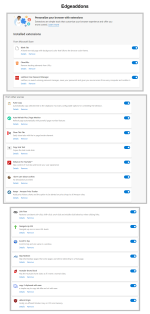
View attachment 267874
Is is for Firefox only?Sidebery, makes tabs easier to access.
Yes. Firefox and LibreWolf. Not sure for other browsers.Is is for Firefox only?

For number 4, can you please give me the link to this addon?Firefox
1. Application Guard
2. I don't care about cookies
3. uBlock Origin
4. Webseiten übersetzen (Translator)
The add-on can be found in Firefox under the name "Webseiten übersetzen" with the search function in "Add-ons and themes".For number 4, can you please give me the link to this addon?

I use Edge, so it has very great built-in translator.The add-on can be found in Firefox under the name "Webseiten übersetzen" with the search function in "Add-ons and themes".
To explain, I use the German Firefox version.

 chrome.google.com
Bypass Paywalls, you mean this one below?36, like Snap Links, Jdownloader, XDM, Search by Image, SponsorBlock, Worldwide Radio, RES, Bypass Paywalls, etc.
 github.com
Members who viewed this thread in the last 5 minutes