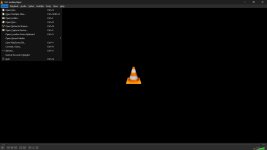
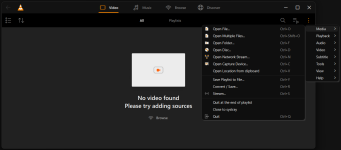
VLC for Windows does not feature a native dark mode, and I'm not aware of any dark skins that do not completely rip apart the UI.
I found a workaround to get native dark mode on Windows and want to share it with you if you prefer dark theme.
Here is what you need to do:

Alternate Download Mirrors (for vlc.3.0.21-dark.zip -- contains the two dll files):
I found a workaround to get native dark mode on Windows and want to share it with you if you prefer dark theme.
Here is what you need to do:
- Download the required dark mode files found at this google drive link (the author has removed these dill files from his github page so i had to re-upload them). The link has two .dll files: libqt_plugin.dll and libskins2_plugin.dll
- Close VLC if it's currently running on your pc.
- Now, on your local pc, go to your VLC directory (typically its installed at: "C:\Program Files\VideoLan\VLC", but your location may be different) and then navigate into this sub-directory: "plugins\gui" (this directory SHOULD already exist if you're in the correct location).
- Place the two dll files mentioned in step 1 inside the sub-directory mentioned in step 3. Take note these dll files ONLY work with the 64-bit version of VLC. If you try using them with the 32-bit version of VLC, the player will not launch and instead will show a terminal (command prompt) window. Not what you want. Install VLC 64-bit if this happens to you.
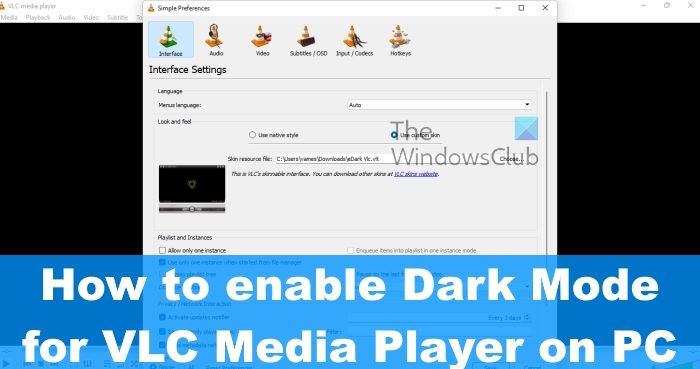
- Now, start your VLC player and go to: "Tools > Preferences > Interface > Look and Feel". You should now see a new option: "Use Dark Mode". Select it and click the "Save" button. Restart VLC to make the dark mode take effect.
Alternate Download Mirrors (for vlc.3.0.21-dark.zip -- contains the two dll files):