

The MalwareTips app
Your community, one tap away.
Open MalwareTips from your Home Screen or desktop. Follow discussions, find answers and pick up where you left off.
- Home Screen access
- Optional push alerts
- Your community
You're ready to explore.Explore what's new
Installation instructions
iPhone & iPad
- Open MalwareTips in Safari and tap Share. You may need to open the Page Menu first.
- Choose Add to Home Screen. If it is not listed, use Edit Actions to add it.
- Keep Open as Web App enabled if shown, then tap Add.
Android
- Open MalwareTips in Chrome or another browser that supports app installation.
- Open the browser menu and look for Install app, Install and create shortcut, or Add to Home screen.
- Choose Install and confirm. Wording varies by browser.
Desktop
- Chrome: use the install icon in the address bar, or the menu under Cast, save and share.
- Edge: open the menu, then More tools, Apps and Install this site as an app.
- Safari on Mac: choose Share or File, then Add to Dock. Firefox on Windows: look for the web apps button in the address bar.
If you cannot find an install option, update your browser or use its bookmark option to keep MalwareTips close.
Keep up with your conversations
After installation, open the app and sign in. Enable push notifications in Preferences if you want alerts. On iPhone and iPad, push requires a Home Screen web app and iOS or iPadOS 16.4 or later.
Sign in to manage notificationsInstallation is optional. Your notification settings stay under your control.
You are using an out of date browser. It may not display this or other websites correctly.
You should upgrade or use an alternative browser.
You should upgrade or use an alternative browser.
Question Is it worth to use Norton in 2026 for gaming?
-
 Thread starter
Razi640
Thread starter
Razi640
- Start date
- 18 Replies
- 2,371 Views
Help answer the author's question with clear explanations and useful steps.


Norton backups and disk spaceHi, just like the topic name says so, because I'm not sure if it's worth or not, from the other forums I've heard that Norton is eating too much free space due to backups he makes
Norton 360’s Backup feature normally stores backups in Norton’s cloud storage, not on the local system drive. Therefore, simply having Norton installed should not normally consume large amounts of local disk space because of backups.
However, local space may be used by:
- A backup destination configured as a local folder or external drive
- Norton quarantine items
- Temporary installation or update files
- Security history and report data
- Downloaded Norton installers or recovery media
You can check the backup configuration in Norton under something similar to:
- Open Norton.
- Go to Backup or Settings > Backup Settings.
- Check the selected backup destination and the files included.
- Remove unnecessary backup sets or change the destination if required.
The exact menu names can differ between Norton products and versions. Also check Windows’ storage settings to identify what is actually consuming space:
- Windows 11/10: Settings > System > Storage
- Review Installed apps, Temporary files, and the folders containing any configured backups
Do not manually delete Norton folders, quarantine files, or backup files unless you have confirmed what they contain. If Norton’s own storage display shows cloud usage, that generally does not reduce free space on your Windows drive. The safest approach is to identify the exact folder or storage category consuming space before removing anything.

Depends on your priority,budget and specs.
Norton is not bad but it does consume resources. Of all the Gen Products, Avira and AVG are less resource hog.
If you want to maximize performance since you are gaming, go with ESET. Thou it's pricey compared to others.
Norton is not bad but it does consume resources. Of all the Gen Products, Avira and AVG are less resource hog.
If you want to maximize performance since you are gaming, go with ESET. Thou it's pricey compared to others.

I would not overly recommend Norton or any GenD AVs. Consider Mcafee/Kaspersky/ESET.Hi, just like the topic name says so, because I'm not sure if it's worth or not, from the other forums I've heard that Norton is eating too much free space due to backups he makes
Kaspersky will always be recommended. Only USA thinks differently.I would not overly recommend Norton or any GenD AVs. Consider Mcafee/Kaspersky/ESET.
Yeah. Unfortunately ESET systems are not that snappy as they used to be. Kaspersky which used to be quite resource hog a decade and half back has made large gains in performance. Same can be said for Mcafee.Kaspersky will always be recommended. Only USA thinks differently.

You should not use Kaspersky, But defender, G data, Emsisoft or Trend Micro on a gaming machine
You should be OK with Norton, Avast, AVG, Panda, Webroot or Eset
You should be OK with Norton, Avast, AVG, Panda, Webroot or Eset
We called it Crap-persky 2 decades ago. The program is buggy. But I will admit they got good detections and peeps in their labs since the beginning. Now that everything is fine tuned,they will always be in the conversation fighting for the top spot.Yeah. Unfortunately ESET systems are not that snappy as they used to be. Kaspersky which used to be quite resource hog a decade and half back has made large gains in performance. Same can be said for Mcafee.
Just buy or get what ever is free or cheaper. All AV have gaming mode. Honestly if your running a potato then use gaming mode, but recent hardware I don't bother.
Not accurate tbh. Some solutions significantly affect performance.Just buy or get what ever is free or cheaper. All AV have gaming mode. Honestly if your running a potato then use gaming mode, but recent hardware I don't bother.
Feel free to test some solutions and run some games and watch FPS
Yeah if you own a potato, but who is scanning their system with a full system scan while playing games? Only times my system slows is when doing full system scan.
May as well use MD, no issues or problems.
May as well use MD, no issues or problems.

On the site av-comparatives, there is a section on AV impact (Performance Test) its all a matter of opinion & will always depend on your hardware & other factors but its a start? If you want to get the very best out of your system look at what's in start up that likely will have a greater impact than the AV, a user does not need lots of junk starting with the PC.
Attachments

Me coming here to recommend Defender...

For example, Defender has reputation of being very heavy and slow (to be fair, it was as in the past). If you take a look at latest AV Test, and categories why Defender got 5.5/6, you'll see it only got it because it slows down installation of software. That's totally not important measure you won't feel in every day use (you're not installing software daily I hope). It actually beats Bitdefender in almost every other performance test. Same story with ESET and others. While it's not drastic difference (1-5% you won't feel in daily use), many members of the forum talk about it like the difference is 90-200% between Defender and other 3rd party solutions when in fact the difference is practically non-existent.
Now feel free to mark me as Microsoft employee. I'm just stating the facts that many members of this forum seem to hate.
What people don't understand is that, how efficient antivirus software is on PC doesn't depend only on the software itself, but also the hardware powering everything. And looking at grade antivirus software got on test doesn't mean it's better due to different categories tested.Yeah if you own a potato, but who is scanning their system with a full system scan while playing games? Only times my system slows is when doing full system scan.
May as well use MD, no issues or problems.
For example, Defender has reputation of being very heavy and slow (to be fair, it was as in the past). If you take a look at latest AV Test, and categories why Defender got 5.5/6, you'll see it only got it because it slows down installation of software. That's totally not important measure you won't feel in every day use (you're not installing software daily I hope). It actually beats Bitdefender in almost every other performance test. Same story with ESET and others. While it's not drastic difference (1-5% you won't feel in daily use), many members of the forum talk about it like the difference is 90-200% between Defender and other 3rd party solutions when in fact the difference is practically non-existent.
Now feel free to mark me as Microsoft employee. I'm just stating the facts that many members of this forum seem to hate.
Last edited:

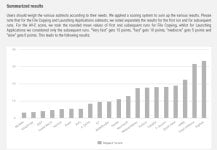
Microsoft Defender nowadays has less performance impact than Bitdefender. If I install Bitdefender, I can feel its impact on almost everything. App launching is the most obvious one, where it is probably the slowest among top AVs. Every single time, it has a delay. I first noticed this probably 3 years ago and after that, all AVC performance tests also started showing this behavior. So it's a common factor.Me coming here to recommend Defender...
View attachment 299200
What people don't understand is that, how efficient antivirus software is on PC doesn't depend only on the software itself, but also the hardware powering everything. And looking at grade antivirus software got on test doesn't mean it's better due to different categories tested.
For example, Defender has reputation of being very heavy and slow (to be fair, it was as in the past). If you take a look at latest AV Test, and categories why Defender got 5.5/6, you'll see it only got it because it slows down installation of software. That's totally not important measure you won't feel in every day use (you're not installing software daily I hope). It actually beats Bitdefender in almost every other performance test. Same story with ESET and others. While it's not drastic difference (1-5% you won't feel in daily use), many members of the forum talk about it like the difference is 90-200% between Defender and other 3rd party solutions when in fact the difference is practically non-existent.
Now feel free to mark me as Microsoft employee. I'm just stating the facts that many members of this forum seem to hate.
With that said, AVs like ESET and Kaspersky are definitely lighter than MD in almost every aspect. If I install ESET, I can immediately feel the speed. A friend (not an AV expert) even once asked me how my PC feels faster even though my (his) PC's config is significantly better? The reason was simply ESET. After ESET, Kaspersky is second for me on performance.
Defender causes some app launching slow down here and there, but not as frequently as Bitdefender for me.
When VS Code is updating, the CPU usage of Defender goes as high as 96% in default settings on my system. That is a bit absurd.
For the same activity, ESET's CPU usage reached a max 12%, Kaspersky ranges from 17-25%, Avast 20-40%. So Defender is definitely more CPU-heavy at times.
But I agree that for most average users doing basic things, Defender should feel fast. Web browsing is clearly the fastest with MD. I am using Defender now even though I have been getting an ESET Smart Security Premium license for free from ESET for the last 3 years. I don't want anything affecting my internet connectivity and compatibility-wise, Defender is the best too for obvious reasons. Call of Duty and Fortnite players often report issues with Bitdefender. Proton VPN apparently doesn't work with ESET at the moment. ESET also writes a significant amount of data on disk on signature updates, which is followed by a scan.
BD, ESET, Kaspersky all of them also downgrade QUIC connections to HTTP/2 in Chromium browsers (Chromium limitation, not an AV issue), so users are also not getting the speed benefit of QUIC while using them.
To answer OPs question, for gaming alone, Microsoft Defender is the best. If Defender isn't your cup of tea then Kaspersky or ESET.

RoboMan
Level 39
Verified
Honorary Member
Top Poster
Content Creator
Well-known
High Reputation
Forum Veteran
I would discourage you from buying Norton 360.
I used to be a big Norton fan, SONAR was really acurrate and efficient. The product was not perfect, but it was solid.
Since the acquisition from Gen Digital, it's become a bloated product that pushes notifications to buy garbage products. My copy of 360 for Gamers even has red alerts in the GUI because it has "discovered junk files" I must pay to remove.
In terms of protection, well, it's Gen Digital, it's solid enough. But it's your call. I bought a license for $1 and ended up uninstalling.
If you're able to pay for a premium subscription, my top 3 solutions would be, in order:
I used to be a big Norton fan, SONAR was really acurrate and efficient. The product was not perfect, but it was solid.
Since the acquisition from Gen Digital, it's become a bloated product that pushes notifications to buy garbage products. My copy of 360 for Gamers even has red alerts in the GUI because it has "discovered junk files" I must pay to remove.
In terms of protection, well, it's Gen Digital, it's solid enough. But it's your call. I bought a license for $1 and ended up uninstalling.
If you're able to pay for a premium subscription, my top 3 solutions would be, in order:
- Kaspersky Standard
- BitDefender Total Security
- Microsoft Defender with DefenderUI + VoodooShield CyberLock

Setup PCPC setup
This is the best summary! I am exactly like you! I don't want anything affecting my internet speed. Didn't know about that QUIC limitation, thanks for pointing it out. I stopped using ESET years ago even though I was a long time user of NOD32 (since 2002) as it was the lightest back then but now with the HTTP scanning, I can feel webpages load slower and uploading large files to sharing websites is also slower.Microsoft Defender nowadays has less performance impact than Bitdefender. If I install Bitdefender, I can feel its impact on almost everything. App launching is the most obvious one, where it is probably the slowest among top AVs. Every single time, it has a delay. I first noticed this probably 3 years ago and after that, all AVC performance tests also started showing this behavior. So it's a common factor.
With that said, AVs like ESET and Kaspersky are definitely lighter than MD in almost every aspect. If I install ESET, I can immediately feel the speed. A friend (not an AV expert) even once asked me how my PC feels faster even though my (his) PC's config is significantly better? The reason was simply ESET. After ESET, Kaspersky is second for me on performance.
Defender causes some app launching slow down here and there, but not as frequently as Bitdefender for me.
When VS Code is updating, the CPU usage of Defender goes as high as 96% in default settings on my system. That is a bit absurd.
View attachment 299202
For the same activity, ESET's CPU usage reached a max 12%, Kaspersky ranges from 17-25%, Avast 20-40%. So Defender is definitely more CPU-heavy at times.
But I agree that for most average users doing basic things, Defender should feel fast. Web browsing is clearly the fastest with MD. I am using Defender now even though I have been getting an ESET Smart Security Premium license for free from ESET for the last 3 years. I don't want anything affecting my internet connectivity and compatibility-wise, Defender is the best too for obvious reasons. Call of Duty and Fortnite players often report issues with Bitdefender. Proton VPN apparently doesn't work with ESET at the moment. ESET also writes a significant amount of data on disk on signature updates, which is followed by a scan.
BD, ESET, Kaspersky all of them also downgrade QUIC connections to HTTP/2 in Chromium browsers (Chromium limitation, not an AV issue), so users are also not getting the speed benefit of QUIC while using them.
To answer OPs question, for gaming alone, Microsoft Defender is the best. If Defender isn't your cup of tea then Kaspersky or ESET.
AVG/Avast allow you to modify components and remove everything but the file shield which is another good option but Norton doesn't give that option unfortunately.

Rollers127
Level 1
I think it must vary between different machines, I have gone from Eset to Bitdefender (Due to cost of multi seats) and find Bitdefender every bit as light and snappy as Eset, so a win for me. Microsoft defender is painfully slow on my machine. I guess every computer is different, so its a trial and error thingMicrosoft Defender nowadays has less performance impact than Bitdefender. If I install Bitdefender, I can feel its impact on almost everything. App launching is the most obvious one, where it is probably the slowest among top AVs. Every single time, it has a delay. I first noticed this probably 3 years ago and after that, all AVC performance tests also started showing this behavior. So it's a common factor.
With that said, AVs like ESET and Kaspersky are definitely lighter than MD in almost every aspect. If I install ESET, I can immediately feel the speed. A friend (not an AV expert) even once asked me how my PC feels faster even though my (his) PC's config is significantly better? The reason was simply ESET. After ESET, Kaspersky is second for me on performance.
Defender causes some app launching slow down here and there, but not as frequently as Bitdefender for me.
When VS Code is updating, the CPU usage of Defender goes as high as 96% in default settings on my system. That is a bit absurd.
View attachment 299202
For the same activity, ESET's CPU usage reached a max 12%, Kaspersky ranges from 17-25%, Avast 20-40%. So Defender is definitely more CPU-heavy at times.
But I agree that for most average users doing basic things, Defender should feel fast. Web browsing is clearly the fastest with MD. I am using Defender now even though I have been getting an ESET Smart Security Premium license for free from ESET for the last 3 years. I don't want anything affecting my internet connectivity and compatibility-wise, Defender is the best too for obvious reasons. Call of Duty and Fortnite players often report issues with Bitdefender. Proton VPN apparently doesn't work with ESET at the moment. ESET also writes a significant amount of data on disk on signature updates, which is followed by a scan.
BD, ESET, Kaspersky all of them also downgrade QUIC connections to HTTP/2 in Chromium browsers (Chromium limitation, not an AV issue), so users are also not getting the speed benefit of QUIC while using them.
To answer OPs question, for gaming alone, Microsoft Defender is the best. If Defender isn't your cup of tea then Kaspersky or ESET.

1% lows are what get annihilated by some AV. Avg FPS ? yep they vary within 3 fps usually.Yeah if you own a potato, but who is scanning their system with a full system scan while playing games? Only times my system slows is when doing full system scan.
May as well use MD, no issues or problems.
Like WD Annihilates them hard (1% lows ).
theres a difference of 27 FPS on 1% lows between WD and Eset for me.
7800X3D
32gb ram
nvme ...
and stuff

Ice Dream'
Level 1
AV market is getting old, truth be told...
Dr.Web is insanely good for both security and performance and also quite more innovative.
I've used it for years and it never let me down
don't be afraid of russians as of now, tons of KSY/Dr.Web license gets sold and their users are fine... so am I
Dr.Web is insanely good for both security and performance and also quite more innovative.
I've used it for years and it never let me down
don't be afraid of russians as of now, tons of KSY/Dr.Web license gets sold and their users are fine... so am I
Recently browsing
Members who viewed this thread in the last 5 minutes
You may also like...
-
 Software Review Symantec Endpoint Protection 2026
 -
Software Review Avira Free Security 2026
-

-

-
M
- Opera
- Maciej Kocemba
- · 0