Advice Request Is Shadow Defender officially dead now?

Please provide comments and solutions that are helpful to the author of this topic.
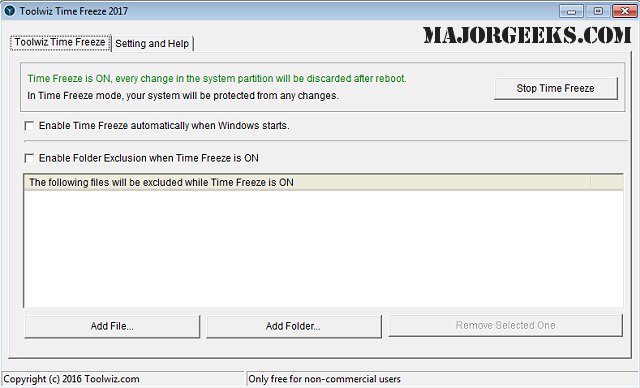
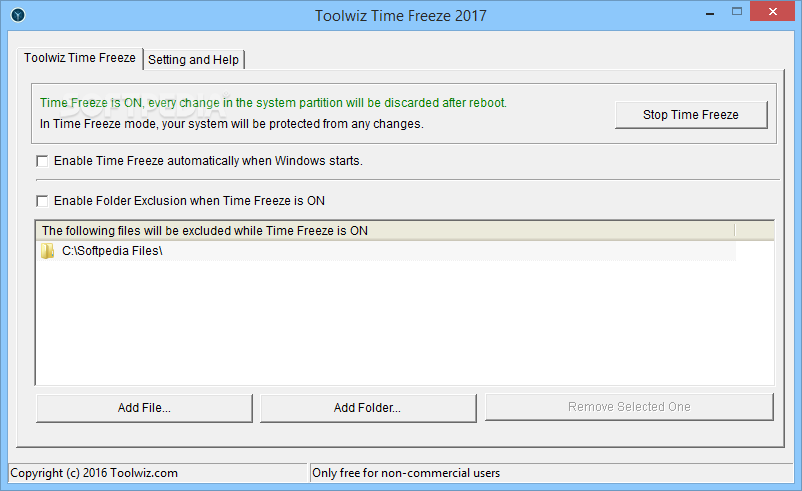
Currently I'm using Toolwiz Time Freeze, because Shadow Defender causes slow boot on Windows 10.

Anyone know when was the last release of Toolwiz Time Freeze ? :unsure:

 
Wilders, Softpedia and MajorGeeks all point to June 2 2016 as being the last time it was updated.


When was Shadow Defender last updated?
Unbenannt.PNG
 
Anyone know when was the last release of Toolwiz Time Freeze ? :unsure:

TTF causes BSOD and SD slows down the boot time every reboot/ shutdown in Shadow Mode, I think is better backup frequently the image of the OS instead of using virtualization software LOL.
 
TTF causes BSOD and SD slows down the boot time every reboot/ shutdown in Shadow Mode, I think is better backup frequently the image of the OS instead of using virtualization software LOL.
I wouldn't take it for day to day use either, way too time intensive. I only use it for malware testing on my secondary system.
 
I wouldn't take it for day to day use either, way too time intensive. I only use it for malware testing on my secondary system.
I already used Shadow Defender in an old PC with Celeron E330 1GB RAM and a very old 160GB HDD with Windows 7 and SD always worked fine, but now I have a Windows 10 machine with Core i3 6100,8GB RAM, Kingston A400 SSD 240GB and SD slows down the boot every time I boot in Shadow Mode. I like SD, but it's impossible to see a machine with SSD taking more than 40 seconds to boot up.
 
TTF causes BSOD and SD slows down the boot time every reboot/ shutdown in Shadow Mode, I think is better backup frequently the image of the OS instead of using virtualization software LOL.

Something like that was my doubt, software drivers must be signed by Microsoft on Windows 10 otherwise may be causing BSOD.
TTF haven't been updated since years, looks like it's driver(s) doesn't work on Windows 10, maybe related to "Secure Boot"
 
TTF causes BSOD and SD slows down the boot time every reboot/ shutdown in Shadow Mode, I think is better backup frequently the image of the OS instead of using virtualization software LOL.

I got problems with TTF`s driver on an old W10 version, .629 or something, updated to the latest and that solved it.
TTF running fine now.
 
  • Like
Reactions: JakeXPMan
SD should be used without fast startup enabled, maybe that is the problem.
I turned fast startup off and Windows 10 boot still longer than normal when Shadow Mode is enabled for more than 1 day or so. I really like SD, but as I said, seeing a SSD machine taking almost 1 minute to boot isn't normal.
I got problems with TTF`s driver on an old W10 version, .629 or something, updated to the latest and that solved it.
TTF running fine now.
I'm running Windows 10 20H2 build .928, this is the latest stable version and I downloaded TTF from the official site, which means that is the latest version too.
The BSOD was caused by TWZDISK.sys according to BlueScreenView. I unninstalled and the BSOD's stopped.
 
  • Like
Reactions: JakeXPMan and Kongo
I turned fast startup off and Windows 10 boot still longer than normal when Shadow Mode is enabled for more than 1 day or so. I really like SD, but as I said, seeing a SSD machine taking almost 1 minute to boot isn't normal.

I'm running Windows 10 20H2 build .928, this is the latest stable version and I downloaded TTF from the official site, which means that is the latest version too.
The BSOD was caused by TWZDISK.sys according to BlueScreenView. I unninstalled and the BSOD's stopped.

So why has this happened, a Windows update, or was both programs newly installed on the computer with the mentioned result?

Try find the problem with a clean boot test, it may be a compatibility issue.
 
  • Like
Reactions: Kongo
I turned fast startup off and Windows 10 boot still longer than normal when Shadow Mode is enabled for more than 1 day or so. I really like SD, but as I said, seeing a SSD machine taking almost 1 minute to boot isn't normal.

I'm running Windows 10 20H2 build .928, this is the latest stable version and I downloaded TTF from the official site, which means that is the latest version too.
The BSOD was caused by TWZDISK.sys according to BlueScreenView. I unninstalled and the BSOD's stopped.
Ever tried Rollback Rx?

 
  • Like
Reactions: Frib004
So why has this happened, a Windows update, or was both programs newly installed on the computer with the mentioned result?

Try find the problem with a clean boot test, it may be a compatibility issue.
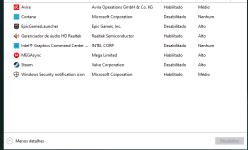
These are the others softwares I have on my computer, I think the "incompatibility" is related to Windows 10, because I saw other people saying about the same problem I have. Here are the softwares:

Capturar.PNG
 
Last edited by a moderator:
  • Like
Reactions: ichito
I turned fast startup off and Windows 10 boot still longer than normal when Shadow Mode is enabled for more than 1 day or so. I really like SD, but as I said, seeing a SSD machine taking almost 1 minute to boot isn't normal.

I'm running Windows 10 20H2 build .928, this is the latest stable version and I downloaded TTF from the official site, which means that is the latest version too.
The BSOD was caused by TWZDISK.sys according to BlueScreenView. I unninstalled and the BSOD's stopped.


Also, this one caused me problems: KB5001330 Windows Update is reportedly causing performance drop in games, failed installs and bootloops - gHacks Tech News

I usually could install but it caused problems
 
SD doesn't needs as much updates as other apps like sandbox, light virtualisation, SRP, firewall, HIPS etc. They aren't based on signatures but rather on local rules and technologies. SD contrary to TTF can protect all local (removable and accesible USB also) disks including MBR with track0. The next thing...SD was tested against malware and it appears to be bulletproof, TTF failed in the past some tests.
 
Last edited: