Open MalwareTips in Safari and tap Share. You may need to open the Page Menu first.
Choose Add to Home Screen. If it is not listed, use Edit Actions to add it.
Keep Open as Web App enabled if shown, then tap Add.
Android
Open MalwareTips in Chrome or another browser that supports app installation.
Open the browser menu and look for Install app, Install and create shortcut, or Add to Home screen.
Choose Install and confirm. Wording varies by browser.
Desktop
Chrome: use the install icon in the address bar, or the menu under Cast, save and share.
Edge: open the menu, then More tools, Apps and Install this site as an app.
Safari on Mac: choose Share or File, then Add to Dock. Firefox on Windows: look for the web apps button in the address bar.
If you cannot find an install option, update your browser or use its bookmark option to keep MalwareTips close.
Keep up with your conversations
After installation, open the app and sign in. Enable push notifications in Preferences if you want alerts. On iPhone and iPad, push requires a Home Screen web app and iOS or iPadOS 16.4 or later.
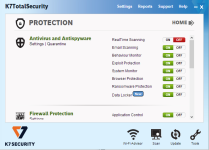
At least K7‘s „Data Locker“ feature should have protected user folders (like Pictures, Documents).
v16.x does have specific ransomware protection, it‘s highlighted as new feature over v15.
Anyway, i try grabbing some recent Nemty samples tomorrow, i have K7 TS v16.0.0123 installed, to see how K7 fares.
Their ransomware protection is indeed a big let down, 50% of the samples i tested against it were not recognized by BB / Anti-RW Standalone protection, files outside Data Locker protected locations are doomed.
Containment: Shadow Defender v1.4.0.680
Guest/OS: Win10 Home v1909 (Build 18363.535)
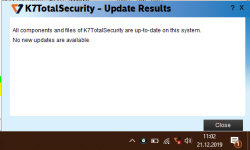
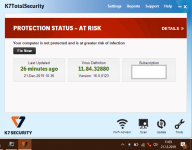
Product: K7 Total Security v16.0.0123
VPN: OkayFreedom v1.8.7.12547
eMail:
Enable Worm Blocking, Scan outgoing eMails Scanner:
also Scan Memory, Tracking Cookies, Unwanted Registry Entries, Unwanted Files System Monitor:
High Level of Protection
Always Prompt if a new Software is installed when changes are found
Do not automatically allow signed files / recognized by the System Monitor Firewall:
Display critical alerts
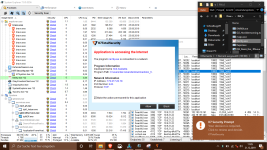
Ask for outbound connections of non-whitelisted apps
Intrusion Rules: Activate also SMB Exploit Detection 1, HTTP Server Exploit Detection 1 and FTP Server Exploit Detection 1
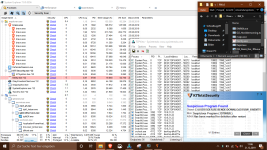
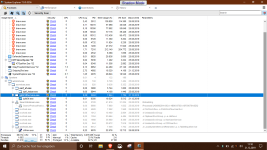
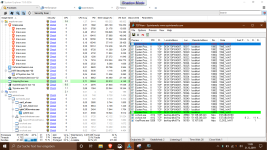
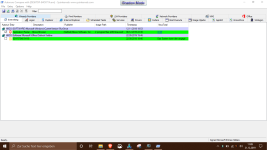
#Nemty v2.3 results: Firewall alert (blocked), intercepted almost instantly by BB, no files encrypted.
(Tested with RealTime Scanning disabled, to prevent signature detection.)
Recently browsing
Members who viewed this thread in the last 5 minutes



 Thread starter
ksgsystem