F
ForgottenSeer 123795
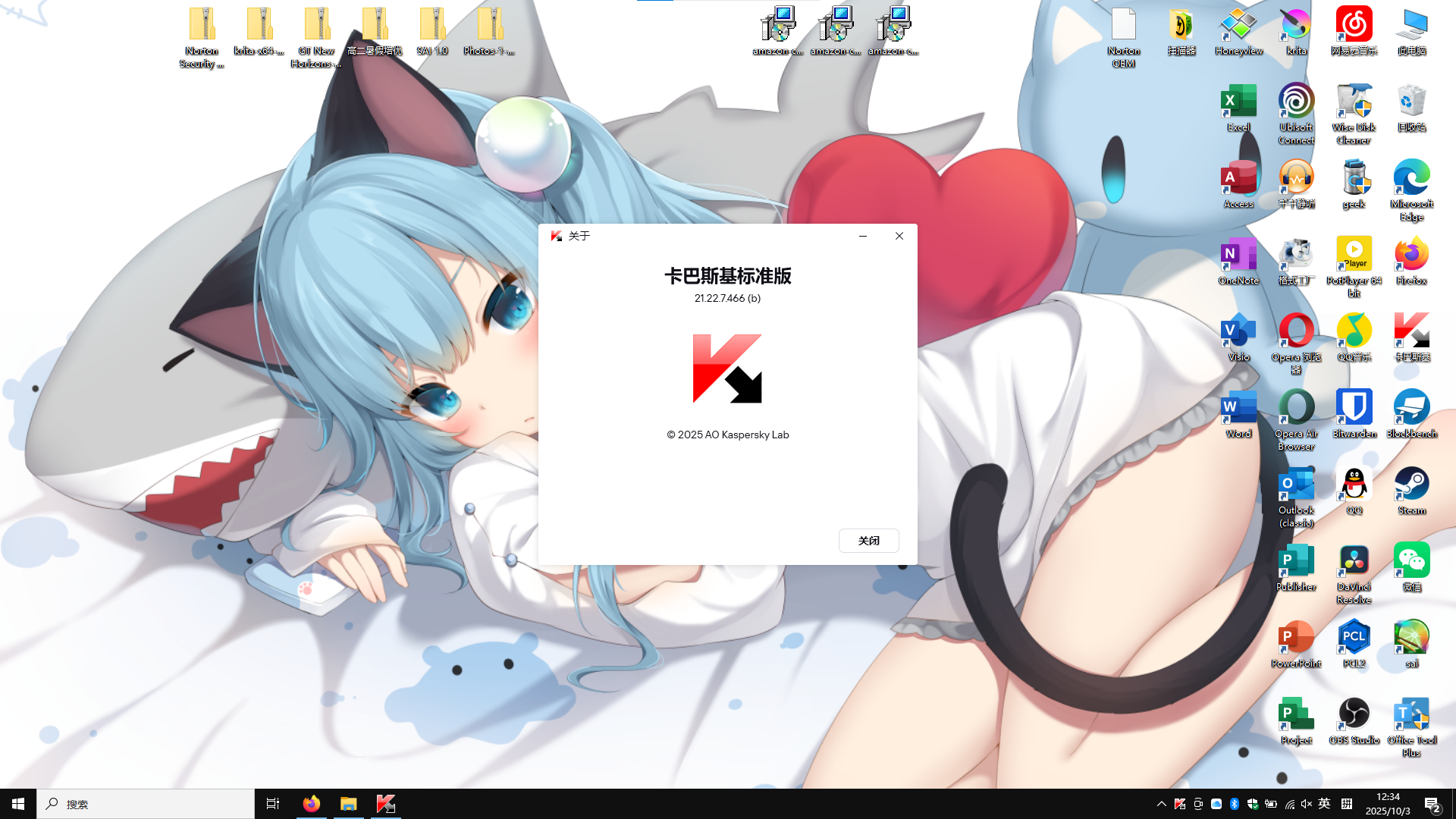
right click taskbar icon, click about, and caps lock, then enter IDDQD, this should be an easter egg


Open MalwareTips from your Home Screen or desktop. Follow discussions, find answers and pick up where you left off.
If you cannot find an install option, update your browser or use its bookmark option to keep MalwareTips close.
After installation, open the app and sign in. Enable push notifications in Preferences if you want alerts. On iPhone and iPad, push requires a Home Screen web app and iOS or iPadOS 16.4 or later.
Sign in to manage notificationsInstallation is optional. Your notification settings stay under your control.

Hey Lintianyun Luo,right click taskbar icon, click about, and caps lock, then enter IDDQD, this should be an easter egg View attachment 291501


you are keep vpn on all time?? will kaspersky vpn make network speed slow down? and another question, how does you feeling that you use kaspersky vpn, a lot of people will recommend expressvpn or nordvpnThe graphical user interface (GUI) from the Kaspersky system tray icons have been created according their new home style.
View attachment 291516
so who is shadowra?? what will happen if he see my wallpaper?dont let @Shadowra see your Wallpaper

Post in thread 'Kaspersky can restore the classic icons!!!'so who is shadowra?? what will happen if he see my wallpaper?

OK thank you@Lintianyun Luo
I don't keep Kaspersky VPN all the time open and i don't encounter traffic slow down.
Those 2 VPNs are better than KVPN, but probably also are more expensiveyou are keep vpn on all time?? will kaspersky vpn make network speed slow down? and another question, how does you feeling that you use kaspersky vpn, a lot of people will recommend expressvpn or nordvpn

Members who viewed this thread in the last 5 minutes