Advice Request Kaspersky Internet Security 2020 - Extreme Configuration

  • Thread starter Thread starter ForgottenSeer 77207
  • Start date Start date
Please provide comments and solutions that are helpful to the author of this topic.
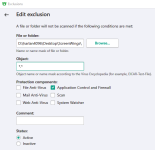
Exclude a folder from FireWall? o_O

You can try this, but I'm not sure it will work properly :unsure::

1588244702162.png
 
I'm in KTS2021TR :p :ROFLMAO:

I guess they added this feature. Any idea how can I upgrade to the beta version while retaining my license? I really need this option to complete a certain workflow.

Edit: I am on internet security. Not sure if this feature is for TS. Can any body confirm this feature is not limited to TS?
 
Beta versions of last K2021 not recommended because probably the online auto activation beta probably is already disabled or giving You very few days to use it... :unsure:

For now there is a leaked Russian TR installer You can change in every start the GUI into English with SHIFT + F12...

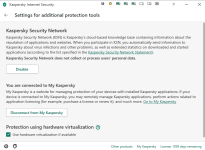
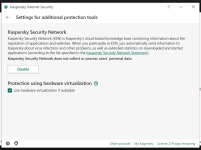
Added: no difference in this settings between TS and IS...
 
Beta versions of last K2021 not recommended because probably the online auto activation beta probably is already disabled or giving You very few days to use it... :unsure:

For now there is a leaked Russian TR installer You can change in every start the GUI into English with SHIFT + F12...

Added: no difference in this settings between TS and IS...

Thanks brother. I will temporarily look for any other firewall and turn on the Kaspersky Firewall again when they release the stable version. Do you know any other firewall like TinyWall, WFC or Simple Wall allows excluding a folder from Firewall protection? Last time I used TinyWall it didn't had any such feature.
 

Attachments

  • 1592449477910.png
    1592449477910.png
    73.2 KB · Views: 264
  • 1592449813934.png
    1592449813934.png
    148 KB · Views: 255
Last edited:
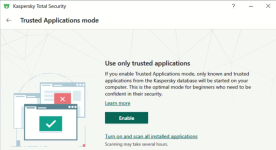
I have patch K in my KTS2020 (laptop) and I still have the TAM (disabled currently), still there:

1592460624963.png1592460642122.png

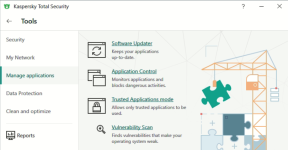
TAM has been removed in the upcoming K2021MR0... but still in K2020, go to More Tools -> Manage Applications...

About Rights of Trusted group, just go to Application Control -> Manage Applications, select Trusted group and mouse right click -> Details and Rules, and there You have Rights and NetWork Rules tabs.
 
Last edited:

You may also like...