Open MalwareTips in Safari and tap Share. You may need to open the Page Menu first.
Choose Add to Home Screen. If it is not listed, use Edit Actions to add it.
Keep Open as Web App enabled if shown, then tap Add.
Android
Open MalwareTips in Chrome or another browser that supports app installation.
Open the browser menu and look for Install app, Install and create shortcut, or Add to Home screen.
Choose Install and confirm. Wording varies by browser.
Desktop
Chrome: use the install icon in the address bar, or the menu under Cast, save and share.
Edge: open the menu, then More tools, Apps and Install this site as an app.
Safari on Mac: choose Share or File, then Add to Dock. Firefox on Windows: look for the web apps button in the address bar.
If you cannot find an install option, update your browser or use its bookmark option to keep MalwareTips close.
Keep up with your conversations
After installation, open the app and sign in. Enable push notifications in Preferences if you want alerts. On iPhone and iPad, push requires a Home Screen web app and iOS or iPadOS 16.4 or later.
It doesn't matter what URL I type in—it's the same in every case. Even in Firefox.
It doesn't matter what URL I type in—the same thing happens every time. Even in Firefox.
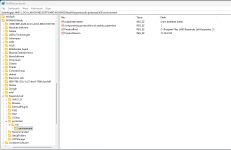
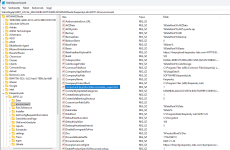
Please write down again what steps SuperMITM consists of. But in more detail. In Regedit, what exactly do you select when you create the entry? Post a screenshot of it. Not of the location—I know that one. Just in case I’m messing something up after all.
And do you create the entry only in those two locations?
Either the program has a bug, or it's not working properly because of the Hungarian language locale. I can't think of any other explanation. But if you could ask someone for help, I'd really appreciate it.
This configuration, along with the fact that the script isn't injected into the web traffic, has definitely sped up browsing. I've been using it ever since you showed it to me, and I haven't really noticed any slowdown. Thank you.
Recently browsing
Members who viewed this thread in the last 5 minutes



 Thread starter
Victor M
Thread starter
Victor M