F
ForgottenSeer 94633
Good question.How can be infected ?
How can you get infected with BD ?
Well, you can. With ARCABIT my system was clean.
No program is perfect. That's why my decision after BD license ended


Open MalwareTips from your Home Screen or desktop. Follow discussions, find answers and pick up where you left off.
If you cannot find an install option, update your browser or use its bookmark option to keep MalwareTips close.
After installation, open the app and sign in. Enable push notifications in Preferences if you want alerts. On iPhone and iPad, push requires a Home Screen web app and iOS or iPadOS 16.4 or later.
Sign in to manage notificationsInstallation is optional. Your notification settings stay under your control.
Good question.How can be infected ?

Good changes, hope your health is improving!After a long absence due to illness at my place small changes. BD was removed and replaced with a set:
Microsoft Defender (DefenderUI Free | Recommended Profile) + VoodooShield (AutoPilot Mode | Aggressive) + WhitelistCloud.
MS EDGE browser as it was

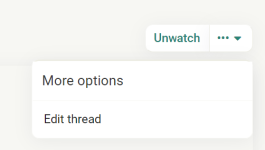
You must click on the three dots:
View attachment 269714
And choose Edit thread:
View attachment 269715




Disabling HTTPS/Encrypted connection scanning and not installing the Kaspersky extension might give you a bit more battery life boost, since they use a bit of CPU.For technical reasons (rapid battery drain on my laptop) I swapped the software from MS Defender to Kaspersky Free . The rest unchanged
I can't change my configuration in the description.

The battery problem (rapid drainage) only occurred with the use of Microsoft Defender.A rapid battery drain and even before the latest AV was installed sounds a bit intriguing and interesting. @Asterixpl , if you know how to on your laptop it might merit a search for what actually is the cause, unless that issue now suddenly hasn't occurred again?
All in all, nothing has happened. Such is my new concept of security@Asterixpl I remember that you were a Bitdefender user. What made you leave BD? Thanks

Install itMy wife on the occasion of my wedding anniversary bought me a one-year license for F Secure SAFE ( she herself said that this is a good gift for me And the program is ok ). Well now you have to install it because when you have a wife you don't have to fall too far. What do you think ? Tomorrow I will install the gift (although I feel sorry for Kaspersky Free).

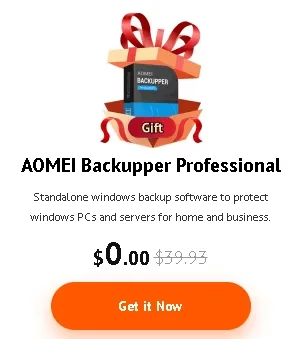
I am looking for an active, free, one-year promotion for AOMEI Backupper
 www.techno360.in
Members who viewed this thread in the last 5 minutes


