
Remediation map
Watch Malwarebytes catch threats that other security companies miss in real time on this remediation map.
 www.malwarebytes.com
Ah, thanks to Malwarebytes, I finally know which antivirus to choose


Open MalwareTips from your Home Screen or desktop. Follow discussions, find answers and pick up where you left off.
If you cannot find an install option, update your browser or use its bookmark option to keep MalwareTips close.
After installation, open the app and sign in. Enable push notifications in Preferences if you want alerts. On iPhone and iPad, push requires a Home Screen web app and iOS or iPadOS 16.4 or later.
Sign in to manage notificationsInstallation is optional. Your notification settings stay under your control.
www.malwarebytes.com


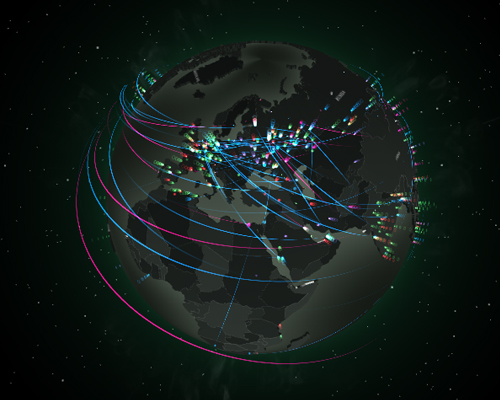
 cybermap.kaspersky.com
AVG & Avast have different ratio of misses despite having same signatures
On tests done here on MalwareTips or on youtube, malwarebyte ends up being infected more often than competors do still, this hasnt changed in looong long time
Heres map after 5 minutes:
View attachment 277824
AVG users could have a riskier PC usage than Avast usersAVG & Avast have different ratio of misses despite having same signatures

Not surprisingly each vendor score's best at his own threat mapKaspersky & Bitdefender have their own version of threat maps:
MAP | Kaspersky Cyberthreat live map
Find out if you’re under cyber-attack here #CyberSecurityMap #CyberSecurity


Or a counter based on historical data rates. Kind of like the "real-time" death and birth numbers one can see in some museum of science. The counter also doesn't show how many infections are actually caught by the primary AVs and at the same time missed by MB. Sure, MB might find 1 pup that the AV missed; in the 100 infections that the AV caught. Meanwhile MB missed 99 infections that the AV caught and just decided to alert on "adobe-crack.dll" which might be a real crack that the AV decided to ignore (since not malicious to user). (Just because crack is malicious to the big corporate doesn't mean it's malicious to the user and AV's job is to protect the user and not financial interests of the big corporate)These maps are also never live. Usually last 24 h
Members who viewed this thread in the last 5 minutes


