Solved Memory not enough

Status
Not open for further replies.

JB007

Level 26
Thread author
Verified
Top Poster
Well-known
Forum Veteran
May 19, 2016
1,567
1
6,553
2,469
France
Hello,
Merry Christmas all:)
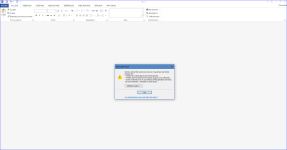
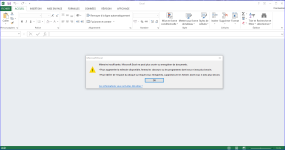
Since 23 December 2016 when I try to open a Word or Excel document I get an error message : "Memory not enough".
Mémoire3.PNG Mémoire4.PNG
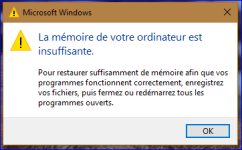
Two days earlier I have a similar message when I was on Internet (Chrome), but I did not try to open Office documents and I can continue to use my PC and Internet after closing Chrome and restart it.
Mémoire1.PNG
On my system I have 32 Go of RAM and the problem persists even if all other programs are closed.
Can someone help me ?
Thank you:)
 
Hello @Jeff_T - Testing Group
Do not you think that reinstalling the OS is an extreme solution to solve an issue with a single program ?o_O
If my understanding is good this issue is an Office issue and reinstalling Windows 10 will not solve an Office issue?o_O

You stated you got out of memory alerts with Chrome in your original post. If that is the case, then there is something more going on than just Microsoft Office documents bug.

Why not try uninstall of MS Office, clean the system, then reinstall it. Do this before moving to the clean OS install option.

This was in your OP:

"Two days earlier I have a similar message when I was on Internet (Chrome), but I did not try to open Office documents and I can continue to use my PC and Internet after closing Chrome and restart it."
 
  • Like
Reactions: JB007 and SHvFl
Upvote 0
You stated you got out of memory alerts with Chrome in your original post. If that is the case, then there is something more going on than just Microsoft Office documents bug.

Why not try uninstall of MS Office, clean the system, then reinstall it. Do this before moving to the clean OS install option.

This was in your OP:

"Two days earlier I have a similar message when I was on Internet (Chrome), but I did not try to open Office documents and I can continue to use my PC and Internet after closing Chrome and restart it."
Hello @Jeff_T - Testing Group
Happy New Year !
You are right, I wrote these words;)
After some days I have other troubles, my PC is frozen and I understand that Malwarebytes 3 is risponsible. I uninstall it and since then I did not have again an error message about the memory when I'm surfing.
My modest conclusion is that there was two different problems, the first one is due to MBAM 3 ant the second is that due to Microsoft Office.
Thanks again for your help:)
 
  • Like
Reactions: SHvFl
Upvote 0
Status
Not open for further replies.