
One of the reasons; with SA you cannot properly manage some security software such as WFC.Hi, have a nice weekend.
Are you concerned because you are not using a Standard Account and want to continue using an Administrator Account?


Open MalwareTips from your Home Screen or desktop. Follow discussions, find answers and pick up where you left off.
If you cannot find an install option, update your browser or use its bookmark option to keep MalwareTips close.
After installation, open the app and sign in. Enable push notifications in Preferences if you want alerts. On iPhone and iPad, push requires a Home Screen web app and iOS or iPadOS 16.4 or later.
Sign in to manage notificationsInstallation is optional. Your notification settings stay under your control.
 Thread starter
Parkinsond
Thread starter
Parkinsond
One of the reasons; with SA you cannot properly manage some security software such as WFC.Hi, have a nice weekend.
Are you concerned because you are not using a Standard Account and want to continue using an Administrator Account?

One of the reasons; with SA you cannot properly manage some security software such as WFC.
Would it stop disabling MD with a copied malicious code pasted in and run by command prompt?Why not limit your browser privileges?


OkI am now more concerned about protective mechanisms against deactivation by malware than missing few samples; could not find a comparative video for major AVs in this regard.
 safeweb.norton.com
Would it stop disabling MD with a copied malicious code pasted in and run by command prompt?
Even NextDNS can blockOk
Yes GenD and K did better against that threat
Kaspersky Threat Intelligence Portal
Kaspersky Threat Intelligence Portal allows you to scan files, domains, IP addresses, and URLs for threats, malware, virusesopentip.kaspersky.com
View attachment 292815Safeweb
Even NextDNS can block
View attachment 292816
Even NextDNS can block
View attachment 292816


Kaspersky Free appreciation post by someone
 , but still will not retry using it again
  .
.
Blocked by NordVPN Threatprotection Pro
View attachment 292822
And with the Malware Scanner from NordVPN:
View attachment 292823
Without livegrid did u test it?
Hijackloader bypassed Defender Eset Online scanner detects threats but persistence is maintained. Malwarebytes is only able to block the c2 server
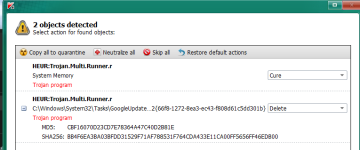
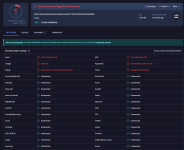

Can I get the sample too?Blocked by NordVPN Threatprotection Pro
View attachment 292822
And with the Malware Scanner from NordVPN:
View attachment 292823

This is a user problem. Not a protection problem.Someone has just posted got ransomware after running script command on some YT video claimed to download a game.
Microsoft configures Windows editions and versions for "Users that want to use stuff." If it hardens or removes PowerShell, then there will be a lot of complaints. Gamers are notorious for wanting to and actually disabling Microsoft Defender. They also expect Microsoft to provide that capability.NB: The malware disabled MD.
1. Yes. Either by script or other means - such as instructing user to disable the AV.So I have two questions:
Did the exe in memory disabled MD before exectuion?
Could other AVs detect it in memory (fileless) while MD failed (although it can be detected if landing on drive according to your data)?
It would be trivial to create an algorithm that can spit out cmd files by the thousands, the millions, that not a single AV will detect. This is the weakness of any system with script language capabilities.Amazing; the cmd file (not the exe file loaded in memory after execution of the cmd file) was not detected by any vendor.
SUA is for security. Not convenience.One of the reasons; with SA you cannot properly manage some security software such as WFC.
Absolutely agree and it's why I posted my favorite AV above. The writting on the AV box says it all. It is quite simple really.This is a user problem. Not a protection problem.

I run only one; I trust its creator more than Bill Gates.You really shouldn’t run unknown scripts that ask for admin access, Microsoft's Administrator Protection feature helps mitigate this threat.
Members who viewed this thread in the last 5 minutes


