
You are using an out of date browser. It may not display this or other websites correctly.
You should upgrade or use an alternative browser.
You should upgrade or use an alternative browser.
Advanced Security Morro Security Configuration 2026
- Thread starter Morro
- Start date
PC Setup Configuration Help & Showcase
98 Replies
19,953 Views
- Last updated
- Sep 26, 2026
- Main use of this computer
- For home and private use
- Operating system
- Windows 11
- OS version and support details
- 25H2
- On-device encryption
- Windows BitLocker / Device Encryption
- Device sign-in security
- Windows Hello PIN or biometric sign-in (face / fingerprint / Touch ID)
- Security updates
- Allow security updates
- Update channels
- Allow stable updates only
- User Account Control (UAC)
- Always notify
- Smart App Control
- On
- Network firewall
- Enabled
- Real-time protection
- - ESET Smart Security Premium
- Device firewall
- Other - Internet Security (3rd-party)
- Custom security settings
- Have set the tips as advised by CyberDevil in this post.

Serious Discussion - Trying out ESET Smart security Premium Trial version.
OK, I got curious about ESET Smart security Premium, so I installed the 1-month trial version. And maybe after that get a year licence if I like it. From the beginning, I already like how well designed the menus are. :) And from a bit of searching, I thought that ESET Smart security Premium did... malwaretips.com
* Activated Windows Sandbox, makes testing a new software easier.
- Periodic malware scanners
- - EEK (On demand)
- SiriusLLM (On demand)
- Malware sample testing
- I do not participate in malware testing
- Environment for malware testing
- Does not apply to me, see above.
- Browsers and extensions
- Vivaldi
— uBlock-Stripped
— 3P-Matrix Lite
— Download Sentinel
— Let's GPC
— Dark Reader
- Secure DNS
- — NextDNS
- Desktop VPN
- none
- Password and passkey manager
- Vivaldi's built-in password manager.
- File and photo backups
- I do this manually to my external HD.
- Subscriptions
- None
- System recovery
- * Hasleo Backup Suite Free.
* External Hard Drive.
- Usage and exposure
- Visiting familiar websites
- Opening email attachments
- Downloading software and files from reputable sites
- Gaming
- Computer specs
- * Operating System: Windows 11 Pro
* Motherboard: B560 ATX Wi-Fi / 1200 Socket (ATX)
* Processor: Intel i9 11900K - 8 cores - 16 threads - 3,5 GHz (Turbo 5,3 GHz)
* CPU Cooler: Master Liquid 240mm RGB(Active.) Air Cooling. (Passive.)
* SSD: Patriot M2 P300 1024GB
* External 5 TB WD Elements 25A3 USB Device
* RAM: RGB 32GB DDR4-3200 MHz (2x 16GB)
* Graphics card: Nvidia RTX 4060 8GB
* MSI MAG 27CQ6F - WQHD Curved Gaming Monitor - 180Hz - 27 Inch
* Outer casing: Sharkoon REV100
* Power: 750Watt - 80Plus GOLD
* Lan: Realtek 2.5 Gbps
* Sound: Realtek ALC892
* USB: 11 ports (Of different kinds.)
- Feedback preference
Suggestions on the main improvements

Why use Dark Reader over Vivaldi's dark mode setting?
Because usually when a browser has that option, then I can not set it per website, Dark Reader does let me do that. Unless Vivaldii has the option to set it per website?

I don't think it has that option, but it is lighter and faster to load pages than Dark Reader.Because usually when a browser has that option, then I can not set it per website, Dark Reader does let me do that. Unless Vivaldii has the option to set it per website?
Perhaps, but I guess the load difference will be minimal? I will try it out and see.
EDIT: No, not for me. The first site I went to already showed several pictures completely weird, and no option that I could see to deactivate it for that website. Myabe it would have been the only website where it happened, but I am sticking to Dark Reader.
EDIT: No, not for me. The first site I went to already showed several pictures completely weird, and no option that I could see to deactivate it for that website. Myabe it would have been the only website where it happened, but I am sticking to Dark Reader.
Last edited:

Have you tried "selective inversion of non-image, elements" in the dark mode flag? This option works better than the default mode.Perhaps, but I guess the load difference will be minimal? I will try it out and see.
EDIT: No, not for me. The first site I went to already showed several pictures completely weird, and no option that I could see to deactivate it for that website. Myabe it would have been the only website where it happened, but I am sticking to Dark Reader.
Have you tried "selective inversion of non-image, elements" in the dark mode flag? This option works better than the default mode.
No I have not, but I can also not find that flag in vivaldi:flags? Or is it called something else?
EDIT: Stupid me woke up and found the setting.

Last edited:
Does this option work any better for you?EDIT: Stupid me woke up and found the setting.
Does this option work any better for you?
No, I went back to Dark Reader. Pictures showed normally, but it causes well ... less natural colour effects.
I prefer Dark Reader over Vivaldi's Dark Mode. Dark Reader has better "Natural Colours" (If that is possible with Dark mode.
 ) than Vivaldi dark mode in my opinion, MajorGeeks was not the only site where I saw the weird colour change.
Your Vivaldi dark mode image of majorgeeks.com looks different. Here is mine.No, I went back to Dark Reader. Pictures showed normally, but it causes well ... less natural colour effects.
I prefer Dark Reader over Vivaldi's Dark Mode. Dark Reader has better "Natural Colours" (If that is possible with Dark mode.
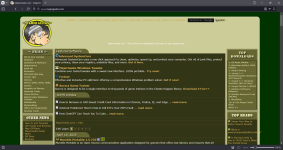
Your Vivaldi dark mode image of majorgeeks.com looks different. Here is mine.
View attachment 288066
OK, that is odd? Do you use the flag SeriousHoax mentioned, or a different one?
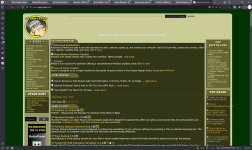
Mine looks similar to @rashmi but this is on Edge, I don't have Vivaldi installedOK, that is odd? Do you use the flag SeriousHoax mentioned, or a different one?
Just enable the "force a dark theme..." option in appearance settings. It enables the flag he mentioned.OK, that is odd? Do you use the flag SeriousHoax mentioned, or a different one?
Just enable the "force a dark theme..." option in appearance settings. It enables the flag he mentioned.
I did that, but I still got those weird colours that I showed with the MajorGeeks pictures. I will play around with all the different Flag settings tomorrow to see if one of those does things better.
Did you restart Vivaldi and disable Dark Reader? The flag @SeriousHoax mentioned is better overall than others.I did that, but I still got those weird colours that I showed with the MajorGeeks pictures. I will play around with all the different Flag settings tomorrow to see if one of those does things better.
With Vivaldi, you can access Chrome/Chromium settings.
chrome://settings
chrome://flags
Last edited:
Mine looks similar to @rashmi too, I'm on Vivaldi, no flags used.OK, that is odd? Do you use the flag SeriousHoax mentioned, or a different one?
Did you restart Vivaldi and disable Dark Reader? The flag @SeriousHoax mentioned is better overall than others.
With Vivaldi, you can access Chrome/Chromium settings.
chrome://settings
chrome://flags
I did both of those, but I will try out again today.
Odd, now Vivaldi Darkmode looks better than yesterday, could it be that the cleaning with Wise Disk Cleaner I did today somehow make it work? (Like for the rest of you.)
Either way, I will try it out for a few days to see if it can replace Dark Reader.
Either way, I will try it out for a few days to see if it can replace Dark Reader.
Similar threads
-
 Software Review Panda Dome Advanced Antivirus 2026
- Started by Shadowra
- Replies: 24
-
 Remember Shields Up? Guess he has a security podcast. I asked Ai what he thinks of security software. I was shocked!
- Started by annaegorov
- Replies: 8
-

-
[Closed] Trojan:MSIL/Malgent!MSR in infinitedocsapp.exe
- Started by pt11
- Replies: 5
-
 Tech News AI Code is Hollowing Out Open Source, and Maintainers are Looking the Other Way
- Started by oldschool
- Replies: 4