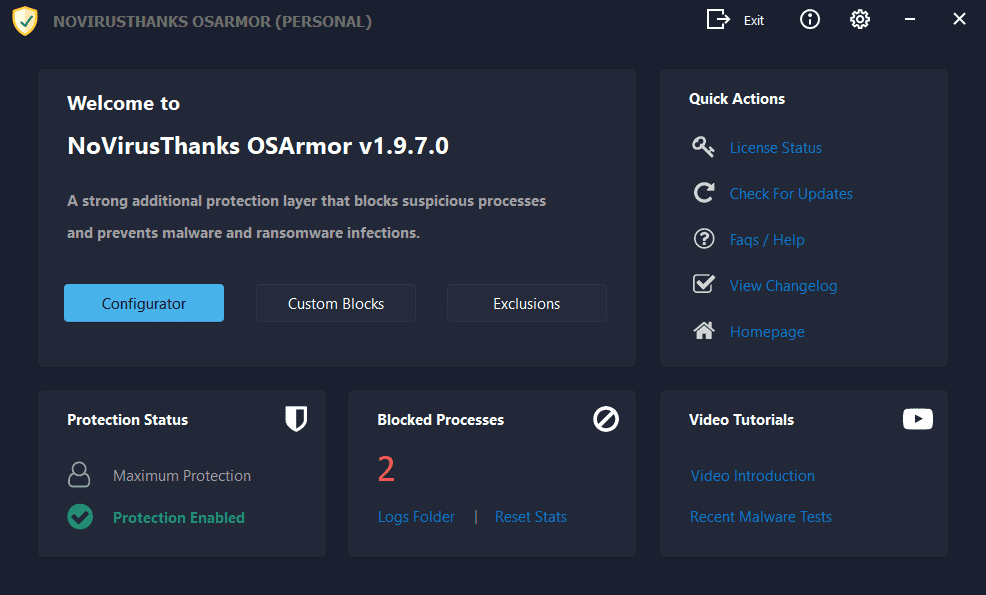
NoVirusThanks OSArmor

OSArmor v1.9.8 has been released.
Changelog - 7 Apr 2024:

+ Fixed all reported false positives
+ Updated NoVirusThanks License Manager with latest version
+ Added more signers to Trusted Vendors list
+ Improved internal rules to detect suspicious behaviors
+ Minor improvements
 
OSArmor v1.9.9 released:
[16-May-2024] v1.9.9.0

+ Fixed all reported false positives
+ Added Block execution of Quick Assist
+ Added Block suspicious and uncommon PowerShell commands
+ Improved Block execution of Remote Access Tools (E.g TeamViewer)
+ Merged some user-selectable protection options
+ Added more signers to Trusted Vendors list
+ Minor improvements
 
OSArmor v2.0.1 released:
[30-May-2024] v2.0.1.0

+ Added OSArmor Version and Action on log files
+ Added more details on StartUp Folder Protection events
+ Added option to set a custom request header (e.g X-Api-Key: ...)
+ Added option to send old logs to the remote URL and remove local log files
+ Local log files are removed only if remote URL returned 200 status code
+ If a single event failed to be sent to the remote URL it is kept in the log file
+ Added option to ping (POST) a remote URL every 15 minutes
+ Added more JSON data on HTTP POST request
+ Changed JSON fields format of HTTP POST requests in snake_case
+ Added "Example JSON data sent" on Enterprise tab
+ Better organized the Enterprise tab content
+ Updated Events Viewer
+ Minor improvements
 
OSArmor v2.0.1 released:

And here is the previous version

OSArmor v2.0.0 released:

+ Save log files in YYYY-MM-DD.log format
+ Save date/time in log files in YYYY-MM-DD HH:mm:ss format
+ Save also date/time in UTC
+ Added more JSON data on HTTP POST request (Enterprise version)
+ Minor improvements


Mops21
 
  • Like
Reactions: SHvFl and Jan Willy
We have released OSArmor v2.0.4:

Here is the changelog:

[02-May-2025] v2.0.4.0

+ Added more signers to Trusted Vendors list
+ Fixed all reported false positives
+ Improved internal rules to detect suspicious behaviors
+ Updated internal libraries
+ Minor improvements

If you have automatic updates enabled then OSArmor should auto-update in the next hours.

Else you can install it "over-the-top" of the installed version, reboot is not needed.

If you find false positives or issues please let me know.
 
We have released OSArmor v2.0.5:

Here is the changelog:

[08-Jul-2025] v2.0.5.0

+ Fixed all reported false positives
+ Improved internal rules to detect suspicious behaviors
+ Fixed a rare issue during OSArmor service startup
+ Improved startup of OSArmor service
+ Minor improvements

If you have automatic updates enabled then OSArmor should auto-update in the next hours.

Else you can install it "over-the-top" of the installed version, reboot is not needed.

If you find false positives or issues please let me know.
 
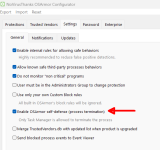
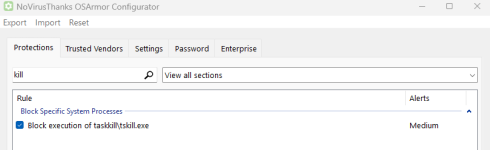
It has self-protection to protect its process from termination. For other processes it blocks the execution of taskkill\tskill.exe.

OSArmor settings.png

OSArmor settings (1).png
 
Last edited:
I used this for a couple of years, IMHO it caused more problems than it was worth & I eventually gave up on it - What are other users experiences please?

I've used this for a long time as well, and I like it. I admit it can be tedious. But that's not a bad thing; granual control can be very powerful. I think of this kind of like the old HIPS-types of yesteryear (OMG, I sound 100) like System Safety Monitor. They, and this, won't try to prevent malware via signature. Antimalware scanners do that, and they're fighting an inevitable losing battle. HIPS, and this, use more of a whitelist only approach; a pain to set up but very powerful.
 
  • Like
Reactions: bjm_
What are other users experiences please?
My only complaint is that when I install some new software I get too many notifications that the setup process is blocked and I've to create a exclusion for it, often multiples ones (sometimes I prefer to disable its protection before installing new software), but I must say that I set it to the Maximum protection so it's perfectly normal. Other than that I have never had any problems and I consider it a useful tool as additional protection.
 
  • Like
Reactions: bjm_ and Sorrento
Similar issues, programs were blocked during routine updates which damaged the program or just parts of it before I could get to whitelist it, if I forgot to disable the program - This meant the program had to be removed and reinstalled or more often I just imaged back - Again as it was with me personally the program had to be disabled at the time it was probably needed the most? In time I just gave up & thinking back it didn't save me from any issues, maybe things have changed? Not meant to be a negative assessment.
 
  • Like
Reactions: bjm_
Similar issues, programs were blocked during routine updates which damaged the program or just parts of it before I could get to whitelist it, if I forgot to disable the program - This meant the program had to be removed and reinstalled or more often I just imaged back - Again as it was with me personally the program had to be disabled at the time it was probably needed the most? In time I just gave up & thinking back it didn't save me from any issues, maybe things have changed? Not meant to be a negative assessment.
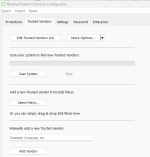
It may take some time to create exclusion's rules but after that I don't get notifications anymore when a software is autoupdated. As I wrote above I set OSArmor to Maximum protection preset but if you lower it (to Advanced, Medium or Basic, the latter is the default one) you get less notifications that a process is blocked. Furthermore is the file is digitally signed and the signer is included in OSArmor's trusted vendor list it shouldn't be blocked , if I'm not mistaken (OSArmor has a lot of rules so I could be wrong) . If the signer isn't included in that list you can add it.
OSArmor trusted vendors.png
 
  • Applause
  • Like
Reactions: bjm_ and Sorrento