

The MalwareTips app
Your community, one tap away.
Open MalwareTips from your Home Screen or desktop. Follow discussions, find answers and pick up where you left off.
- Home Screen access
- Optional push alerts
- Your community
You're ready to explore.Explore what's new
Installation instructions
iPhone & iPad
- Open MalwareTips in Safari and tap Share. You may need to open the Page Menu first.
- Choose Add to Home Screen. If it is not listed, use Edit Actions to add it.
- Keep Open as Web App enabled if shown, then tap Add.
Android
- Open MalwareTips in Chrome or another browser that supports app installation.
- Open the browser menu and look for Install app, Install and create shortcut, or Add to Home screen.
- Choose Install and confirm. Wording varies by browser.
Desktop
- Chrome: use the install icon in the address bar, or the menu under Cast, save and share.
- Edge: open the menu, then More tools, Apps and Install this site as an app.
- Safari on Mac: choose Share or File, then Add to Dock. Firefox on Windows: look for the web apps button in the address bar.
If you cannot find an install option, update your browser or use its bookmark option to keep MalwareTips close.
Keep up with your conversations
After installation, open the app and sign in. Enable push notifications in Preferences if you want alerts. On iPhone and iPad, push requires a Home Screen web app and iOS or iPadOS 16.4 or later.
Sign in to manage notificationsInstallation is optional. Your notification settings stay under your control.
You are using an out of date browser. It may not display this or other websites correctly.
You should upgrade or use an alternative browser.
You should upgrade or use an alternative browser.
Troubleshooting Only power plan Balanced available on windows 10
-
 Thread starter
peter1111
Thread starter
peter1111
- Start date
- 22 Replies
- 8,771 Views
Solution

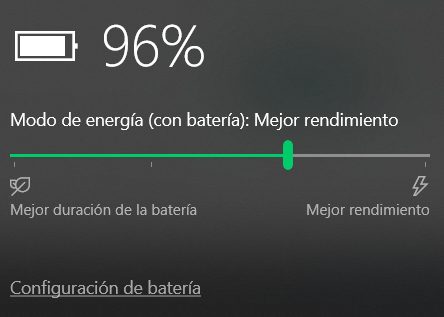
That's the intended behavior on laptops, you should use the power slider
However you can "unhide" them using
 www.tenforums.com
However you can "unhide" them using
powercfg
Restore Missing Default Power Plans in Windows 10
How to Restore Missing Default Power Plans in Windows 10
www.tenforums.com

That's the intended behavior on laptops, you should use the power slider
However you can "unhide" them using
www.tenforums.com
However you can "unhide" them using
powercfg
Restore Missing Default Power Plans in Windows 10
How to Restore Missing Default Power Plans in Windows 10
www.tenforums.com
Upvote
0
Solution


This works too? Because I have only this.That's the intended behavior on laptops, you should use the power slider
View attachment 257694
However you can "unhide" them usingpowercfg
Restore Missing Default Power Plans in Windows 10
How to Restore Missing Default Power Plans in Windows 10
Upvote
0

This works too? Because I have only this. View attachment 257701
You can try it as geminis posted the link
Upvote
0
tried the power plan is injected but still they don't show upYou can try it as geminis posted the link
Upvote
0

I didWhich method did you try and have you restarted your PC afterwards?
Try creating a new user account and see if it has any power plans.
Upvote
0

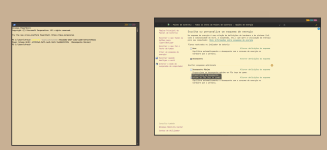
tried and restarted still only blancedAt the prompt, type (or copy and paste) the following command and then hit Enter:
Code:powercfg -duplicatescheme e9a42b02-d5df-448d-aa00-03f14749eb61
View attachment 258692
Upvote
0
Backup any unsaved files.tried and restarted still only blanced
Settings > Recovery > Reset this PC > Keep my files.
Need more help? Recovery options in Windows 10
Upvote
0

Can you try regedit backup beforehand
First, run regedit, then:
HKEY_LOCAL_MACHINE > SYSTEM > CurrentControlSet > Control > Power
Then set the "CsEnabled" parameter to 0 hex
Then set the "HibernateEnabled" parameter to 1 hex (It may already be set to 1)
Then reboot. Control Panel > Power Options should now show all three power plans, Balanced, Power Saver and Performance.
First, run regedit, then:
HKEY_LOCAL_MACHINE > SYSTEM > CurrentControlSet > Control > Power
Then set the "CsEnabled" parameter to 0 hex
Then set the "HibernateEnabled" parameter to 1 hex (It may already be set to 1)
Then reboot. Control Panel > Power Options should now show all three power plans, Balanced, Power Saver and Performance.
Upvote
0
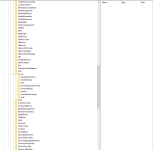
but under power that is all folders, there is to entriesWow,I have that parameter, registry corruption maybe?
Upvote
0
Are you comfortable in adding that key?but under power that is all folders, there is to entries
Backup first
Upvote
0
Recently browsing
Members who viewed this thread in the last 5 minutes


