Setup PCPC setup


The MalwareTips app
Your community, one tap away.
Open MalwareTips from your Home Screen or desktop. Follow discussions, find answers and pick up where you left off.
- Home Screen access
- Optional push alerts
- Your community
You're ready to explore.Explore what's new
Installation instructions
iPhone & iPad
- Open MalwareTips in Safari and tap Share. You may need to open the Page Menu first.
- Choose Add to Home Screen. If it is not listed, use Edit Actions to add it.
- Keep Open as Web App enabled if shown, then tap Add.
Android
- Open MalwareTips in Chrome or another browser that supports app installation.
- Open the browser menu and look for Install app, Install and create shortcut, or Add to Home screen.
- Choose Install and confirm. Wording varies by browser.
Desktop
- Chrome: use the install icon in the address bar, or the menu under Cast, save and share.
- Edge: open the menu, then More tools, Apps and Install this site as an app.
- Safari on Mac: choose Share or File, then Add to Dock. Firefox on Windows: look for the web apps button in the address bar.
If you cannot find an install option, update your browser or use its bookmark option to keep MalwareTips close.
Keep up with your conversations
After installation, open the app and sign in. Enable push notifications in Preferences if you want alerts. On iPhone and iPad, push requires a Home Screen web app and iOS or iPadOS 16.4 or later.
Sign in to manage notificationsInstallation is optional. Your notification settings stay under your control.
You are using an out of date browser. It may not display this or other websites correctly.
You should upgrade or use an alternative browser.
New Update Opera Stable Update Thread


Setup PCPC setup
Opera stable version 67.0.3575.79 is now available. Looks like a substantial one.
67.0.3575.79 – 2020-03-12 blog post
Changelog and blog link
67.0.3575.79 – 2020-03-12 blog post
- CHR-7804 Update chromium on desktop-stable-80-3575 to 80.0.3987.132
- DNA-83766 Opera Ad Blocker extension state is not updated when changing it
- DNA-83966 Enable kFeatureSuggestionScoringImproved on all the streams
- DNA-84159 Settings – list of workspaces in the settings isn’t updated after reordering
- DNA-84396 Inline autocomplete not working when SD becomes the top-scored suggestion
- DNA-84711 Wrong autocomplete address for https sites
- DNA-84741 No amazon partner extension displayed
- DNA-84743 Crash at ExtensionsToolbarContainer::UndoPopOut()
- DNA-84776 Bookmarks not fully displayed in Bookmarks Panel
- DNA-84817 Crash at Browser::IsSearchAndCopyPopupEnabled()
- DNA-84836 Broken video playback in some cases
- DNA-84837 Audio decoder broken although available on Windows 7
- DNA-84860 [Mac] Address field not highlighted on hover
- DNA-84889 [desktop-stable-80-3575] There’re no basic settings
- DNA-84910 Fix output type selection of SW H.264 decoder
- DNA-84938 Prepare stable build with Yx 05 edition
- DNA-84969 Address bar dropdown launches HTTP GETs for every autocomplete
Changelog and blog link

Setup PCPC setup
Opera stable version 67.03575.97 is now available.
67.0.3575.97 – 2020-03-19 blog post
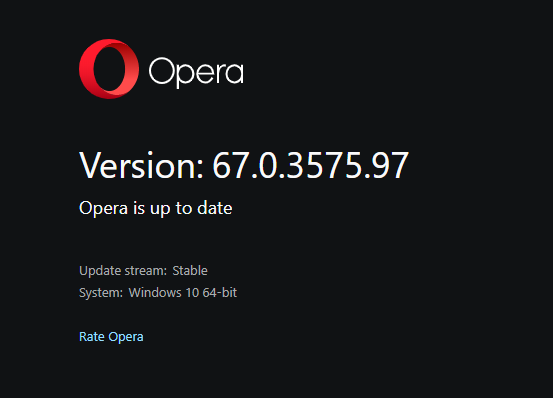
67.0.3575.97 – 2020-03-19 blog post
- DNA-84063 Open URL in new tab with ‘Go to web address’ in search/copy popup and right mouse click context menu
- DNA-84780 Search in Search and Copy popup opens tab in wrong position from popup window
- DNA-84786 Crash at Browser PasteAndGo(std::__1::basic_string const&, WindowOpenDisposition)
- DNA-84815 Crash at TabStripModel::GetIndexOfWebContents(content::WebContents const*)
- DNA-84937 [Mac] Workspace switching is slow with a lot of tabs opened
- DNA-85159 Sidebar-setup not refreshed correctly after signing out from sync
Last edited:


I in love with Opera. For me is perfect. Light browser, with adblock, simple vpnHow are you folks enjoying Opera?


This made me curious.Only thing: I'd asked about cleaning out the javascript files in Opera's cache and it seems it's not (yet) implemented. So my request for that stands. Incidentally, these are tiny, usually just 1 or a few kb, but they sure can add up. If you use Opera and are a light to moderate browser, over time, these can balloon into the tens of thousands and use a few hundred MBs on your disk. So, it would be nice to have PrivaZer do this stack for you.
File path: C:\ Users \ user name \ AppData \ Roaming \ Opera Software \ Opera Stable \ Code Cache \ js
On my own main machine/system it exist a few thousands of the .js files. Personal I don't consider the size of this as any issue. These files are link/url related if one check a bit deeper and it does actually exist a cleaning solution inside Opera itself. Works flawless.


Opera 67.0.3575.115 Stable update
Hi there, Here is a rare Friday-release for Opera Stable, based on Chromium 80.0.3987.149 and containing some crash fixes. Here is the full changelog. Installation links: Opera Stable for Windows Opera Stable for macOS Opera Stable for Linux – deb packages Opera Stable for Linux – RPM packages...
Setup PCPC setup
Opera stable version 67.0.3575.137 is now available. From the official changelog:
67.0.3575.137 – 2020-04-08 blog post
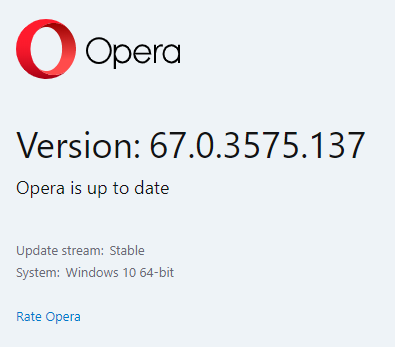
67.0.3575.137 – 2020-04-08 blog post
- CHR-7852 Update chromium on desktop-stable-80-3575 to 80.0.3987.163
- DNA-82540 Crash at remote_cocoa::NativeWidgetNSWindowBridge:: SetVisibilityState(remote_cocoa::mojom::WindowVisibilityState)
- DNA-84951 New PiP is completely black for some 2 GPU setups
- DNA-85284 Chrome “Open link in same tab, pop-up as tab [Free]” extension is no longer working in Opera
- DNA-85415 [Mac] Inspect Popup not working
- DNA-85530 Create API for displaying and triggering “unread” mode for messengers from in-app
- DNA-85537 Let addons.opera.com interact with sidebar messengers
Opera 68.0.3618.56 Stable update
Hi, Here is the new Opera Stable update with some improvements. For the complete list of fixes, see the full changelog. Installation links: Opera Stable for Windows Opera Stable for macOS Opera Stable for Linux – deb packages Opera Stable for Linux – RPM packages Opera Stable for Linux – snap...
Opera 68.0.3618.104 Stable update
Here is an Opera Stable update. The build is based on Chromium 81.0.4044.138. It contains some bug fixes and some enhancements. For the complete list of fixes, see the full changelog. Installation links: Opera Stable for Windows Opera Stable for macOS Opera Stable for Linux – deb packages Opera...
How are you folks enjoying Opera?
It is the browser I use most on desktop. It has a lot of useful features and is very lightweight and "feels" good.
Opera 68.0.3618.165 Stable update
Hello, this is a new, updated Opera 68 Stable build that comes with a small crash fix. For the complete list of fixes, see the full changelog. Installation links: Opera Stable for Windows Opera Stable for macOS Opera Stable for Linux – deb packages Opera Stable for Linux – RPM packages Opera...
Last edited:
Just updated.
 blogs.opera.com
Opera 68.0.3618.173 Stable update
Hello, this is Opera Stable update with some minor fixes. Happy Thursday! For the complete list of fixes, see the full changelog. Installation links: Opera Stable for Windows Opera Stable for macOS Opera Stable for Linux – deb packages Opera Stable for Linux – RPM packages Opera Stable for Linux...
Opera 69.0.3686.49 Stable update
Hi there, this is the Opera Stable update, based on Chromium 83.0.4103.116. It contains some minor fixes. Have a great day! For the complete list of fixes, see the full changelog. Installation links: Opera Stable for Windows Opera Stable for macOS Opera Stable for Linux – deb packages Opera...
Opera 69.0.3686.57 Stable update
Hi there, this is the brand new Opera Stable update with some minor fixes. Have a happy Wednesday! For the complete list of fixes, see the full changelog. Installation links: Opera Stable for Windows Opera Stable for macOS Opera Stable for Linux – deb packages Opera Stable for Linux – RPM...

Opera 70 comes with easier access to closed tabs, simpler searches, and new Workspace icons
With Opera 70, we’ve focused on improving existing features and tools based on user suggestions and extensive testing.
MalwareTips community
Join the discussion. It's free.
Create an account to reply to this thread, ask your own questions and get help from people who know security.
- Reply and ask your own questions
- Get an alert when someone answers
- Free malware removal help from volunteers


Recently browsing
Members and guests who viewed this thread in the last 5 minutes