Solved Popups out of control...

Echo80

New Member
Verified
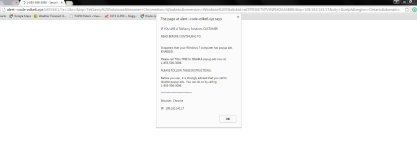
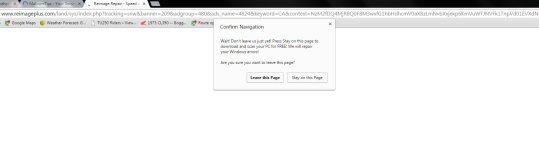
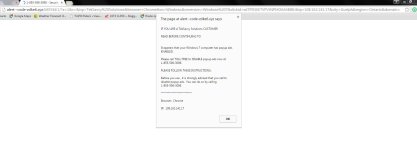
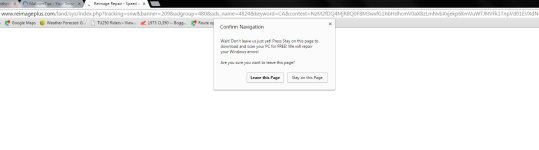
I have attached 3 screenshots of examples of what I'm seeing. (I do have the browsers popup blocker enabled, contrary to what the popup is telling me...) My current virus program is avast and I run CCleaner and super antispyware from time to time.

Thanks
 

Attachments

  • Capture.JPG
    Capture.JPG
    76.8 KB · Views: 7
  • Capture2.JPG
    Capture2.JPG
    57.9 KB · Views: 7
  • Capture.JPG
    Capture.JPG
    76.8 KB · Views: 9
  • Capture2.JPG
    Capture2.JPG
    57.9 KB · Views: 9
  • Capture3.JPG
    Capture3.JPG
    56.5 KB · Views: 9
Hi,


FRST.gif
Scan with Farbar Recovery Scan Tool

Please download Farbar Recovery Scan Tool and save it to your desktop.

Note: You need to run the version compatibale with your system. If you are not sure which version applies to your system download both of them and try to run them.
Only one of them will run on your system, that will be the right version.


  • Double-click to run it. When the tool opens click Yes to disclaimer.
  • Press Scan button.
  • It will make a log (FRST.txt) in the same directory the tool is run. Please attach it to your reply.
  • The first time the tool is run, it makes also another log (Addition.txt). Please attach it to your reply.
 
FRST.gif
Fix with Farbar Recovery Scan Tool

icon_exclaim.gif
This fix was created for this user for use on that particular machine.
icon_exclaim.gif

icon_exclaim.gif
Running it on another one may cause damage and render the system unstable.
icon_exclaim.gif
​

Download attached fixlist.txt file and save it to the Desktop:

Both files, FRST and fixlist.txt have to be in the same location or the fix will not work!

  • Right-click on
    FRST.gif
    icon and select
    RunAsAdmin.jpg
    Run as Administrator to start the tool.
    (XP users click run after receipt of Windows Security Warning - Open File).
  • Press the Fix button just once and wait.
  • If for some reason the tool needs a restart, please make sure you let the system restart normally. After that let the tool complete its run.
  • When finished FRST will generate a log on the Desktop, called Fixlog.txt.

Please attach it to your reply.
 

Attachments

Okay, done. I've attached the fixlog file and then did another scan using farbar - files attached. Currently, all three browsers seem to be back to normal again with no pop-ups and no 'shopping assistant'. Given the quick return of the pop-ups last time I declared success, I'm hesitant to jump up and down just yet...! Is there anything else I could do that might help solidify the malware's permanent removal?
 

Attachments

Thanks. I'll let you know if anything comes back. Really do appreciate it.

With AdwCleaner - I do a scan and I'm then asked if I want to keep any of the files it identifies. I assume these files are typically crap that I don't need, or does this program have a reputation of selecting files that many people would want to keep? Am I able to restore deleted files if I later realize I shouldn't have deleted them?
 
Thanks. One last question - would you say AdwCleaner performs overlapping tasks to that of CCleaner, or are the two programs different enough to justify using both?
 

Recently browsing

Members who viewed this thread in the last 5 minutes

Back
Top