New Update Reg Organizer Updates Thread

Some time ago I used this program is good but it is not a free program you need to have a key.
I am not currently using it because I don't have a key.
Its not that cheap but its a programs I buy & probably will continue to so because few if any programs I've used do the same job - Once you have bought it you can continue to use it but without updates.
 
Although I have many system utilities software installed on my device, I like Reg Organizer the most, I feel it has good useful utilities, I was contacting the developers for couple of months now to report issues, and they were very kind and helpful.
the message not all registry items have been removed isn't that helpful
I think this message related to the uninstaller, when there are some entries are not safe to remove or not related to the removed software alone like file extension.
I am not currently using it because I don't have a key.
You can continue using it after trial period end, there are no limitation, it will notify you that this is a trial version just like WinRAR do.
 
Last edited:
Although I have many system utilities software installed on my device, I like Reg Organizer the most, I feel it has good useful utilities, I was contacting the developers for couple of months now to report issues, and they were very kind and helpful.

I think this message related to the uninstaller, when there are some entries are not same to remove or not related to the removed software alone like file extension.

You can continue using it after trial period end, there are no limitation, it will notify you that this is a trial version just like WinRAR do.

Its often to do with permissions as you say, I use the program often & likely always will.
 
v. 9.90 1/20/26
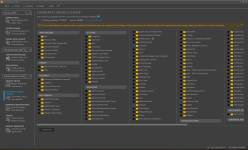
  • New Community-Driven Cleanup tool. Extends system cleanup capabilities by utilizing the open, community-maintained Winapp2 cleanup routines database. Includes over 3500 cleanup routines for numerous applications. For instance, added support for Vivaldi, Brave, Opera GX, Arc Browser, Avira Secure Browser, Avast Secure Browser, AVG Secure Browser, Norton Private Browser, and CCleaner Browser.
  • Added two new Windows 11 tweaks:
    1. Hide the Recommended section from the Start Menu.
    2. Hide "Learn about this picture" Desktop icon.
  • Refined accuracy of application installation dates in the Applications tool.
  • Improved notification behavior when the program is running in the background.
  • Fixed bugs:
    1. Fixed an issue in the Applications tool where unchecking and re-checking an item in the list filtered to a single entry could cause that item to disappear.
    2. In the System and Private data cleanup tools, if you open the list of unneeded files in a specific cleanup location and uncheck certain items, the total size of data to be cleaned might be calculated incorrectly.
    3. If you launch application tracing via the context menu in Windows, the tracing may restart when you reopen the Applications tool or update its data.
    4. The application was not removed from the Applications tool list if it was uninstalled using only its standard uninstaller without traces cleanup.
    5. When scrolling to the end of the list in the Applications tool by clicking the scroll bar arrow, the list becomes empty.
Installation Pack
Portable Version
Version History
 
  • Like
Reactions: Sorrento
I believe that with this addition, nothing surpasses Reg Organizer in terms of the cleaning services it offers.

2026-01-27 05_54_47-Reg Organizer 9.90.png
 
Reg Organizer 9.91
Mar 6, 2026
  • The Brave, Opera GX, and Vivaldi browsers have been added to the main cleanup tools.
  • To improve cleanup effectiveness for certain applications, Reg Organizer now warns if they need to be closed and can close them automatically. Previously, this only applied to browsers.
  • If the Edge and Yandex browsers need to be closed during cleanup, they are now closed faster.
  • System Cleanup: Improved cache cleaning for Edge, Chrome, Opera, and Yandex browsers.
  • The System Cleanup and Private Data Cleanup tools now open faster.
  • Usability improvements for the new Community-Driven Cleanup tool:
    1. Added a prompt to close applications being cleaned. Previously, this was only available in the main cleanup tools.
    2. Empty sections are now dimmed to partially blend with the background.
  • Fixed a bug in the Community-Driven Cleanup tool: The "&" symbol (e.g., in "Google Chrome Autofill Data & Search Engine Preferences") was not displayed in location names when viewing the results list.
  • Removed cleanup for legacy Edge (EdgeHTML-based, discontinued in 2019). Cleanup of modern Chromium-based Edge remains supported.
Installation Pack
Portable Version
Version History
 
v. 9.92 4/15/26
  • Improved forced applications removal:
    • Reg Organizer now automatically terminates processes and services that block application's uninstallation. This ensures a complete cleanup, even if the applications's built-in uninstaller is corrupted or fails to launch.
    • If certain files remain locked, Reg Organizer will offer to delete them upon the next system reboot. During the final uninstall step, you can review the list of these files and exclude any from the deletion process if needed.
    • Enhanced cleanup of locked registry keys in Windows 11 that cannot be removed by standard methods.
  • Applications uninstaller tool: Microsoft Office updates and service components are now automatically moved to the "System and Service" section. This makes the main list more compact and easier to navigate.
  • Registry Editor: improved the ability to delete locked registry entries in Windows 11. You can now remove keys and values that are inaccessible to the standard Registry Editor (regedit).
  • Fixed bug: Programs launched manually from the Startup Applications or Applications tools were assigned an incorrect working directory (defaulting to the Reg Organizer folder). This could sometimes cause the launched application to malfunction.
Installation Pack
Portable Version
Version History
 
  • Like
Reactions: simmerskool
v. 9.93 6/16/26
  • Added detection of associated drivers when searching for leftover traces during full application uninstall: https://www.chemtable.com/blog/en/reg-organizer-drivers-in-traces.htm.
  • Fixed an issue where the ChangesTracker entry was incorrectly flagged as an error in "Important Registry Parts" -> "Software Records" (even after deletion).
  • Fixed bugs:
    • A rare issue where opening the Applications tool triggered an error such as: "26523/67/0 28992:162:0.0 is not a valid date and time.".
    • An issue where rescanning registry-related cleanup sections (e.g., "Invalid Registry Paths") without restarting the program caused the number of items found to double each time.
    • Fixed flickering in dark theme on the full uninstall results screen (showing deleted files, registry entries, and startup items).
 

You may also like...