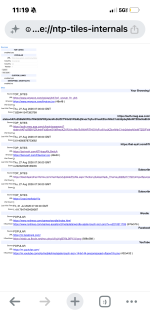
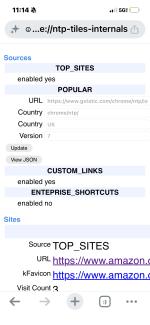
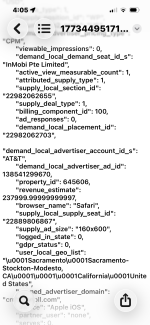
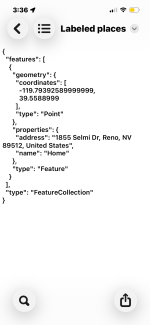
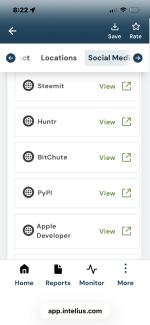
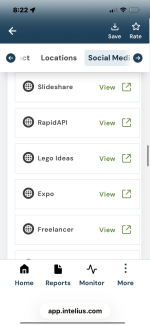
I have suspected that malware was manually put on my phone by my fiance who is being shady and promiscuous things such as GitHub and python or pyto it blocks me from accessing certain websites and data as well as creating false time steps and deleting data I want it all off my phone but I don’t know how
First, prioritize your safety
I cannot determine from this description whether malware is present. GitHub, Python, or Pyto are not malware by themselves, although an installed app, configuration profile, automation, or compromised account could be misused. Website blocking, missing data, and incorrect timestamps can also result from account settings, parental controls, DNS/VPN profiles, damaged storage, or an incorrect date/time setting.
If your fiancé may react dangerously when access is removed, do not confront them using the phone. Use a different trusted device and contact a local domestic-abuse or technology-safety service. If you are in immediate danger, contact emergency services.
Before resetting the phone
Use a trusted device that your fiancé has not accessed, if possible.
- Change the password for your primary email account first, then your Apple Account or Google Account, banking, messaging, and social-media accounts.
- Enable two-factor authentication using an authenticator app or security key rather than SMS where practical.
- Review active sessions, signed-in devices, recovery email addresses, phone numbers, forwarding rules, and unknown authentication methods. Sign out devices you do not recognize.
- Change the phone’s screen-lock PIN and remove unknown fingerprints or face profiles.
- Document suspicious apps, profiles, notifications, dates, and account activity with photographs or screenshots from another device if you may need evidence.
- Do not rely on a full device backup for restoration. A backup can restore unwanted apps, profiles, or settings.
If you need important photos or documents, copy only those files to a separate trusted location. Avoid copying applications, configuration profiles, device-management files, or unknown archives.
Remove the software and management settings
Check the installed-app list and remove applications you do not recognize. Also inspect:
- VPN and DNS settings
- Accessibility services and device-administrator apps on Android
- Device-management or configuration profiles on iPhone
- Unknown keyboards, browser extensions, certificates, automation rules, and parental-control settings
- Accounts and devices connected to Apple, Google, Microsoft, messaging, and cloud-storage services
Do not delete potentially useful evidence before recording it. If an app cannot be removed, the phone says it is managed by an organization, or settings immediately return after removal, the safest option is usually a complete factory reset followed by review of the associated accounts.
Most reliable cleanup: factory reset
A factory reset removes the phone’s installed applications and local settings, but it does not automatically secure compromised online accounts.
- Update the phone and make sure you know the correct Apple Account or Google Account credentials before resetting.
- Use the built-in erase/factory-reset option in Settings, not an unknown “cleaner” application.
- After the reset, install system updates first.
- Set the phone up as new rather than restoring the entire device backup.
- Install applications individually from the official Apple App Store or Google Play Store.
- Recheck account sessions and security settings after setup.
On iPhone, review
Settings > General > VPN & Device Management and
Settings > Privacy & Security > Safety Check where available. Then use
Settings > General > Transfer or Reset iPhone > Erase All Content and Settings.
On Android, review
Settings > Security and privacy,
Settings > Apps,
VPN,
Accessibility, and
Device admin apps. The exact names vary by manufacturer. Then use the phone’s
Reset options > Erase all data/factory reset option.
Afterward
Contact your mobile carrier and ask them to check for unauthorized account access, SIM replacement, call forwarding, and changes to the account PIN. If the phone remains abnormal after a clean reset, have the manufacturer or a reputable repair provider inspect it. Do not install unofficial firmware or random spyware-removal tools.
The safest overall approach is to secure your accounts from a separate trusted device, preserve any evidence you need, factory-reset the phone, and configure it as new.